
Lookalike audiences were introduced in 2013 as a way to generate a large audience of people similar to those who are already connected to you. You can create lookalike audiences based on source audiences that include any custom audience or Facebook page audience.
How Things Were
Before lookalike audiences, one of advertisers’ biggest challenges was isolating the perfect combination of targeting to get the best results. We’d experiment with different interests and behaviors and create separate ad sets based on different interest groups.
Lookalike audiences helped simplify much of that manual work. Instead of trying to define the interests of our target audience, we could use our customer list or website visitors as a source to build a lookalike audience of similar people.
Advertisers had full control over targeting, which meant that the decisions we made there were critical. Lookalike audiences were often central to the solutions we found.
What Changed
The changes to lookalike audiences are very similar to the changes we covered in the last lesson related to detailed targeting. Slowly, but surely, we lost the control we once had.
In 2021, Meta introduced Lookalike Expansion as an optional checkbox that allowed you to reach people beyond your lookalike audience if it was likely to improve results.
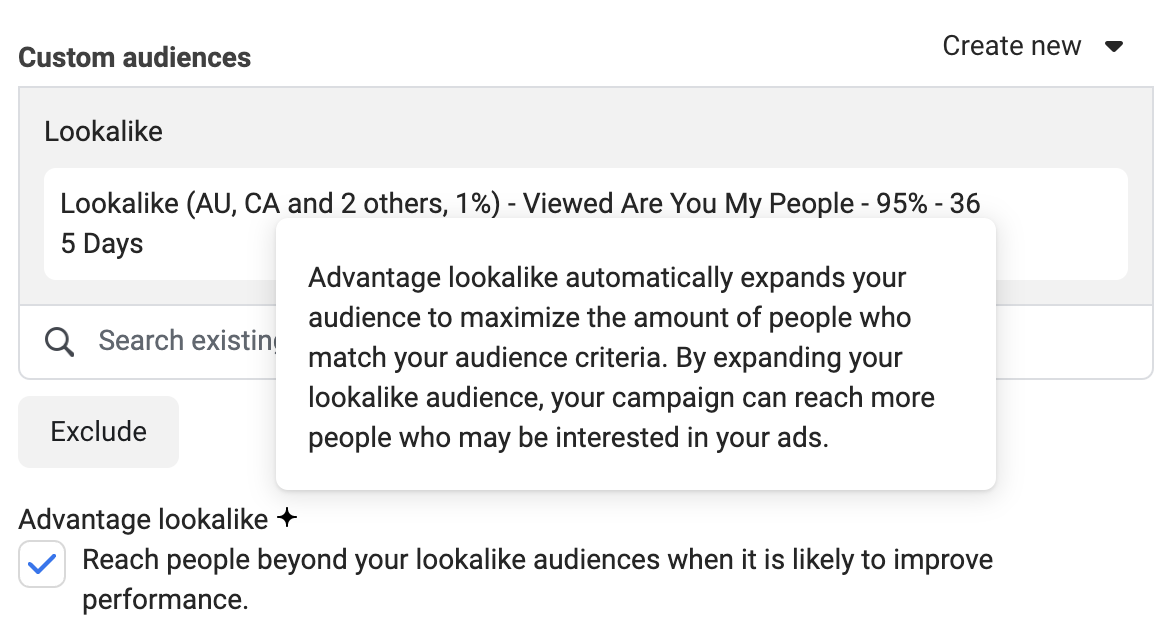
That feature would eventually change to Advantage Lookalike before becoming Advantage+ Lookalike with the Advantage+ Campaign rollout. And Advantage+ Lookalike would be on by default when using the performance goal to maximize the number or value of conversions, without the ability to turn it off.
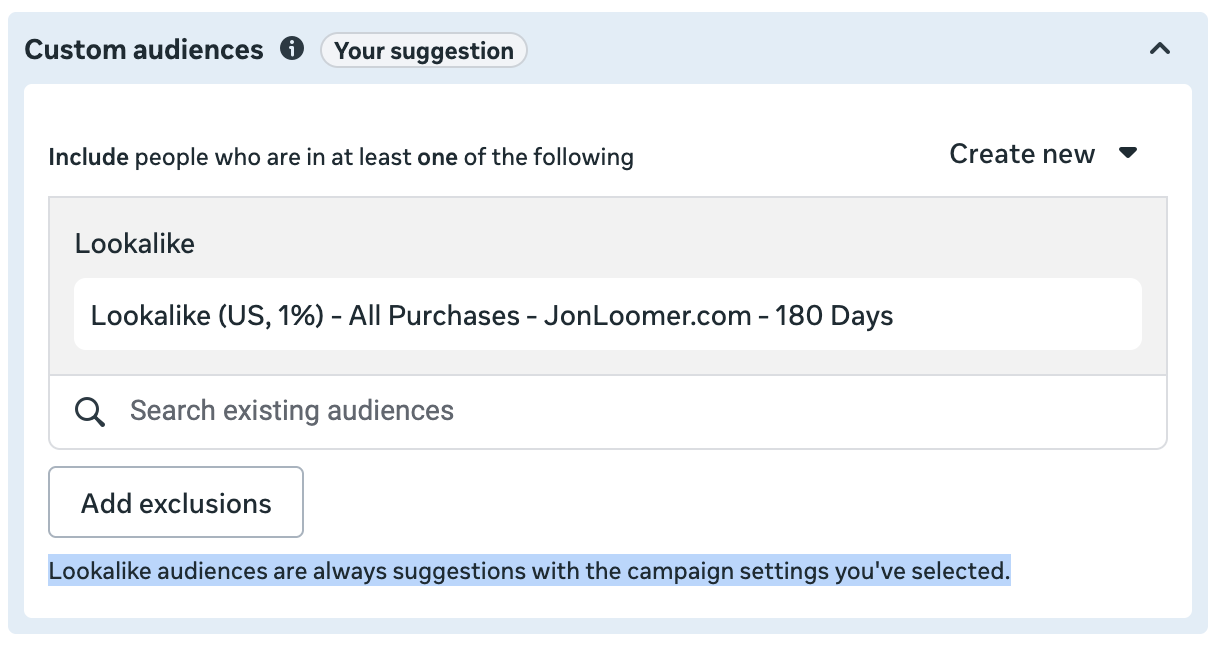
The language around this also evolved. What originally was “turning lookalike expansion on or off” became “using lookalike audiences as a suggestion.” They were two different ways to say the same thing, which likely caused plenty of confusion.
By the end of 2025, Meta extended the inability to restrict targeting to lookalike audiences to a long list of performance goals:
- Maximize number of conversions
- Maximize value of conversions
- Maximize number of landing page views
- Maximize number of link clicks
- Maximize number of app events
- Maximize number of conversations
- Maximize number of calls
- Maximize number of leads
- Maximize number of conversion leads
So if you use any of the above performance goals, you will not be able to restrict targeting to a lookalike audience. You can provide it, but it will only be used as an audience suggestion.
The question, of course, is what that means. There is no way to prove how much that suggestion impacts delivery. While this can’t be proven for lookalike audiences and detailed targeting, it can be for age range, gender, and custom audiences. And in those cases, I’ve found that audience suggestions make no noticeable impact on delivery.
How to Approach Lookalike Audiences
Lookalike audiences made a whole lot of sense in 2013 when we had full control over targeting. In fact, lookalike audiences made sense for about a decade when you could determine whether or not to restrict targeting to that audience.
There are a couple of important factors that drive my recommendations:
1. Algorithmic targeting is like one big lookalike audience now. We can’t avoid algorithmic targeting. Regardless of whether you provide a lookalike audience as a suggestion, Meta is going to search out the people most likely to convert. We know that includes people based on pixel activity, conversion data, and prior engagement with our ads. And you can bet that also means people who are similar to them.
2. It’s virtually impossible to know whether they matter. You’d have to test repeatedly with high budgets, with and without lookalike audiences, to convince me that lookalike audiences make a measurable impact now. There’s too much randomness baked in, and the value of a lookalike audience as a suggestion could potentially vary depending on the source audience and history. So it’s one big shrug.
If you want to use lookalike audiences as a suggestion, they can’t hurt. Or I guess I can’t say that definitively, but they shouldn’t hurt. Just know that it’s a suggestion, and you will not be restricting your targeting to that group of people. It’s very likely doing very little, if anything.
What you shouldn’t do is create multiple ad sets based on different lookalike audience suggestions. That’s overkill, and you’ll end up with multiple ad sets that can all reach the same people. That will result in auction overlap, watering down your budget and driving up costs.
Free Mini-Course
Want to See Algorithmic Targeting in Action?
You’ve learned that most targeting inputs are just suggestions now. I get it — that’s hard to accept without proof. Audience Segments are what finally convinced me. They show you exactly how much of your budget goes to remarketing vs. prospecting, and the results might surprise you. I regularly see 20-25% of my budget going to remarketing automatically, with no targeting inputs at all. That’s the data that made me stop using separate remarketing campaigns entirely. My free mini-course walks you through how to define your segments, use the breakdown, and make sense of what you see.

