
Two of the most basic elements when defining the potential audience for your ads are age range and gender. The control advertisers have and how we should approach this have both evolved.
How Things Were
Years ago, when we defined our audience and picked an age range and gender to see our ads, these were considered tight constraints. If we selected men between the ages of 25 and 44, we would reach men between the ages of 25 and 44. When there were exceptions, there were explanations — typically related to people seeing our ads organically.
As a result, these settings were often seen as critical. We’d consider the historic demographic breakdown of our customers and adjust settings to reflect it. Or we’d imagine our ideal customer and adjust demographics accordingly.
While we had full control, it was also a decent amount of responsibility. You could easily eliminate a large portion of the population, and that wouldn’t always make delivery more efficient or improve results.
What Changed
Audience settings have evolved quite a bit. While advertisers can potentially control age range and gender, it’s a very loose “control” by default.
When you create an ad set, Advantage+ Audience is on by default. Audience Controls are the inputs that act as strict controls. They include location, custom audience exclusions, and age minimum (up to 25).

Otherwise, any of the default adjustments to age or gender are viewed as audience suggestions.
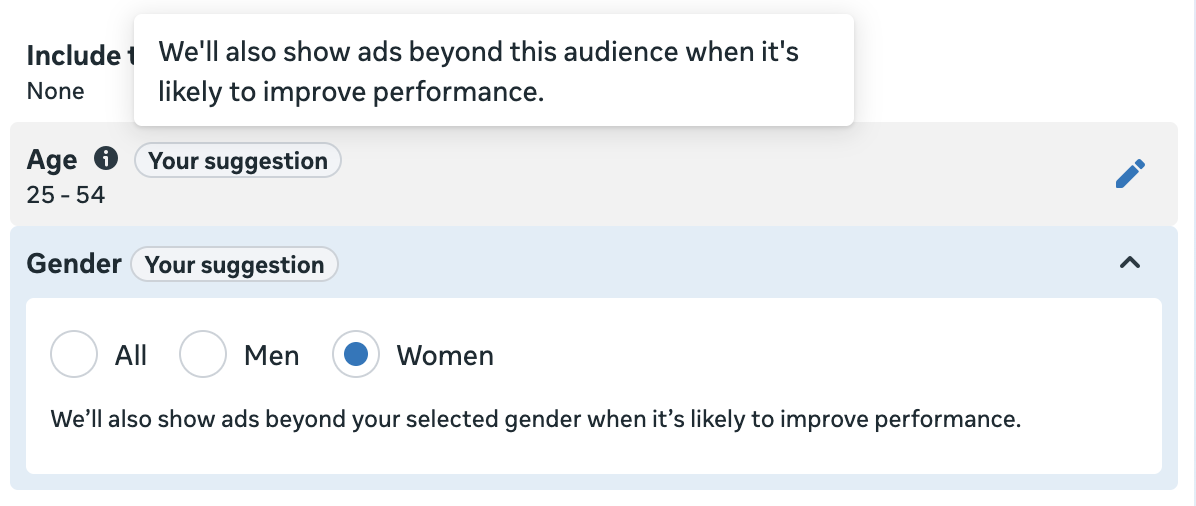
It means what you think it means. Meta can completely ignore those suggestions if it can mean getting you more results.
Of course, you can choose to “further limit the reach of your ads,” which is a curious label for restricting your audience. And when you do, you’ll have the option of unchecking the box for suggestions. When unchecked, your selections will be seen as tight restrictions.
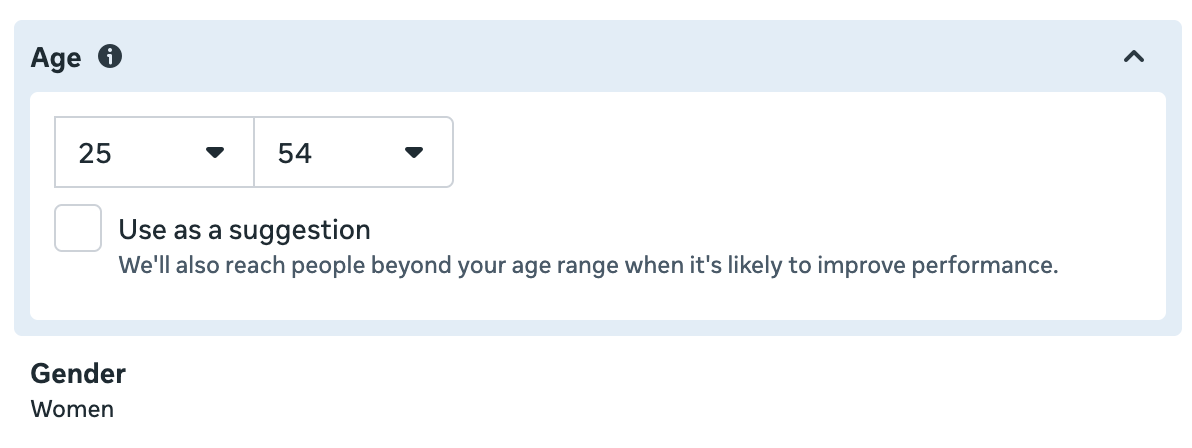
The question is whether you should restrict by age or gender in the first place, the thought process behind making that decision, and whether there are better options.
The Mistake Advertisers Make
Advertisers often assume they need to restrict by age and gender so that Meta understands who their target audience is. The assumption is that if you don’t do this, you’ll waste more money on people who won’t convert.
But we need to remember that Meta wants us to get results, too. So if your performance goal is to maximize conversions while the conversion event is a purchase, there’s no need to restrict by age or gender. If men don’t buy your product, Meta is very unlikely to waste money on showing your ads to men.
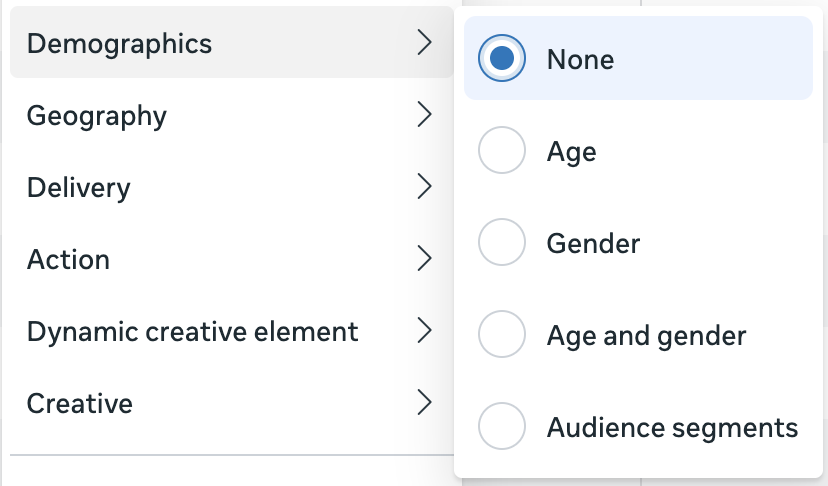
And you can prove this by using the Breakdown option by age or gender.
When Problems Happen
That said, you can absolutely run into problems when optimizing for actions other than a purchase. The primary source of this problem is that Meta’s delivery algorithm is literal. In other words, the only focus is getting you as many of your goal actions as possible within your budget. While you care about the quality of that action, Meta doesn’t.
And that “quality” is usually defined with data that you have and Meta doesn’t. If you optimize for leads, Meta’s going to try to get you the most leads. If you optimize for link clicks, landing page views, or ThruPlay views, Meta will do everything possible to get you more of those actions.
But Meta doesn’t care what they do after that initial action. Why? Because your performance goal defines what you want. If you wanted a different action, you should have chosen that action.
I’ve run into this with leads. My paying customers fall primarily between the ages of 35 and 54. When I optimize for leads (or a leads-like action), Meta often spends a high percentage of my budget on people over the age of 65. This happens because Meta knows I can get some unusually cheap leads from that age group.
Why? I don’t know. But what I do know is that those leads are, on average, a very low quality. I care about that, but Meta doesn’t. So in years past, I’d address this by restricting by age.
This same problem can happen for other top-of-funnel actions. If you optimize for link clicks, landing page views, post engagement, video views, or something else that doesn’t require a commitment, you can bet that you’ll get plenty of cheap actions from people who you don’t believe are your target customer.
Value Rules as a Solution
As recently as midway through 2025, the solution to this problem was to restrict by age or gender when you know Meta was wasting your money on demographics that don’t do anything beyond the initial goal action. But that’s no longer necessary.
Value Rules allow you to lower your bid by age, gender, placement, and other variables.

Consider my situation with age range and leads. If I removed the age group of 65 and up, Meta would simply move that extra budget to people 54 to 65. So I was forced to remove that age group, too. And this wasn’t ideal since I absolutely get customers from that group. I even get some customers from 65 and up, though it’s not many.
Value Rules can fix this. I lower the bid by 20% on people 55-64 and by 50% on people 65 and up.

And then you can select a value rule in the ad set.
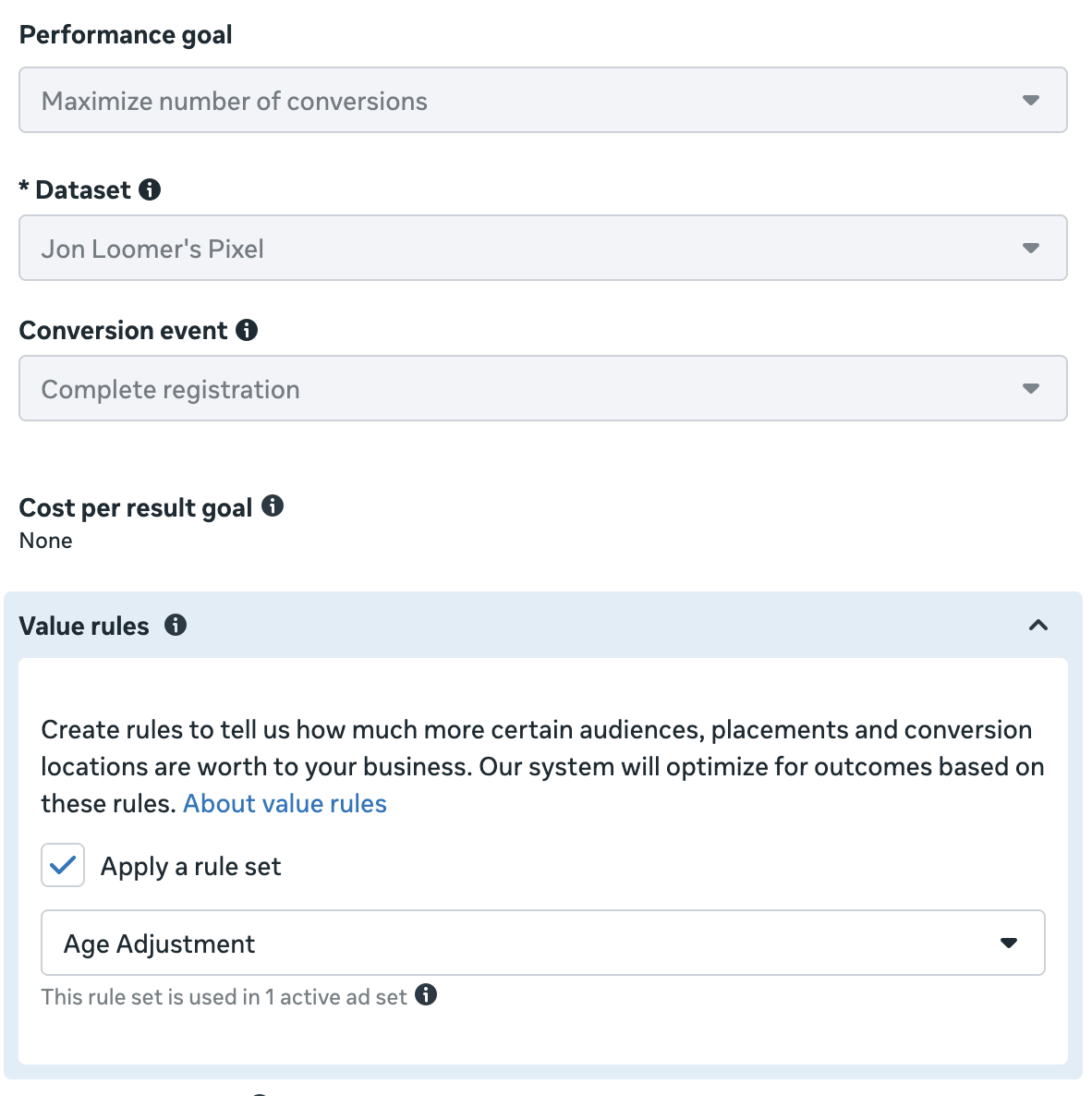
When I did that, the distribution of my budget returned to a normal and expected range. And I was able to do this without turning Advantage+ off or removing age groups entirely.

Account Controls
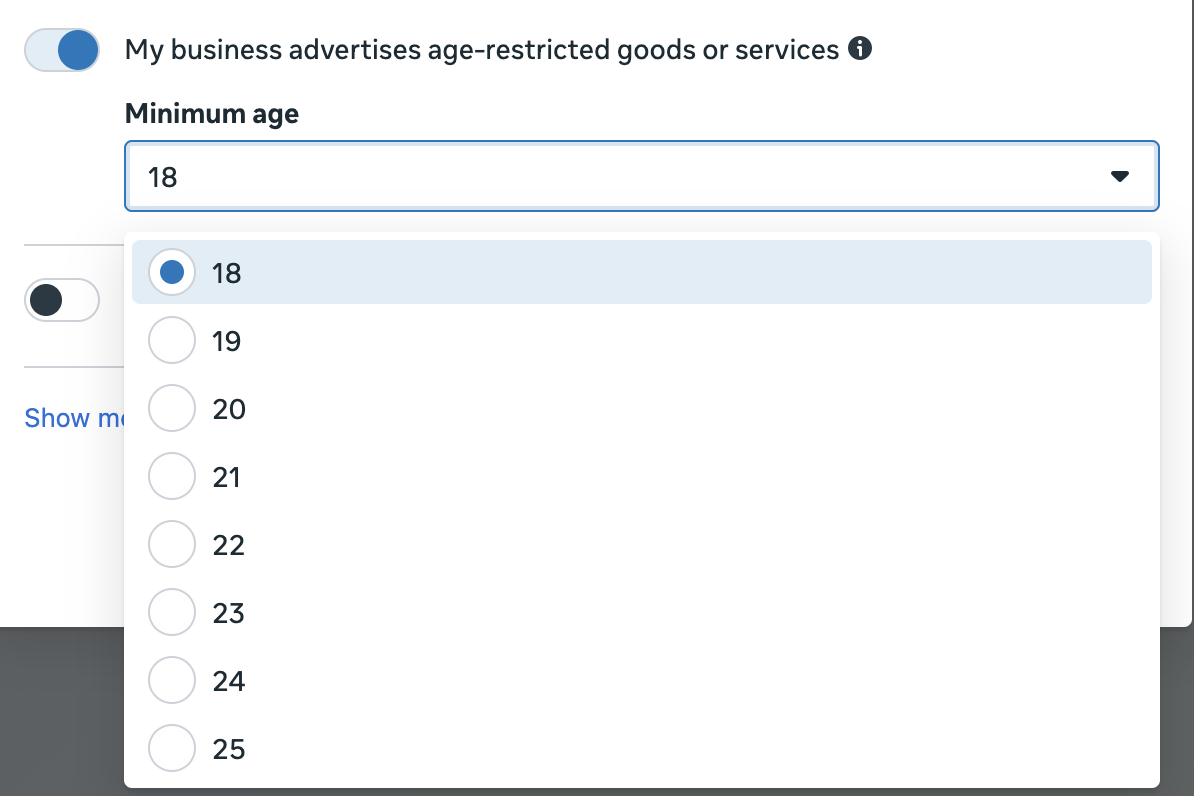
There is one more option. If you are only able to sell your product to people over a certain age (alcohol, for example), an age suggestion is not good enough. And a Value Rule also wouldn’t be acceptable since you wouldn’t want anyone under 21 seeing your ads.
You can make account-wide restrictions by age in your Advertising Settings under Account Controls.

You can set an age minimum up to 25 so that your ads won’t be delivered to people below that minimum age.

General Approach to Age and Gender
Overall, you should rarely need to restrict by age or gender, at least in the old way that we once did it. Unless you are unable to serve people under or over a certain age, it’s not necessary.
If you’re optimizing for a purchase, Meta should learn from your results and adjust delivery by age or gender depending on who makes a purchase. Unless you use breakdowns and see that you’re wasting money unnecessarily, avoid making an adjustment.
But certainly be aware that, because the algorithm is literal, you can absolutely end up with low-quality actions when optimizing for anything else. And if this is related to age or gender, you can make those adjustments with Value Rules.
Do not make restrictions based on a hunch or general understanding of your target demographic. Audience suggestions are fine, but don’t expect them to do much of anything. Prioritize minimal restrictions when they can be avoided. And if there’s a problem to be solved related to demographic delivery, use Value Rules.
Free Mini-Course
Want to See Algorithmic Targeting in Action?
You’ve learned that most targeting inputs are just suggestions now. I get it — that’s hard to accept without proof. Audience Segments are what finally convinced me. They show you exactly how much of your budget goes to remarketing vs. prospecting, and the results might surprise you. I regularly see 20-25% of my budget going to remarketing automatically, with no targeting inputs at all. That’s the data that made me stop using separate remarketing campaigns entirely. My free mini-course walks you through how to define your segments, use the breakdown, and make sense of what you see.

