Meta is making a change to Customer Lifecycle Strategy that has the potential to make the feature infinitely more useful. While I do think it could use some additional tweaks, it’s a great step in the right direction.
If you’re not familiar with Customer Lifecycle Strategy, it’s the new dropdown menu at the top of ad sets that allows advertisers to make a selection between two audience pools:
- Get conversions from all audiences
- Acquire new customers
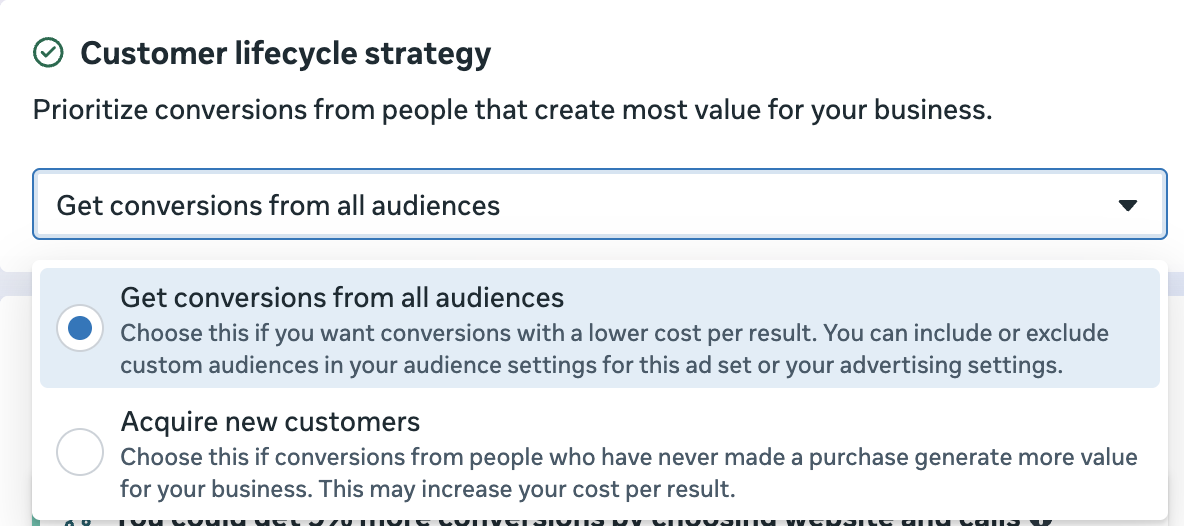
Meta is nudging advertisers away from custom audience exclusions within the main Audience section of the ad set to Customer Lifecycle Strategy when the goal is new customer acquisition. But much about the original version of this feature was flawed.
Advertisers seemed to believe it had magical powers when “Acquire new customers” was selected. It does not. You still need to manually select custom audiences to exclude. And while Meta can attempt to select audiences for you automatically, the logic behind this selection is often hilariously wrong.
But this latest update makes Customer Lifecycle Strategy far more useful.
Automatic Customer Exclusions
Now when I select the option to acquire new customers, I notice something new under the section to exclude existing customers: “Automatically created: Customers from your conversion data (730 days).”
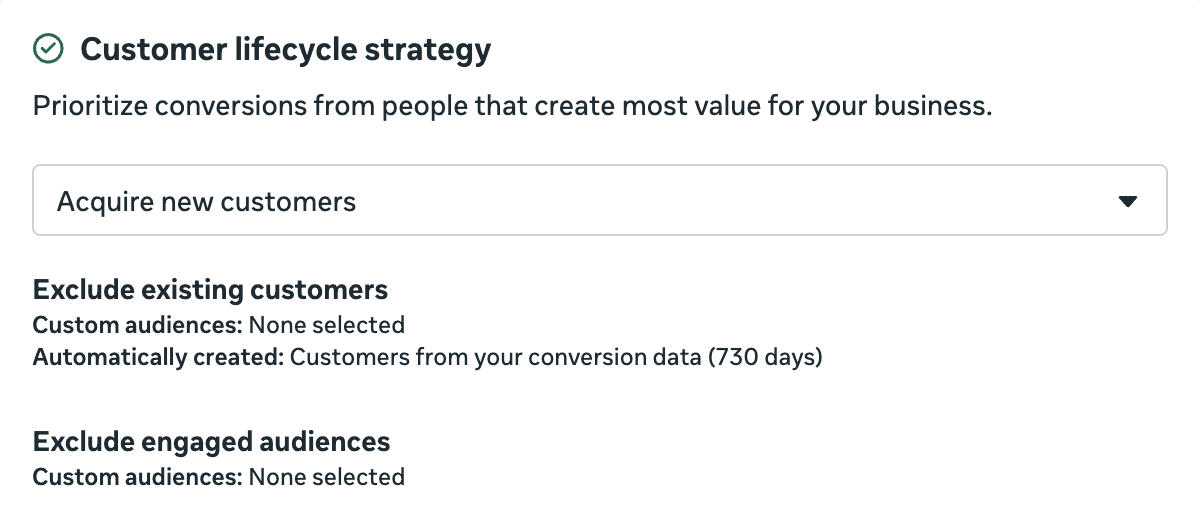
When expanded, it looks like this…
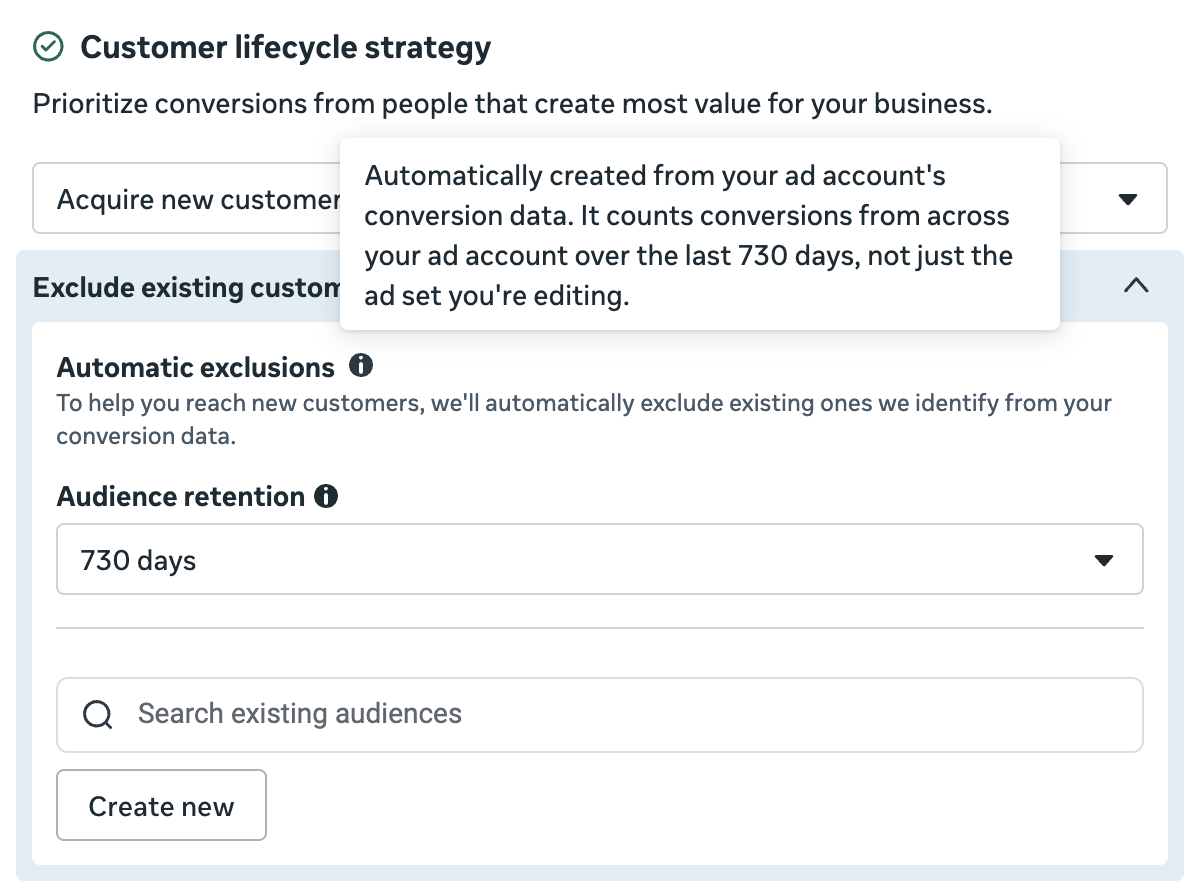
To help you reach new customers, Meta will automatically exclude existing ones based on your ad account’s conversion data. In other words, Meta is no longer relying on your defined custom audiences to exclude your existing customers. Instead, it’s the people who have fired the “purchase” conversion event.
By default, the retention window is 730 days (two years), which is the relatively new maximum available for purchase events. But you have five options:
- 730 days
- 180 days
- 90 days
- 60 days
- 30 days
This way, you can automatically exclude people who have purchased from you without providing a custom audience. This is helpful because the accuracy and completeness of a custom audience can be undercut by advertiser error.
Remember: Meta Has the Data
An option like this reinforces a point that I’ve attempted to drill home for several years now: Meta doesn’t need us to define who is important to our business with custom audiences because that data is already known.
This first became obvious to me when Advantage+ Audience was rolled out. Meta said then that if you didn’t provide audience suggestions, Meta would automatically prioritize people based on conversion data, pixel activity, and prior engagement with your ads. The custom audiences themselves weren’t necessary.
Sending accurate and complete event data is more important than segmenting your customers by custom audience. This is also why you need to be sure that you’re sending conversion data from multiple sources if customers can purchase both online and offline. A custom audience of offline conversions may not be enough.
When to Exclude Custom Audiences?
You’ll notice that you can still provide custom audiences to exclude as part of Customer Lifecycle Strategy.
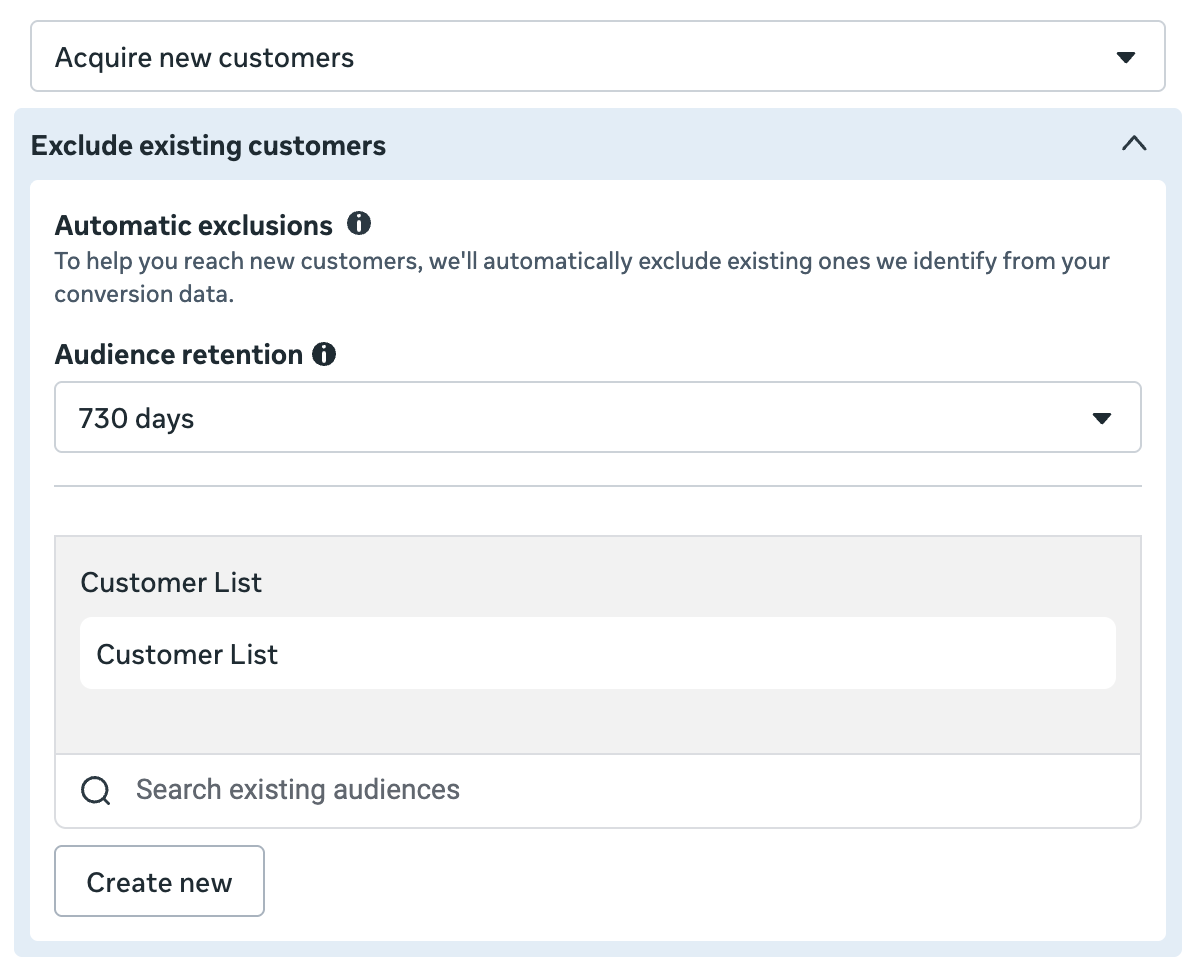
This is important for the example I just mentioned. If you don’t send purchase events for all sales (usually because some happen offline), the automatic exclusion won’t be enough. Add the customer list custom audience as well.
Automatic Exclusions Can’t Be Turned Off
You’ll note in the screenshots above that when you select the option to acquire new customers with Customer Lifecycle Strategy, the automatic exclusions are fixed. They aren’t an option.
That’s a potential problem. There are two scenarios I immediately think of where this could be an annoyance.
1. You want to exclude customers of a specific product.
I’ll use my own business as an example. Let’s say that I am trying to acquire new members for my Power Hitters Club – Elite community. If I were to select the option to acquire new customers, it would automatically exclude people who have booked one-on-ones or bought other products from me. That is not what I would want since these are some of the people who are most likely to join.
The main workaround right now would be to not use Customer Lifecycle Strategy and instead select “Get conversions from all audiences.” Then go down to the Audience section and exclude those specific customers under what is now labeled “Legal and operational custom audience exclusions.”
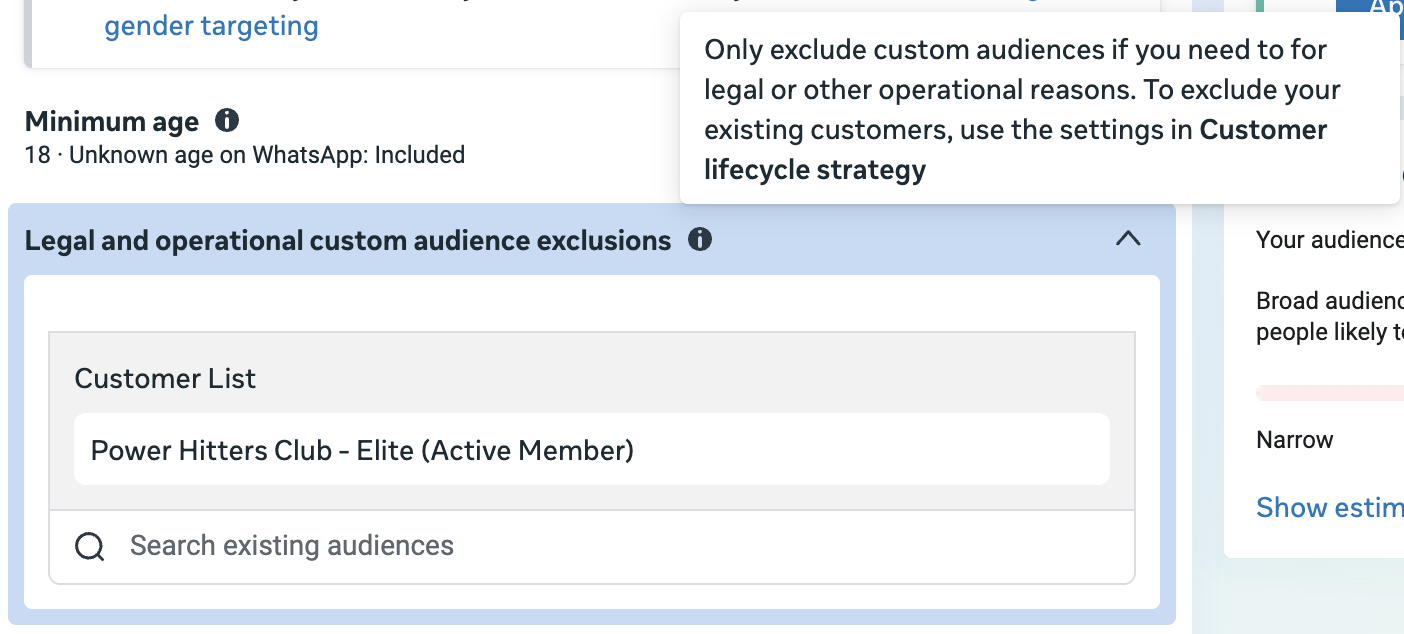
I don’t feel like this is Meta’s intent, however, unless such an exclusion would be considered “operational.” And if it’s not Meta’s intention, making the automatic exclusions optional in Customer Lifecycle Strategy so that customers can be selected only by custom audience would be preferred.
2. You want to use a different audience retention.
This isn’t necessarily a major problem, but it’s an annoyance. Meta only provides five audience retentions to choose from. But four are within six months and the fifth is two years. What if you want to exclude customers from the past year, or any other time period that isn’t an option?
While I get there may be some design and usability reasons for offering specific options for audience retention, it’s also inconsistent with the way retention works when creating custom audiences. Why not allow any number between 1 and 730 days?
Is It Useful?
Whether or not this is useful is actually a bit fuzzy, and that usefulness relies heavily on a knowledgeable advertiser.
1. Do you need to exclude customers in the first place?
I’ve found that most advertisers who exclude existing customers do so for the wrong reasons. It’s usually because of a misunderstanding of their conversion results. They don’t like that their results in Ads Manager don’t match up with third-party reporting, and the cause is often pinned to algorithmic remarketing.
But you can understand that algorithmic remarketing is the primary source of reporting mismatches without throwing it out entirely. Define your audience segments for existing customers and engaged audience thoroughly so that breakdowns help highlight the percentage of your results that comes from these groups. And use the breakdown by attribution setting so that you understand the distribution between click, view, and engage-through attribution.
There are rare occasions when advertisers have valid reasons for only acquiring new customers, and Meta created Customer Lifecycle Strategy to fill this need. But the problem, like with many features, is that a large number of advertisers will use it when it’s unnecessary.
2. Is the data accurate?
Garbage in, garbage out, as they say.
Whether or not this update is useful largely depends on the accuracy and completeness of the purchase event data. And that, of course, is something the advertiser is responsible for.
So if you feel that you’re not excluding people you should be while using this, it likely says more about your event data than it does about Meta.
Your Turn
Do you use Customer Lifecycle Strategy? Do you think these new automatic exclusions will be useful?
Let me know in the comments below!