Meta Advertiser Field Notes
Weekly observations from inside Meta ads
This week’s updates cover a couple of custom audience exclusion changes, a new audience control for app advertisers, and what may be the end of page like ads.
- Hands-on with Customer Lifecycle Strategy
- “Legal and operational” custom audience exclusions
- App Install Status audience control
- No more page like ads?
Let’s get to it…
1. Hands-On With Customer Lifecycle Strategy
A couple of months ago, I wrote about how many advertisers on LinkedIn were sharing a new feature called Customer Lifecycle Strategy. It seemed like everyone was sharing a screenshot that looked a lot like this…
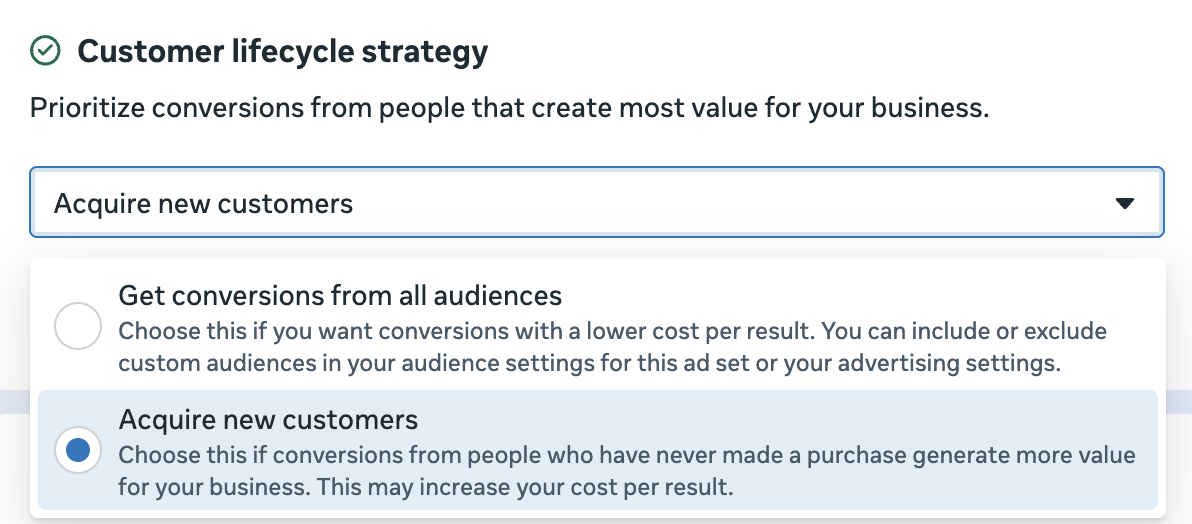
The screenshot was rather straightforward. Choose whether or not you want to limit your audience to new customers.
But how that would be accomplished was less clear. If you listened to the advertisers sharing the screenshot, you’d assume this was some “game-changer” feature that improved on manual exclusions of existing customers. The claims all suggested that this was some AI-powered magic that gave you access to special data that can better exclude those people.
But it was all talk. No one would share a screenshot or link to official documentation. My assumption was that, at best, this might use our audience segment definitions.
And now I finally have the feature in a couple of ad accounts to confirm. As far as I can tell, I was right to be skeptical.
If you select the option to acquire new customers, it looks like this…
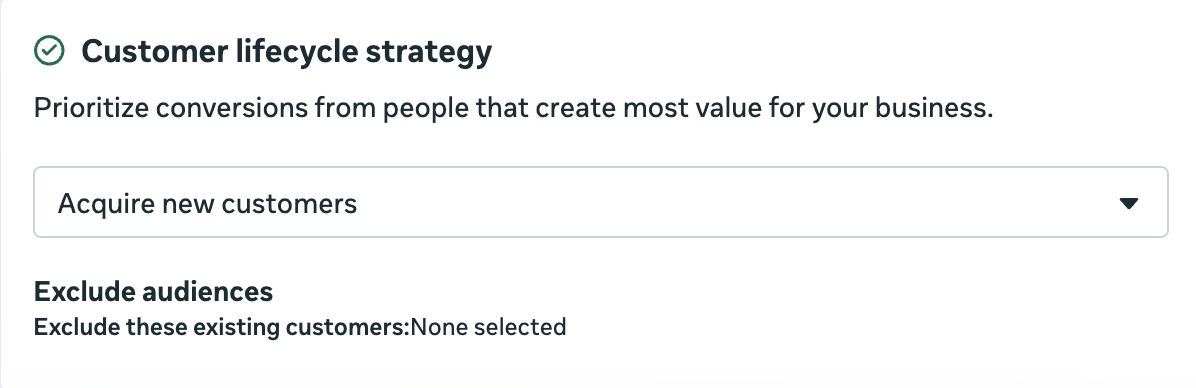
See that? “Exclude these existing audiences: None selected.” It appears you need to manually select custom audiences to exclude.
If you hover over that, you can edit. It looks like this…
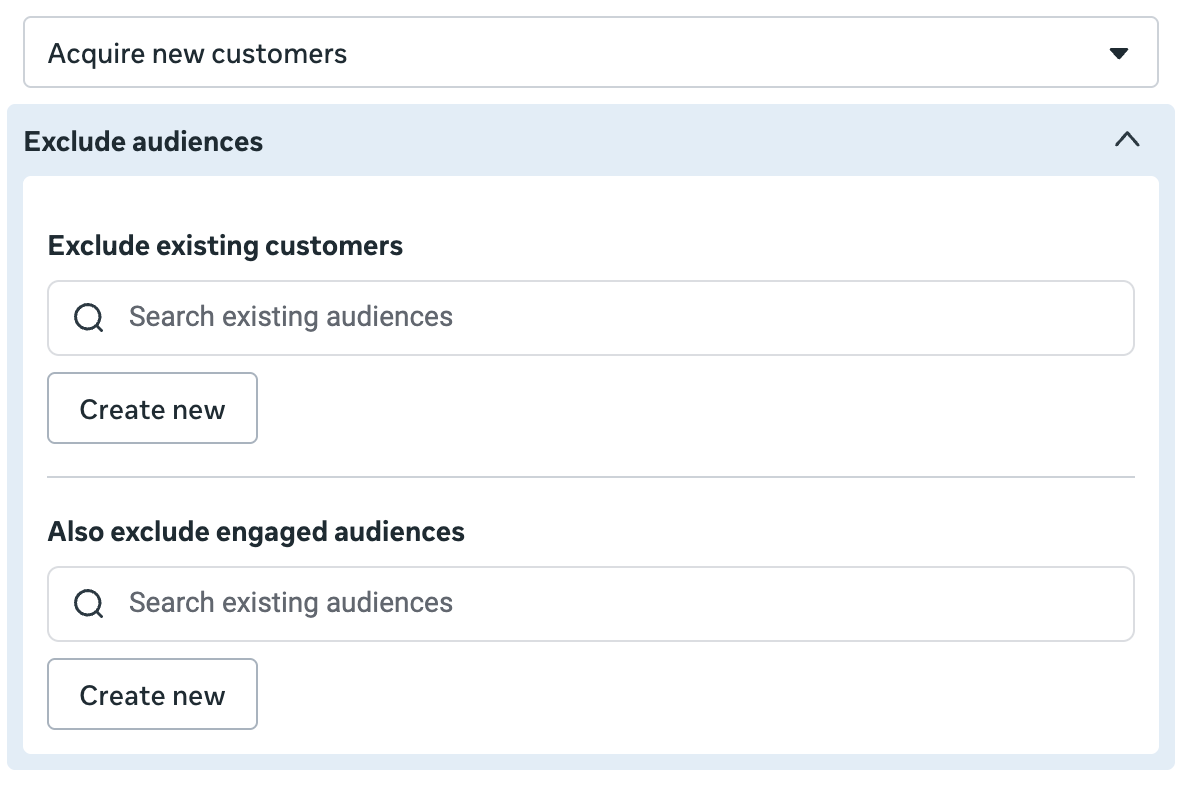
You have the option to manually select custom audiences to exclude that reflect your existing customers and engaged audience. But note that this is an entirely manual process.
It doesn’t pull from your predefined audience segments. This was a test account, so I defined those to confirm it. Nothing changed.
It doesn’t pull from labels used with custom audiences. I’ve covered these related to a beta test of Audiences for value rules. When I labeled a custom audience as a customer, it had no effect on this either.
Look, it’s always possible that some people have a different version of this than I do. But everything I’m seeing confirms precisely what I assumed: There is no magic here.
This is just Meta surfacing a second location to exclude your custom audiences. In either case, they’re manually selected.
Now, would it make sense if Meta automatically pulled these custom audiences from audience segment definitions? Absolutely. But even then, that’s just a time saver. It’s like a saved audience for custom audience exclusions.
2. “Legal and Operational” Custom Audience Exclusions
The next change is directly related.
I wondered whether the custom audiences selected to exclude in the Customer Lifecycle Strategy section would also be reflected in the Audience Controls section of the ad set to exclude custom audiences. Strangely, they’re not. But what I found was interesting.
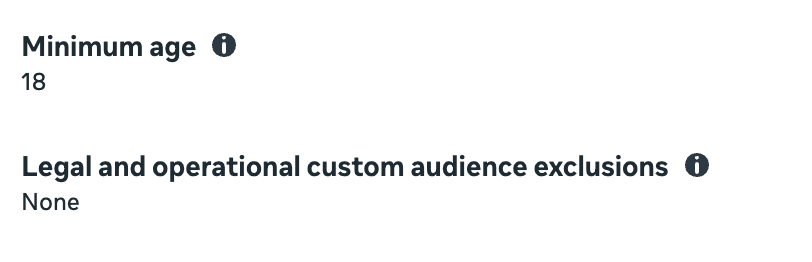
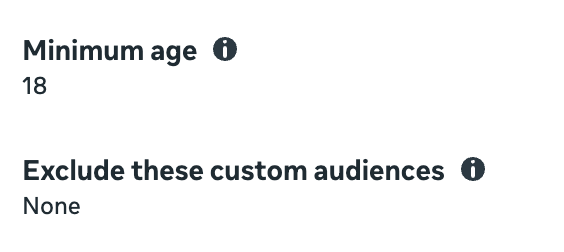
I’m weirdly fascinated by small changes Meta makes to the language used in labels and descriptions. It interests me because these changes are never accidental. They’re purposeful.
In the example above, it reads “Legal and operational custom audience exclusions.” If you don’t have Customer Lifecycle Strategy, this section is labeled “Exclude these custom audiences.”
Here’s the tooltip for the new version…
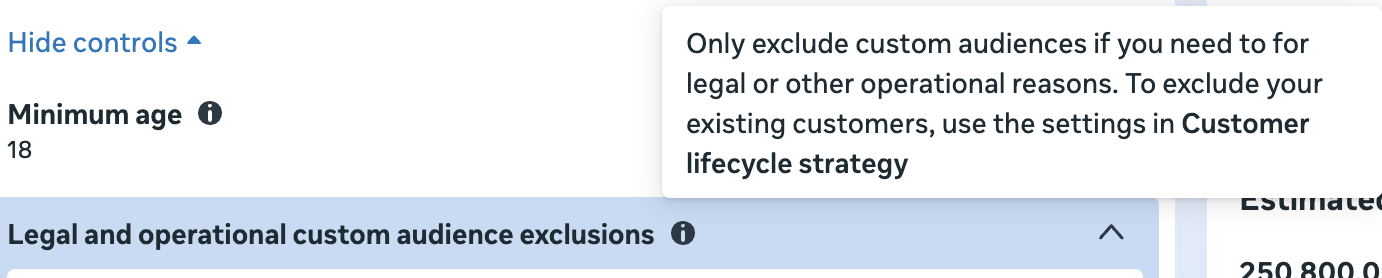
Only exclude custom audiences if you need to for legal or other operational reasons. To exclude your existing customers, use the settings in Customer Lifecycle Strategy.
So, this suggests that you should use each section for a specific reason.
Customer Lifecycle Strategy: Exclude your existing customers or engaged audience.
Legal and Operational Custom Audience Exclusions: Exclude if you need to for legal or other operational reasons.
Now, there’s a lot that’s weird about this. There’s nothing keeping you from excluding existing customers in the “Legal and Operational” section, just as there’s nothing preventing you from excluding “legal and operational” custom audiences in the Customer Lifecycle Strategy section. It’s just two places to exclude custom audiences.
Second, and maybe I’m missing something, but why would you have custom audiences to exclude for legal reasons?
It’s important to remember that this is still an early version of… something. It doesn’t appear to be at all helpful at this point. But there’s likely a vision for something far more dynamic than what I’m seeing.
3. App Install Status Audience Control
While I was investigating custom audience exclusions, I noticed something I hadn’t seen before in Audience Controls: App Install Status.
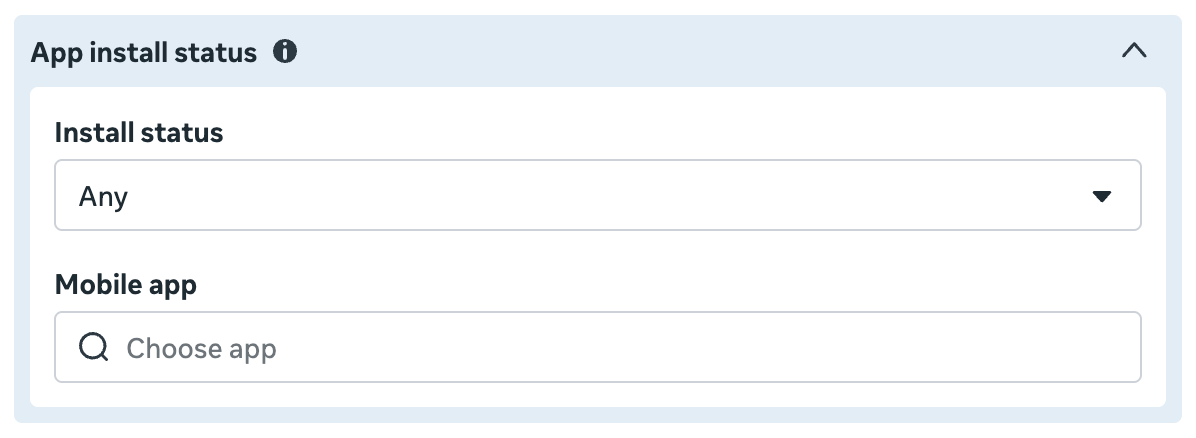
Now, it’s entirely possible that this has been here for a while since it’s a feature that I wouldn’t necessarily care much about. I don’t promote my own app, after all. But I’ve spent enough time recently in Audience Controls that I’m reasonably certain that this is new(er).
Here’s what appears under the tooltip:
If you’ve implemented the Facebook SDK or a mobile measurement partner, this can help improve the performance of the app install status to target ads to people who have your app.
There are two options in the Install Status dropdown menu.
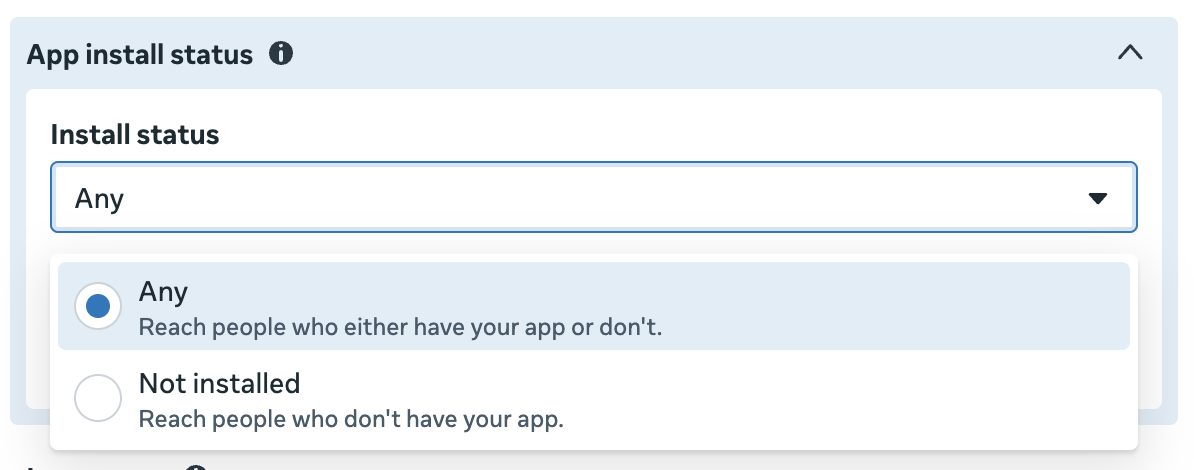
- Any: Reach people who either have your app or don’t.
- Not Installed: Reach people who don’t have your app.
Maybe I’m crazy, but I’m pretty sure that this used to be handled with App Activity Custom Audience exclusions. Now you simply select “Not Installed” and the mobile app that’s connected to your account.
At the very least, I’m finally documenting this somewhere.
4. No More Page Like Ads?
I’m seeing this message (“Page likes performance goal is no longer available”) in one ad account when using the Engagement objective and Instagram or Facebook conversion location…
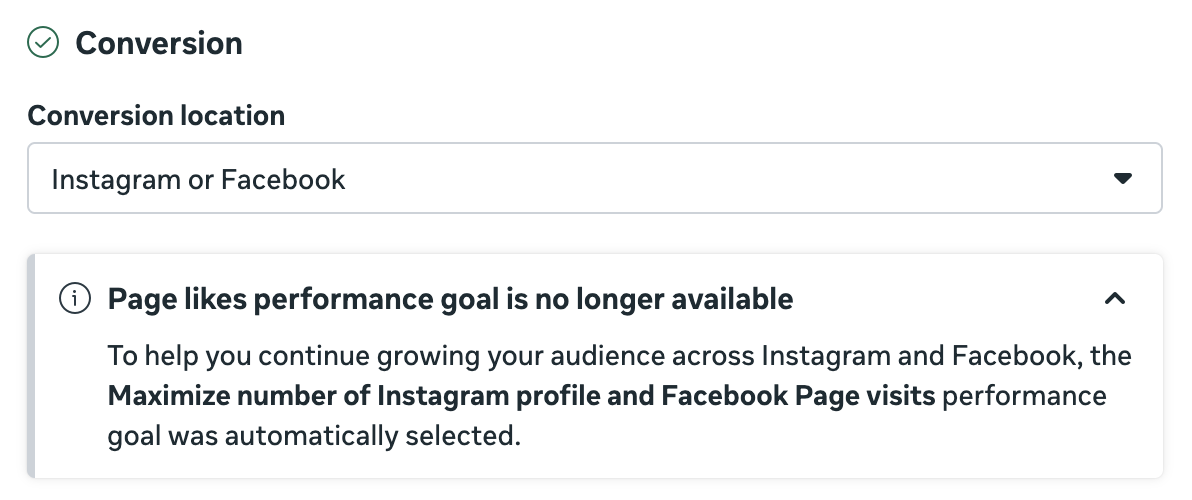
The option to “maximize number of page likes” is grayed out.
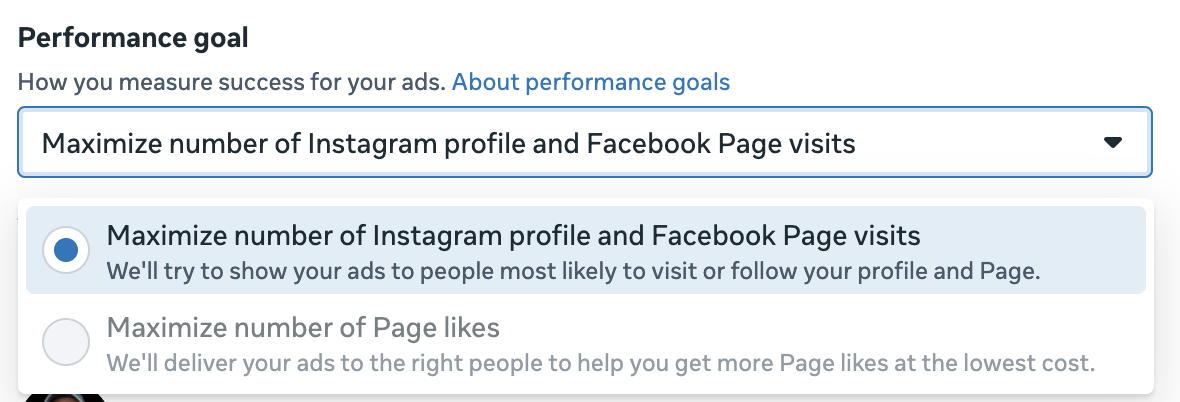
Look, I’m not going to suggest that running ads to increase page likes is a particularly smart use of your money. But this still surprises me.
Assuming this reflects a global decision and not an isolated test, the removal of page like ads represents an end of an era. This was one of the first strategies advertisers used in the early days of Facebook advertising. Before conversion tracking, you could build your page likes.
And then, you know… Organic reach tanked, making those likes mostly worthless. But I digress.
Your Turn
What do you think about these updates?
Let me know in the comments below!