Back in August, I wrote about a test feature called Sequenced Events that allows you to optimize for a higher-value action that follows an initial event. Now that I have it, I’m seeing how powerful this option might be.
It also doesn’t quite work the way I assumed it did. And that’s actually a good thing.
Unfortunately, there still doesn’t appear to be any official documentation on Sequenced Events, so it’s possible this remains a test feature. Because of that, there remain some open questions about things that aren’t clear, but I attempt to make some educated guesses when possible.
Let’s take a closer look…
Basic Setup
If you have this new feature, create a campaign with the Leads objective. Then in the ad set, set the conversion location to “Website.”
This is immediately where I went wrong before. I assumed this was related to instant forms, but it’s not.
Once selected, this message appears:
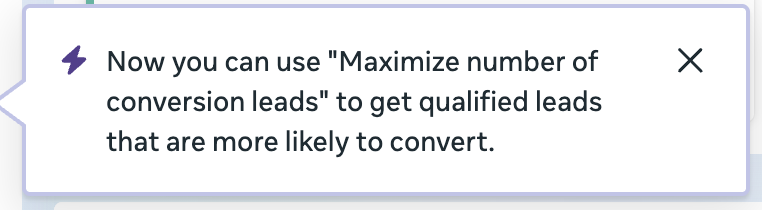
Now you can use ‘Maximize number of conversion leads’ to get qualified leads that are more likely to convert.
Confusing, I know. “Conversion leads” are now called “qualified leads,” and Meta seems to use both here. But that shouldn’t change anything about functionality.
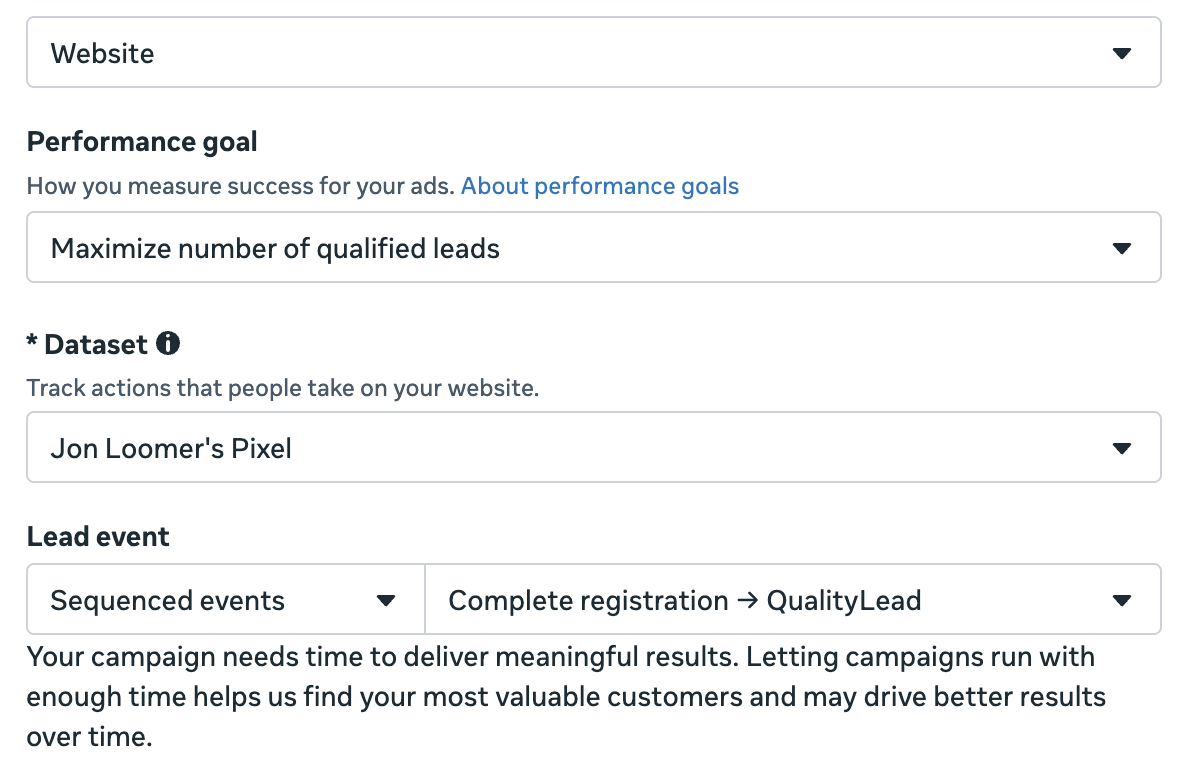
The default performance goal with the Leads objective is to “Maximize number of leads.” But you will now see an option for “Maximize number of qualified leads.” When selected, Meta will “try to show your ads to the people most likely to convert after sharing their contact information with you.”
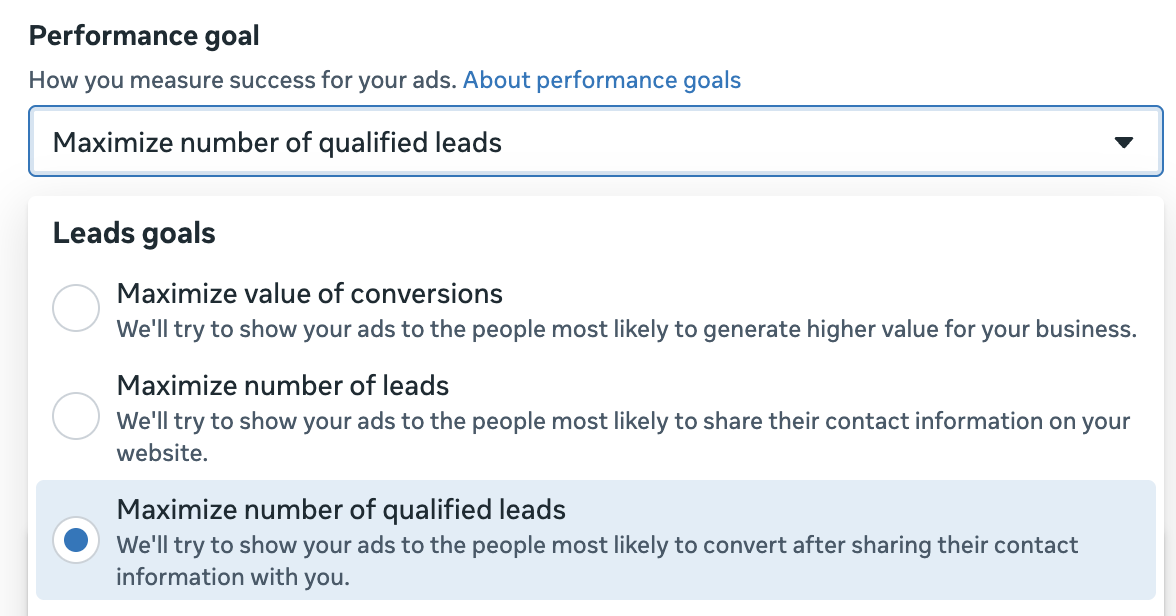
The ability to optimize for qualified leads isn’t new. But previously, that only applied to instant forms and meant sending CRM events for that final optimization event.
It’s not clear whether sending CRM events is required or simply recommended in this case. While I do send some CRM events, I still see this message after choosing to maximize number of qualified leads…
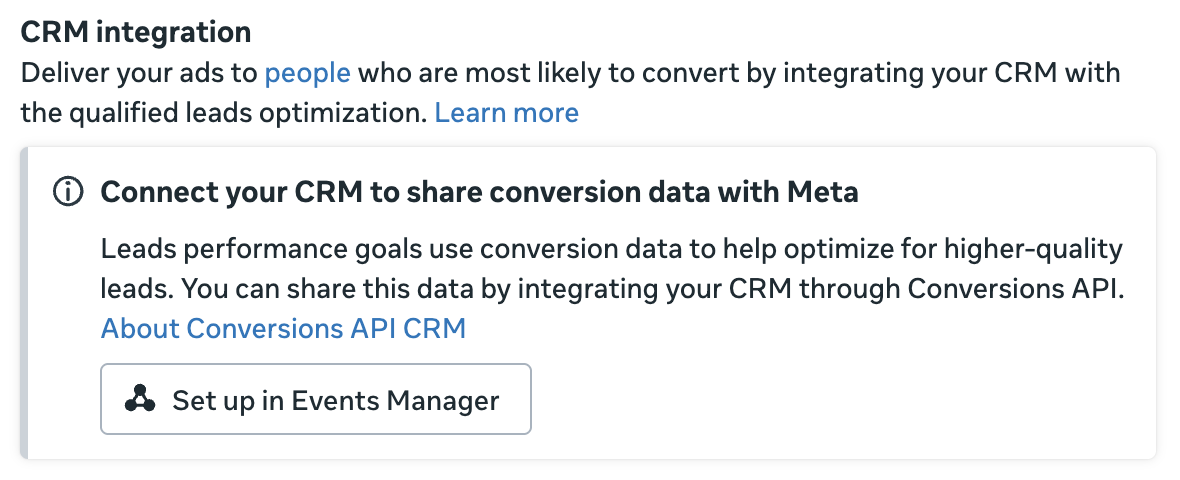
Since I can select events that aren’t from my CRM for this process, I’m not sure. It’s possible if I didn’t send any CRM events that this option wouldn’t be available.
I should also note that only the Standard attribution model appears to be available for Sequenced Events. No Incremental Attribution.

Create a Sequence
Under the dataset selection is a new section for “Lead Event” with two drop-down menus. The first has “Sequenced Events” selected by default.
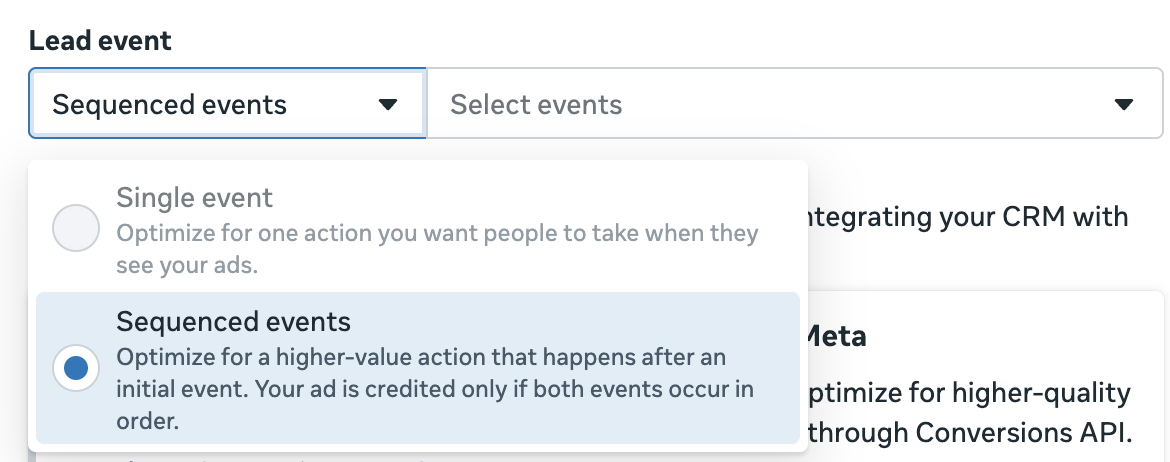
I’m not sure why the first is a dropdown menu since only “Sequenced Events” is selectable for me. “Single Event” is grayed out. It would seem that once you choose to maximize number of qualified leads, the sequence would be necessary. For now, I can’t say for sure whether some advertisers can select “Single Event” here.
Then you need to select your sequenced events. Assuming you haven’t done this before, you’ll need to create a sequence.
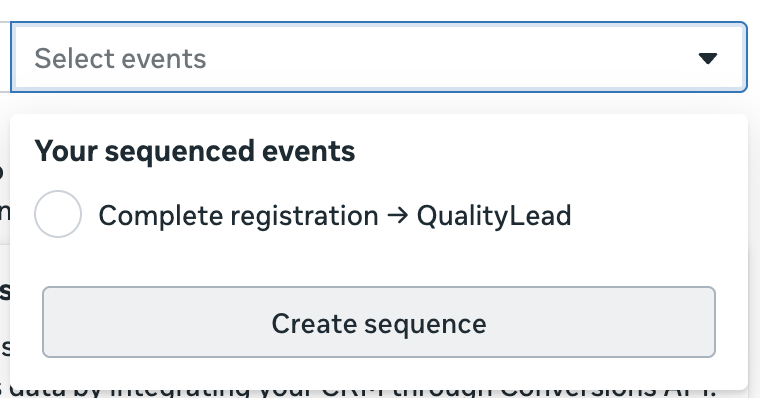
You’ll see a popup that looks like this…
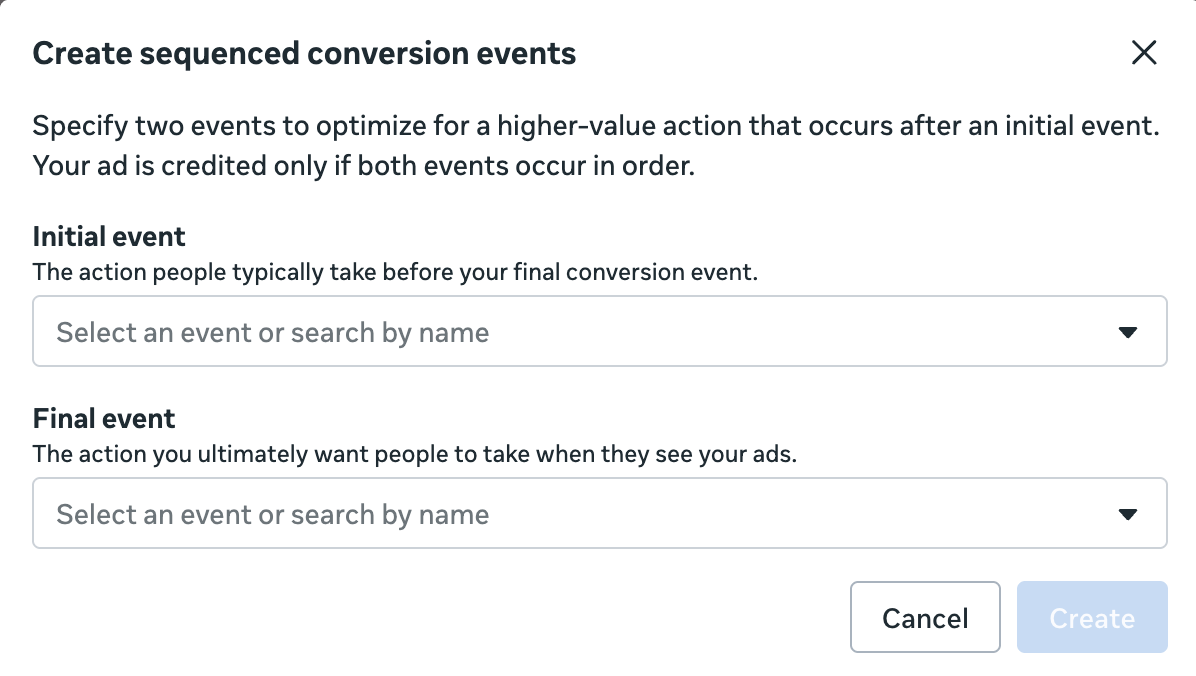
This is important for understanding how sequenced events work:
Specify two events to optimize for a higher-value action that occurs after an initial event. Your ad is credited only if both events occur in order.
So if someone only performs the first or second event after engaging with your ad, a conversion won’t be counted. Even if someone performs both events, but in the wrong order, it won’t be counted. They’ll need to perform both in order.
I assume most people will select “Lead” as the initial event. Since I don’t use leads, it’s not selectable for me. But “Complete Registration” is (along with a whole lot of other standard and custom web events that I send). I use “Complete Registration” for lead generation for lots of reasons (none of which are relevant to this post).
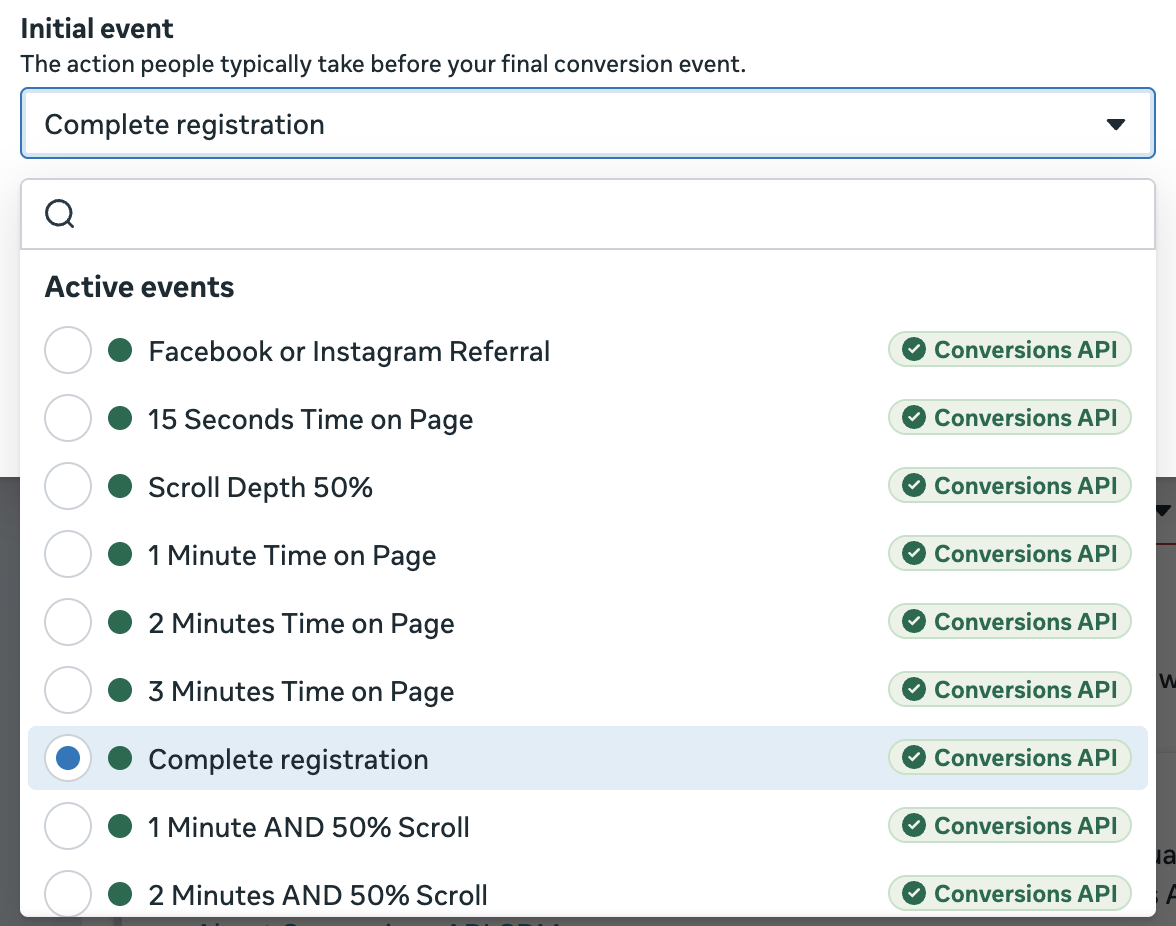
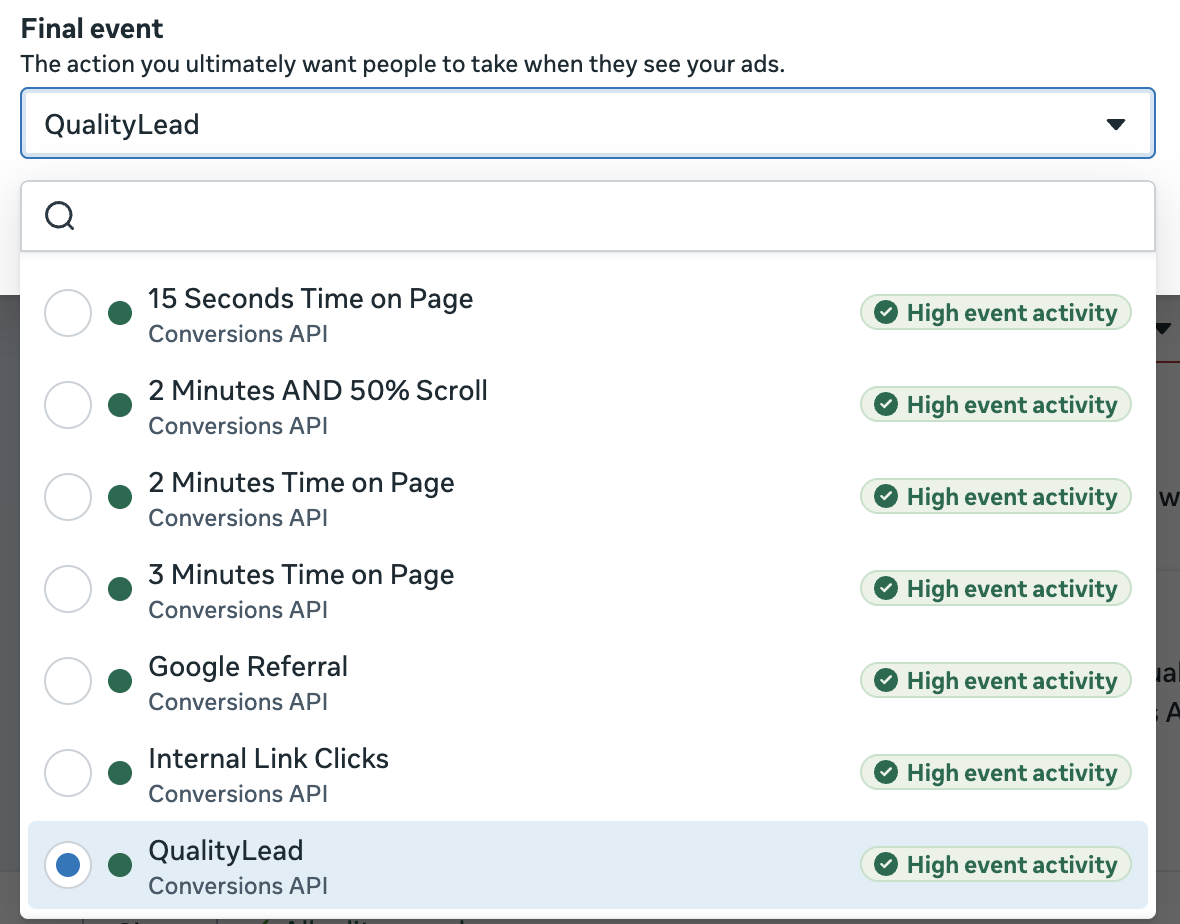
Then you need to select the final event that you want to happen. This could be a purchase, but it certainly doesn’t need to be. I send a custom CRM event for QualityLead, so that’s an easy selection for me. But there were several other options I could have chosen.
Once finished, it will look something like this…
My Questions and Hunches
Since Meta hasn’t produced any official documentation on Sequenced Events yet, I have to make some educated guesses about a few things that remain unclear.
1. Is use of the Conversions API required?
While it doesn’t seem that advertisers are required to select CRM events for either the first or final event of a sequence, it’s not clear whether having CRM events active impacts your eligibility.
But something I do find interesting is that events passed via the Conversions API do seem to be required. All of the eligible first events I could select had a green “Conversions API” label to the right of them.
2. What event volume is required for eligibility?
That said, not all events passed via the Conversions API are eligible, whether as first or final events in a sequence.

I assume this has something to do with event volume. But where the line is drawn for eligibility is super cloudy.
When selecting the final event, Meta prioritizes a group of eligible events that all have the green “high event activity” label to the right of them.
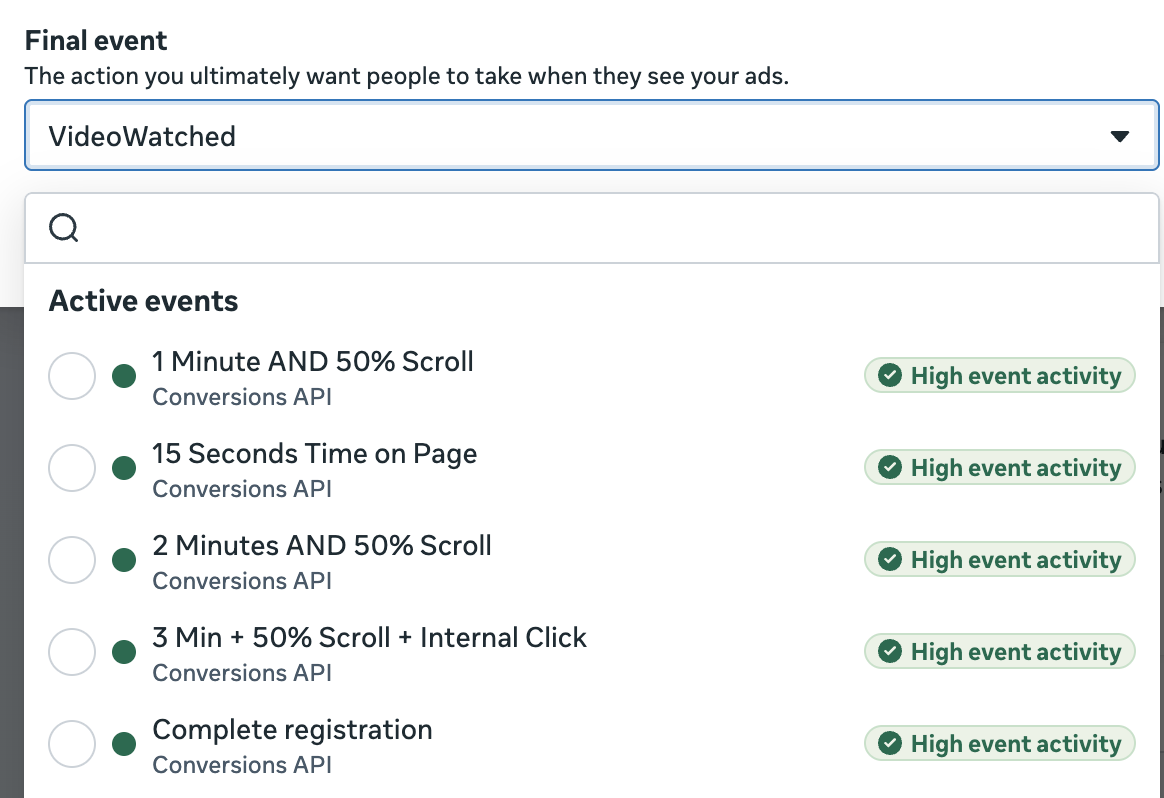
When I hover over the label, I get a tooltip that says “selecting this event with high activity may improve your campaign’s performance.”
What qualifies as “high event activity?” Your guess is as good as mine because I can’t learn anything from the events it labels “high event activity” and the ones it doesn’t. It’s random. But eligibility appears to cut off around 30 or so optimized events during the past seven days, after deduplication.
I don’t think where the line is drawn matters much. I’d recommend applying our typical volume threshold of between 25-50 optimized events per week to exit the learning phase. Of course, that doesn’t just mean getting 25 or more purchases per week, for example. You need 25 purchases that follow the first event.
3. What is the conversion window for the final event?
It’s not immediately clear how quickly the final event needs to happen after the first event of a sequence for it to be counted. But I do know that Meta extends the standard 7-day conversion window to 28 days when using CRM events for qualified leads for instant forms.
I assume that’s true here, too. If the final event is passed from a CRM, it probably has to happen within a 28-day conversion window. But maybe only seven days if you’re using a web event.
How You Might Use Sequenced Events
Sequenced Events were created with generating qualified leads in mind, so we should be thinking about all of the ways this could be used to solve the common problem of lead quality.
I assume that advertisers who actually pass the “Lead” event will be able to select it as the first event. But know that other lead-like events are available, too.
So the question becomes how you define a qualified lead. What is the action a lead performs that makes them qualified? That could be a purchase, but it could also be a booked call, showing up to a call, or something else that you log along the way.
In my case, I pass a QualityLead custom event from my CRM once a recent subscriber clicks a link in my emails. While this may not be significant in terms of intent, it at least proves that a lead is reachable and engaged. And in some cases, that’s half the battle.
Alternative Potential
Now, while the vast majority of use cases will focus on optimizing for leads that perform a specific higher-intent action, I can’t ignore some other unconventional possibilities.
Recall that I don’t have to select the “Lead,” “Complete Registration,” or any other lead-like event for the first event of the sequence. There’s a long list of standard and custom events I can choose from.
So I could, in theory, select a “1 Minute Time on Page” custom event as the first event and “VideoWatched” as the final event.
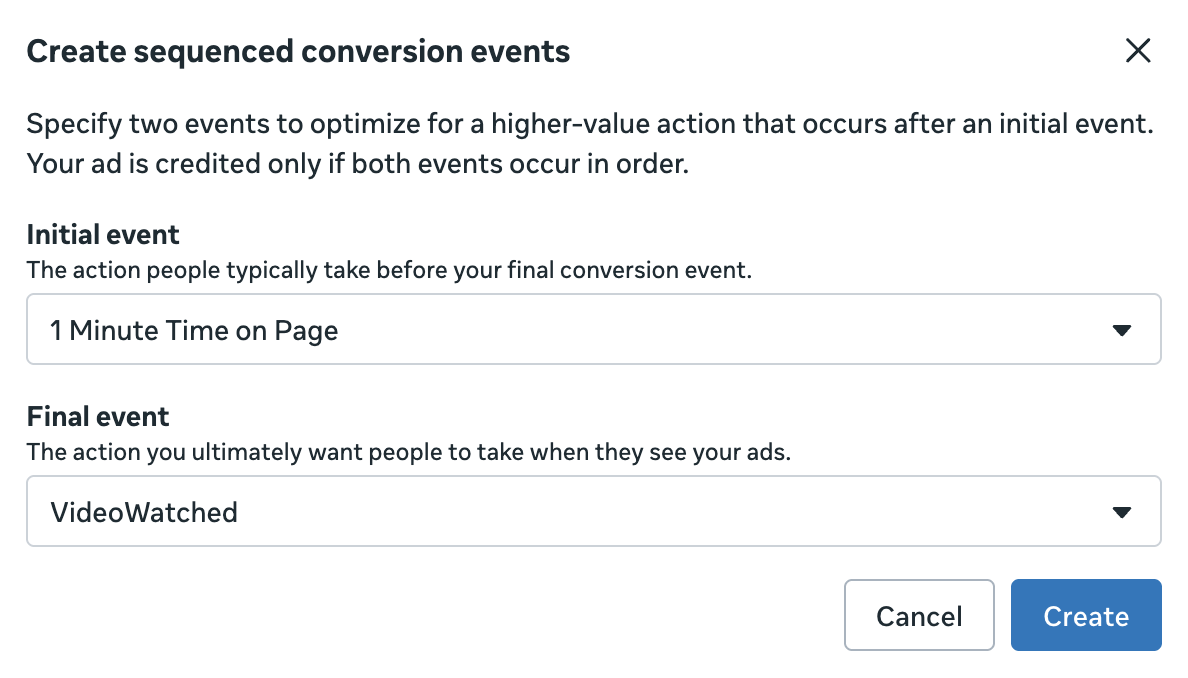
Of course, that feels pretty pointless. If I wanted the VideoWatched event, I’d just optimize for it. But you may have other sequences of events that could make sense for your business that aren’t lead-focused.
Should You Use Sequenced Events?
We should resist the urge to make shiny objects work for us if they aren’t good fits. And that could be the case with Sequenced Events.
But if you’re running into a lead quality issue, Sequenced Events should absolutely be an option. Feel free to experiment and see if it helps improve your cost per qualified lead.
But know of the potential issues related to volume. If you’re barely getting 50 optimized leads per week per ad set now, you may not get enough data to properly optimized for the final event of a sequence. Prioritize volume for both the first and final events so that Meta can get meaningful results worth optimizing for.
Your Turn
Do you have Sequenced Events? How might you use them?
Let me know in the comments below!