More than two months ago, I briefly covered a new test feature called Push Delivery to This Ad. I didn’t have it at the time, but I had enough information to at least confirm its existence.
The concept is simple. When running multiple ads in one ad set, Meta’s delivery algorithm tends to favor one ad or a small handful of ads, often at the expense of others. You can “push delivery to this ad” to guarantee that ad gets shown for a period of time.
I finally have it, so I may be part of a broader rollout. Since I’m still not seeing official documentation, I assume it remains a test feature for now.
But now that I have it, I’ve pushed some boundaries to better understand the functionality. In this post, I’ll help you understand how it works, the limitations, and how you might use it.
Requirements
Since there isn’t any official documentation on this feature yet, I’ve had to do my best to figure this out based on trial and error.
Campaign Objective and Performance Goal
I do not believe the campaign objective or performance goal matters. I’ve tried each campaign objective, and the feature appears. I can’t confirm whether it actually works when published with each objective and performance goal.
Ad Format
I do not believe the ad format matters. The feature appears for manual upload or Advantage+ Catalog Ads. It also appears for single image or video, flexible format, and carousel.
New and Existing Ads
The feature also appears for both new and existing ads, whether they are currently running or not.
Number of Ads
The only requirement I’ve found that impacts whether or not the feature appears is the number of ads in an ad set. If there is only one ad, whether active or in draft, the option to “push delivery” will not appear. That changes once there are at least two ads.
How It Works
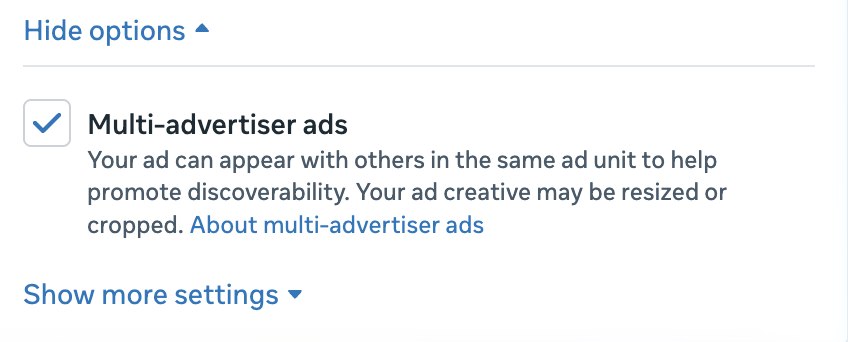
Once you have at least two ads in an ad set, either active or in draft, go to the Ad Setup section of ad creation. Under Multi-Advertiser Ads, click the link to “show more settings.”
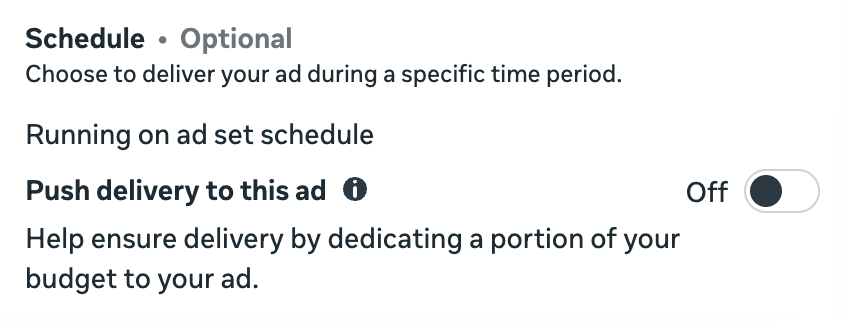
Under the ad scheduling option, you’ll see a setting to “push delivery to this ad.” It reads:
Help ensure delivery by dedicating a portion of your budget to your ad.
The tooltip reads:
Select a portion of your budget to push delivery to this ad for up to 7 days or until your ad set ends. After that, the ad will use your existing budget.
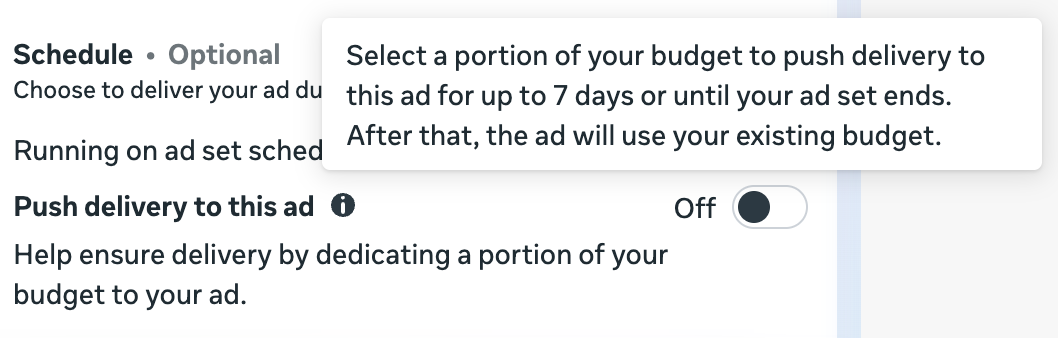
We’ll come back to that seven days maximum in a minute, but the details here are important. You can force Meta to spend a designated percentage of your budget during the “push.” After that, delivery will return to normal.
The setting is off by default. When turned on, it looks like this…
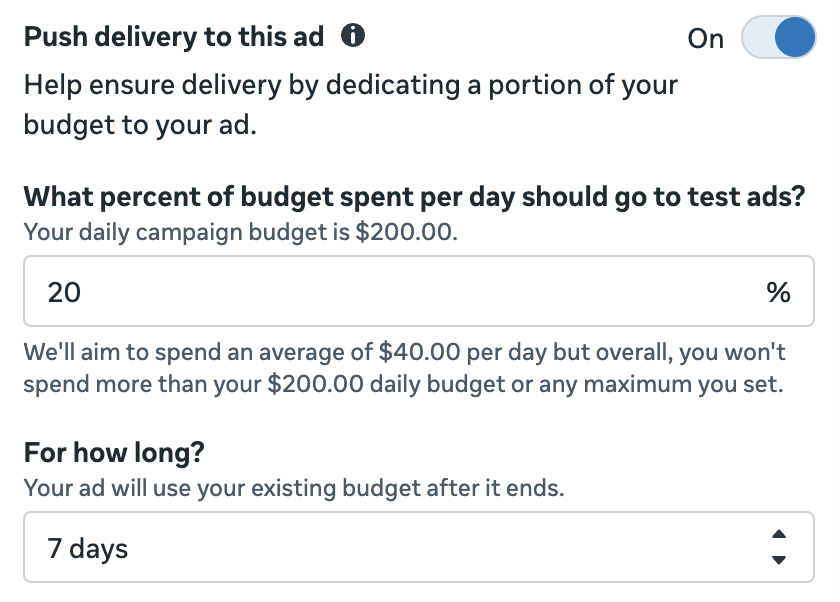
You will need to manually enter the percentage of your campaign or ad set budget that should be dedicated to this ad. Then select how long that push will last.
Limitations
There are a few limitations to be aware of.
1. Minimum and maximum length of the push.
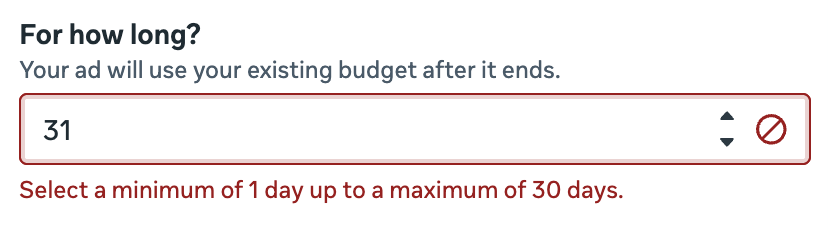
First, recall that the tooltip suggests that you can push delivery for up to seven days. That actually appears to be a recommendation, rather than a hard limit. There is nothing preventing you from choosing to run the push for eight, 20, or even 30 days.
The actual maximum appears to be 30 days, with the minimum being one day.
2. Number of ads pushed at once.
This is more of a recommendation, but Meta suggests that there may be an impact to delivery if you attempt to push to more than one ad at a time. If you’ve turned on “push delivery” for one ad and attempt to turn it on for a second, you’ll get this message:
Another ad is using this setting
If you push delivery to multiple ads in the same campaign or ad set, minimum spend per ad may not be met.
It’s not clear what impact pushing delivery to multiple ads would have. As an experiment, I’ve chosen to push 10% of my budget to five different ads within an ad set. So far, that doesn’t seem to be a problem.
Obviously, there will be limits to this. You can’t have 10 ads in an ad set and tell Meta to dedicate 15% of your budget to each one. So it’s understandable why this warning exists.
But it’s unclear how much this matters if you’re pushing delivery to a second ad while keeping percentages low. I’ll know more from my experiment with time. So far, it’s running fine and dividing my budget as expected.
3. No creative tests.
The creative testing tool will be unavailable while you’re pushing delivery to an ad. The option to “set up test” is grayed out.
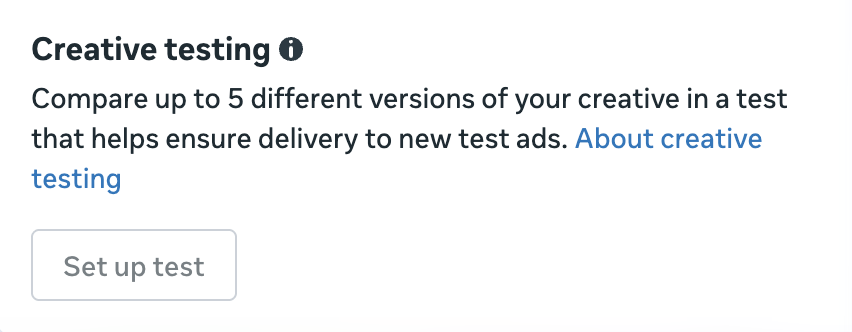
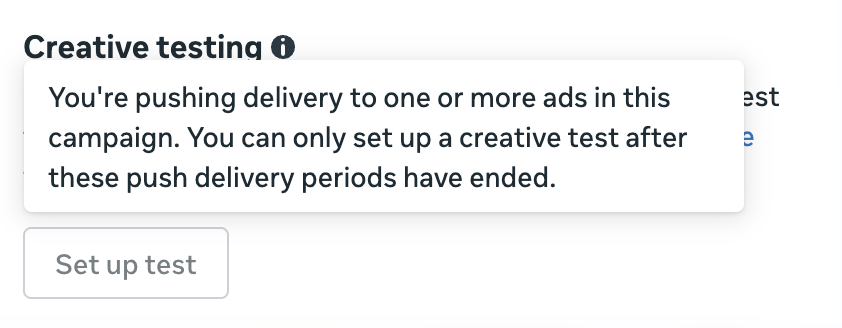
When you hover over the disabled button, it reads:
You’re pushing delivery to one or more ads in this campaign. You can only set up a creative test after these push delivery periods have ended.
Presumably, this limitation goes both ways. I’m not running a creative test right now, but it’s safe to assume that you cannot push delivery to an ad when running a creative test in the same campaign or ad set (wherever the budget is defined).
Creative Testing Tool Comparisons
If the functionality of the “push delivery” tool looks familiar, it’s because it clearly steals from the Creative Testing Tool. Here’s how the setup looks in that case…
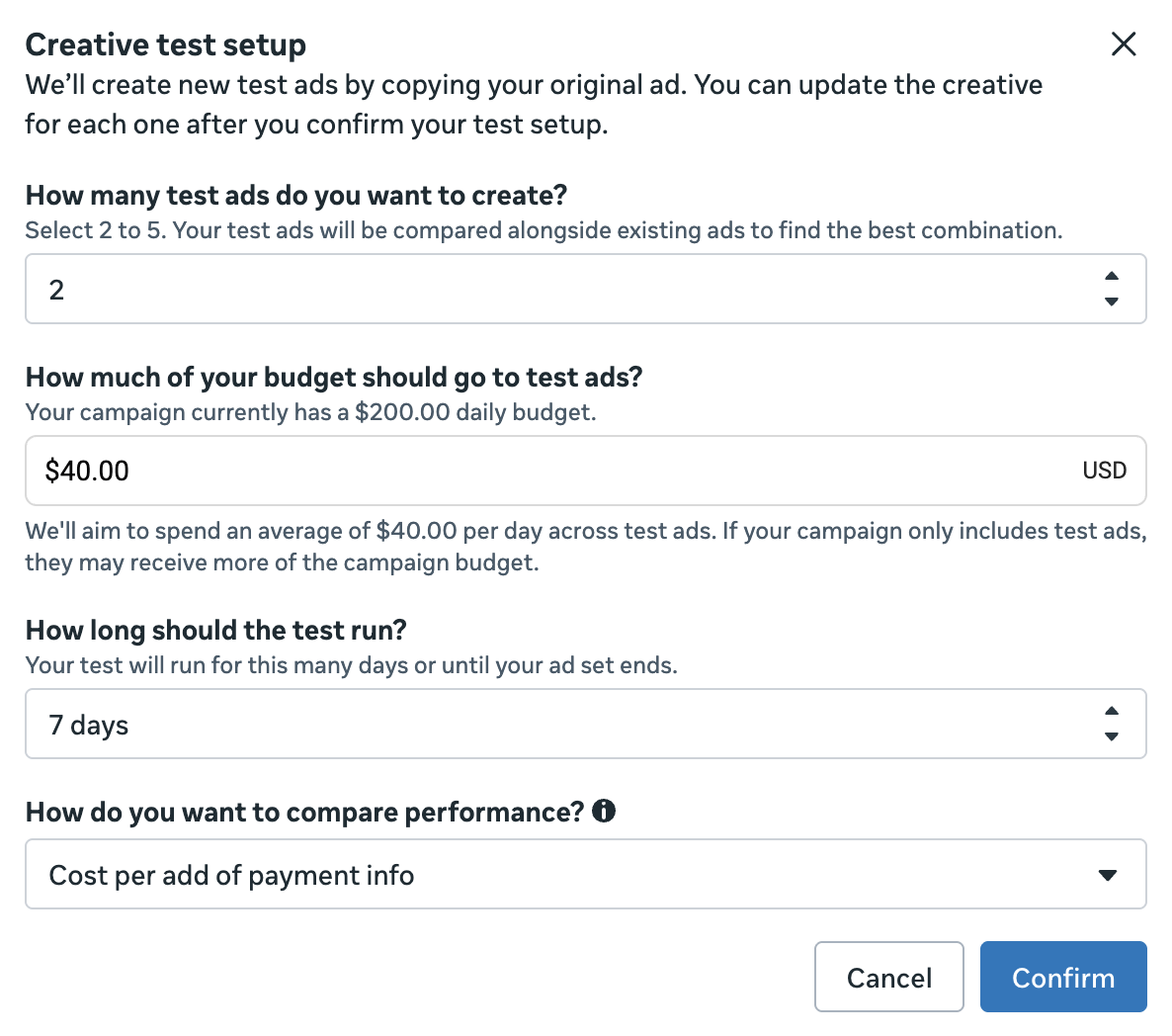
A slight variation here is that you’re selecting a specific dollar amount to spend, rather than a percentage of your budget. But it still cuts into that overall campaign or ad set budget. The length of the test also needs to be between 1 and 30 days.
But there are some very important differences…
1. Number of ads involved.
The creative testing tool requires that you include at least two ads at a time. The maximum depends on the version you have of the creative testing tool, but mine is up to five.
When pushing delivery, it’s to a single ad. While you can individually push delivery to multiple ads, each decision to do so is separate. And Meta clearly prefers that we limit the number of ads we push delivery to at one time.
2. Active or draft ads.
One of the most annoying limitations of the creative testing tool is that you can only test new ads. By the time an ad is running and you decide you want to test it, it’s too late. You’d need to create a duplicate for the purpose of testing.
There is no such limitation to push delivery. You can push delivery to an active ad or choose to push delivery to a new ad as it’s published.
3. Test or independent.
And then the obvious difference: The creative testing tool lets you set aside budget to test multiple ads against one another. It’s an A/B test, and a winner will be determined based on your chosen metric.
No such test is happening when you push delivery. You’re just asking Meta to dedicate a portion of your budget to an ad.
When to Push Delivery
First, this feature impacts how I approach the creative testing tool. In the past, I saw it as a solution for understanding what would happen if Meta dedicated a percentage of your budget to each ad. But this could only be done with new ads, so I initially made it part of my process to test new ads when I published them.
But the introduction of pushing delivery completely changes things. I see no reason to start new ads with a creative test anymore. In most cases, I recommend letting the algorithm run without manual manipulation. If you ever want to push delivery later, you can.
There are two primary situations when I believe this could be useful…
1. Minimal delivery to an ad from an underperforming ad set.
I want to be very careful how I word this because I don’t want this to be misunderstood. You should not be pushing delivery to every ad when it’s not delivering. You should prioritize minimizing your involvement where possible.
But all bets are off when you have an underperforming ad set. When you’re not getting the results you want in aggregate, feel free to mess with things and experiment. While my general recommendation would be to create new ads, you could always push delivery to a low-impression ad for a few days and see what happens.
If it’s a single ad, you probably won’t even need to push delivery for more than a few days, depending on the budget going to it. It does appear you can turn push delivery off before it is scheduled to end.
2. Time-sensitive promotion.
Let’s say you have an ad set with multiple ads to promote multiple products at similar price points. But you have a promotion that’s going to run for seven days.
You create new ads for that promotion. But simply adding them to the existing ad set would be dangerous since Meta may not show the ads. In the past, the solution may have been to create a separate campaign or ad set for that promotion.
But now this gives you another option. You could publish ads for the time-sensitive promotion to the existing ad set and then push a designated percentage of your budget to those ads until the promotion ends.
Final Thoughts
This is another rare feature that gives advertisers back some level of control. We’ve generally been at the mercy of the ad delivery gods up until now, unless you wanted to force control in other ways.
And that forced control does concern me. Advertisers are far too tempted by control they don’t necessarily need. And when they find creative ways to take that control, they often do so at a cost.
That doesn’t mean that there aren’t problems to be solved. If there is a provable problem with ad delivery in this case, the push delivery feature could be a solution.
But making a habit of using it feels like a recipe for driving up costs. And when you’re doing that with intentionality, that’s just careless.
Your Turn
Have you started using this feature to push delivery yet? What do you think?
Let me know in the comments below!