Two months ago, I wrote a blog post about the upcoming changes to Meta ads placement controls. At the time, Meta hadn’t made an official announcement, so my reporting was based on what was publicly available, what Meta said privately, and what I could assume based on what was known.
Two months later, Meta made a public announcement about these changes. Based on this new information, I need to update and correct what was previously known or assumed.
The biggest changes are around two things:
- Impacted campaign objectives
- An update to account-level placement controls
In this post, we’ll discuss the following:
- How ad placement control is changing
- Meta’s recommended alternatives
- How I recommend you approach placement control
Let’s get to it…
1. How Ad Placement Control is Changing
You may have seen this message in the Placements section of the ad set…
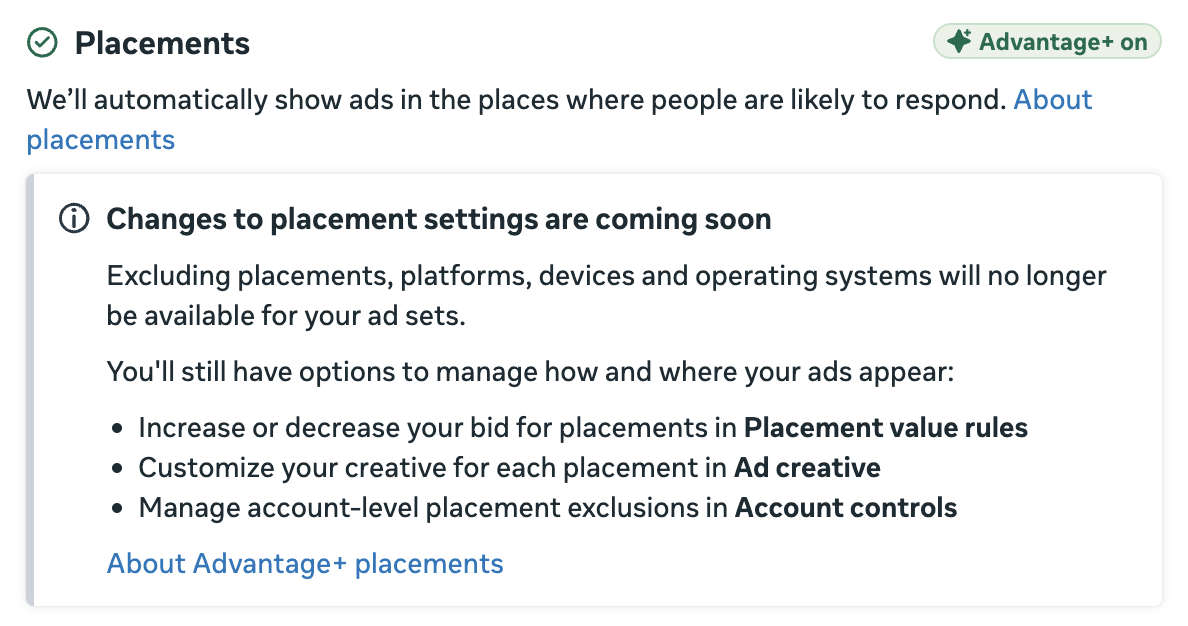
Meta is eliminating placement control at the ad set level. That means that you won’t be able to remove individual placements, platforms, or isolate mobile and desktop devices.
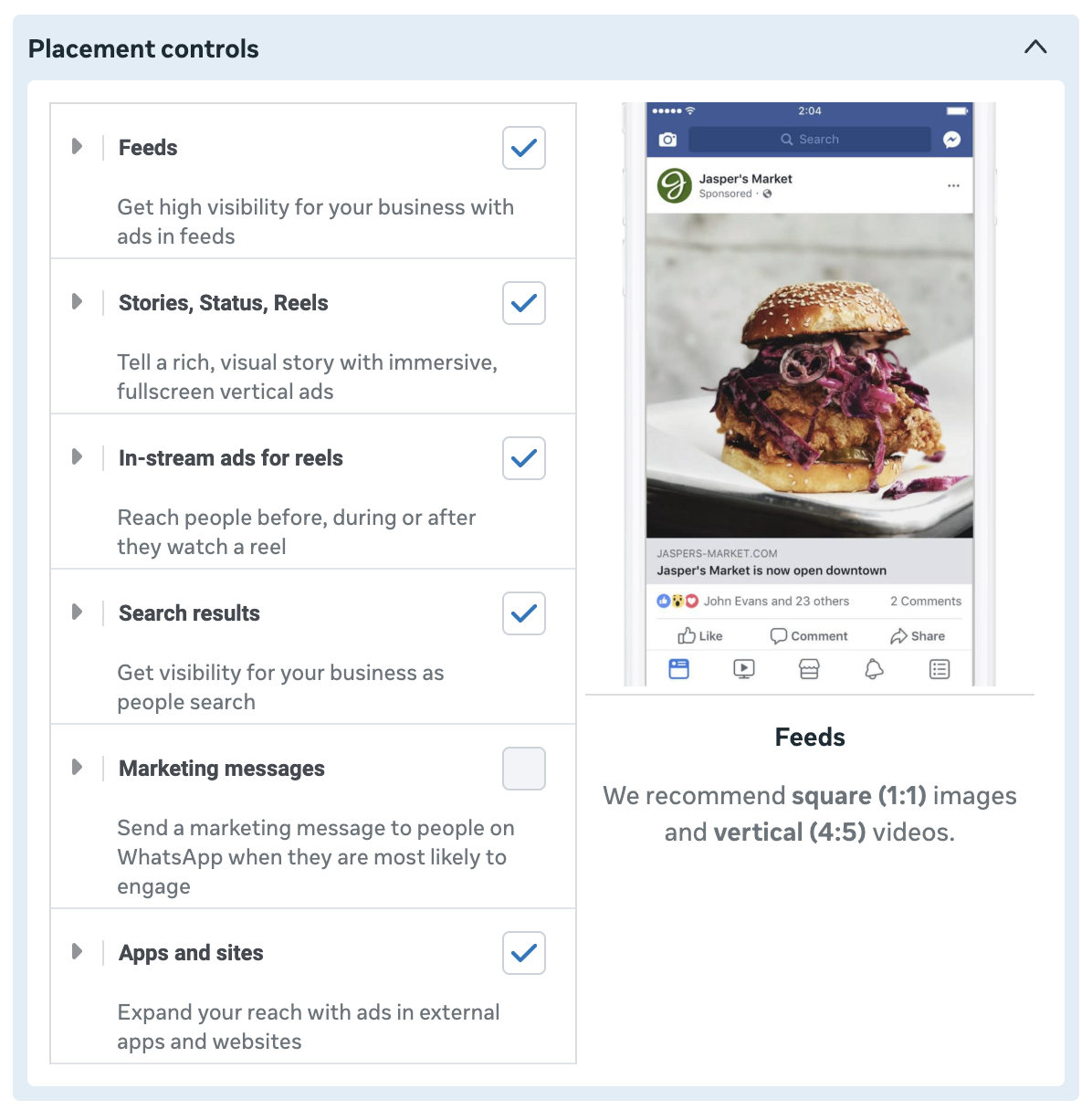
The question at the time, though, was about when placement control would be eliminated. I had an internal Meta contact who clarified that this would apply to bottom of funnel campaign objectives only. I took that to mean Sales and Leads.
Now that we have Meta’s official documentation, I need to make a correction. This change applies to the following campaign objectives:
- Sales
- Leads
- App Promotion
- Engagement
I assumed it would apply to Sales and Leads, and I probably should have considered App Promotion as well. But the Engagement objective is what’s most surprising. I’d certainly not call that bottom-of-the-funnel, and it’s an objective where you’d normally want to retain placement control.
So, whether I received bad information, I misinterpreted it, or Meta changed the roadmap, placement control is going away at the ad set level for all but two campaign objectives (Awareness and Traffic).
Note that the performance goal doesn’t matter, according to this official information. You could technically maximize the number of link clicks or landing page views using the Sales objective, and you won’t have the ability to remove placements in the ad set. But if you use these same performance goals with a Traffic campaign, you can.
2. Meta’s Recommended Alternatives
Instead of removing placements in the ad set for these four campaign objectives, Meta recommends you do the following:
Customize media for each placement in Ad creative.
Meta says that you should provide different aspect ratios and tailor your creative to each placement.
Honestly, this is a silly recommendation as an alternative. Yes, you should make sure your creative looks optimal in every placement you’re using. But it hardly solves the problem of not being able to remove placements, if that’s something you’d normally do.
Increase or decrease bids using Placement value rules.
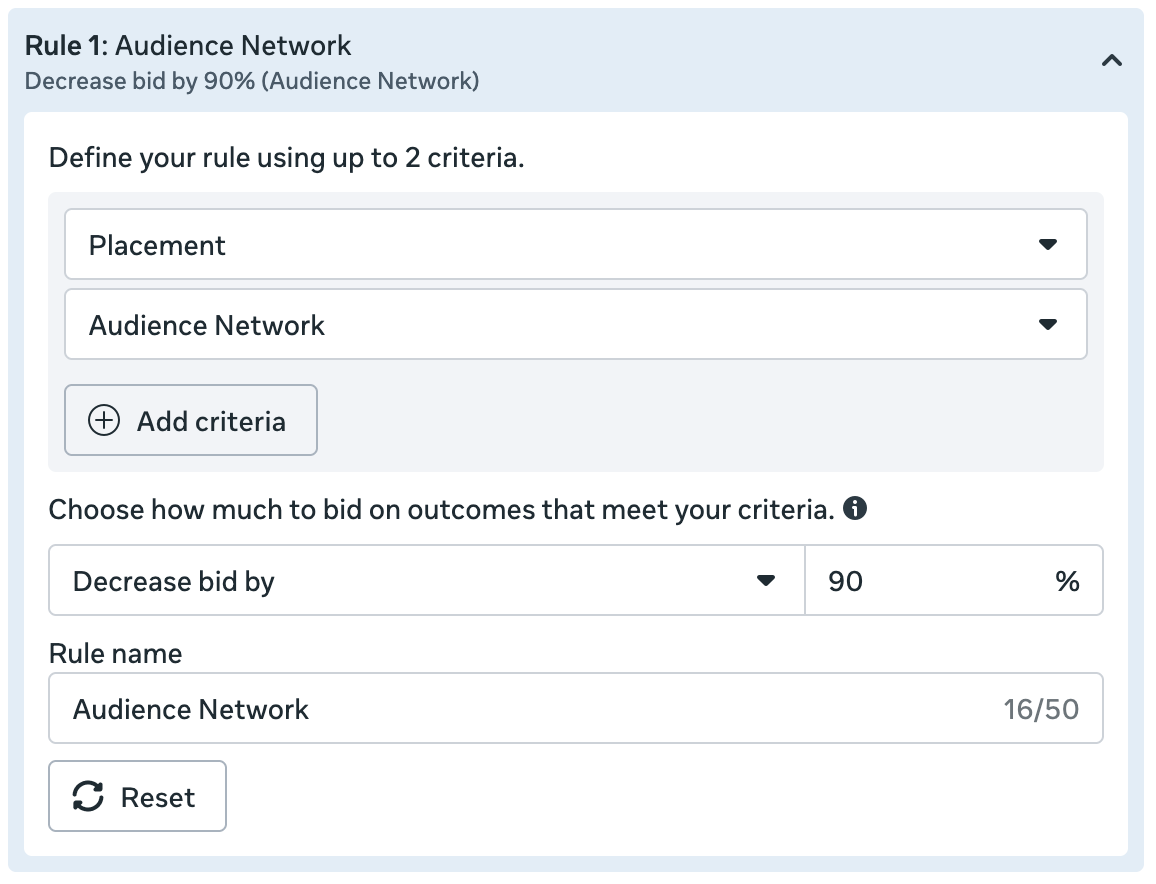
Value rules allow you to increase or decrease bids in the auction for placements, device platform, and mobile operating system (among other variables that aren’t relevant here).
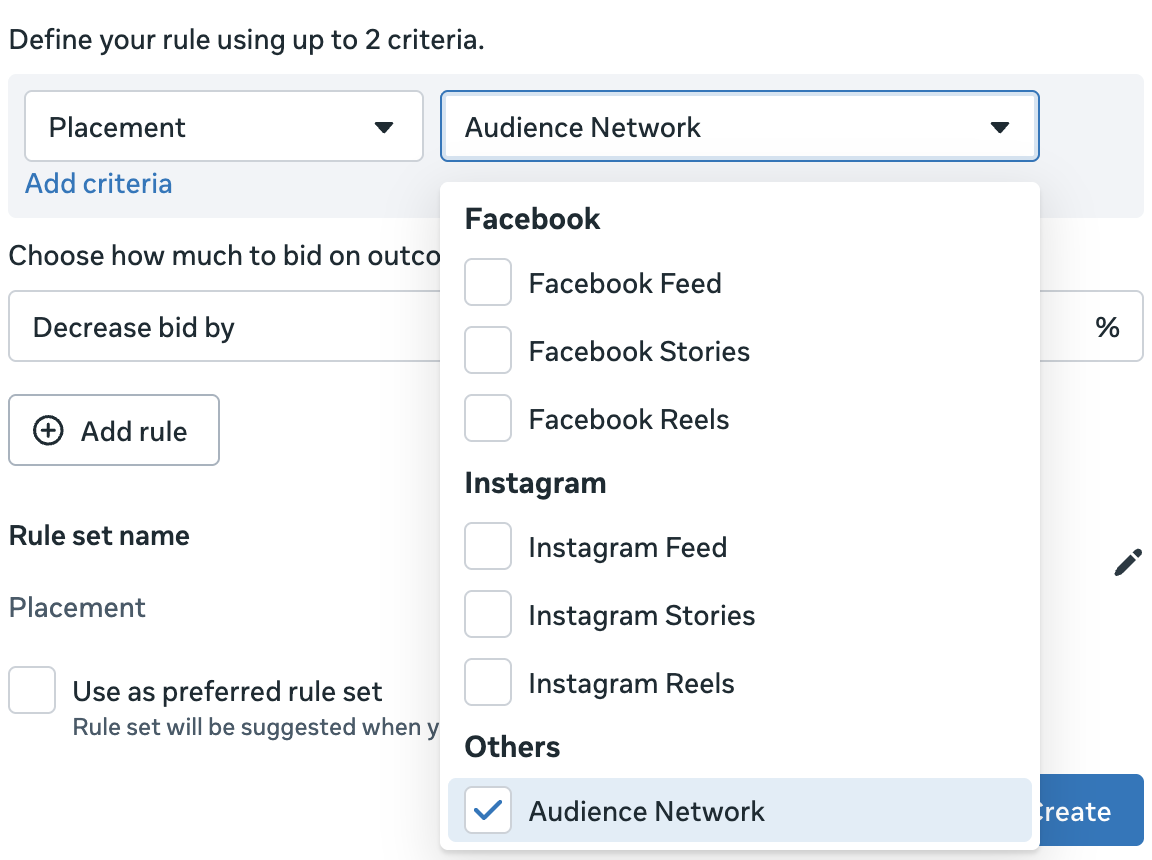
Instead of removing a placement like Audience Network, you could lower the bid for it by 90%. You could take a similar approach for mobile vs. desktop and mobile operating system. By lowering the bid, you could virtually eliminate a placement without actually removing it.
The problem is that there are only seven placements to choose from (Facebook Feed, Facebook Stories, Facebook Reels, Instagram Feed, Instagram Stories, Instagram Reels, and Audience Network). Two months ago, I was told that there was an ongoing test that leveraged an expanded list of placement options. It’s not clear if this is still a future possibility.
Set account-level placement exclusions by objective in Account controls.
I mentioned account-level placement controls in my original blog post two months ago.
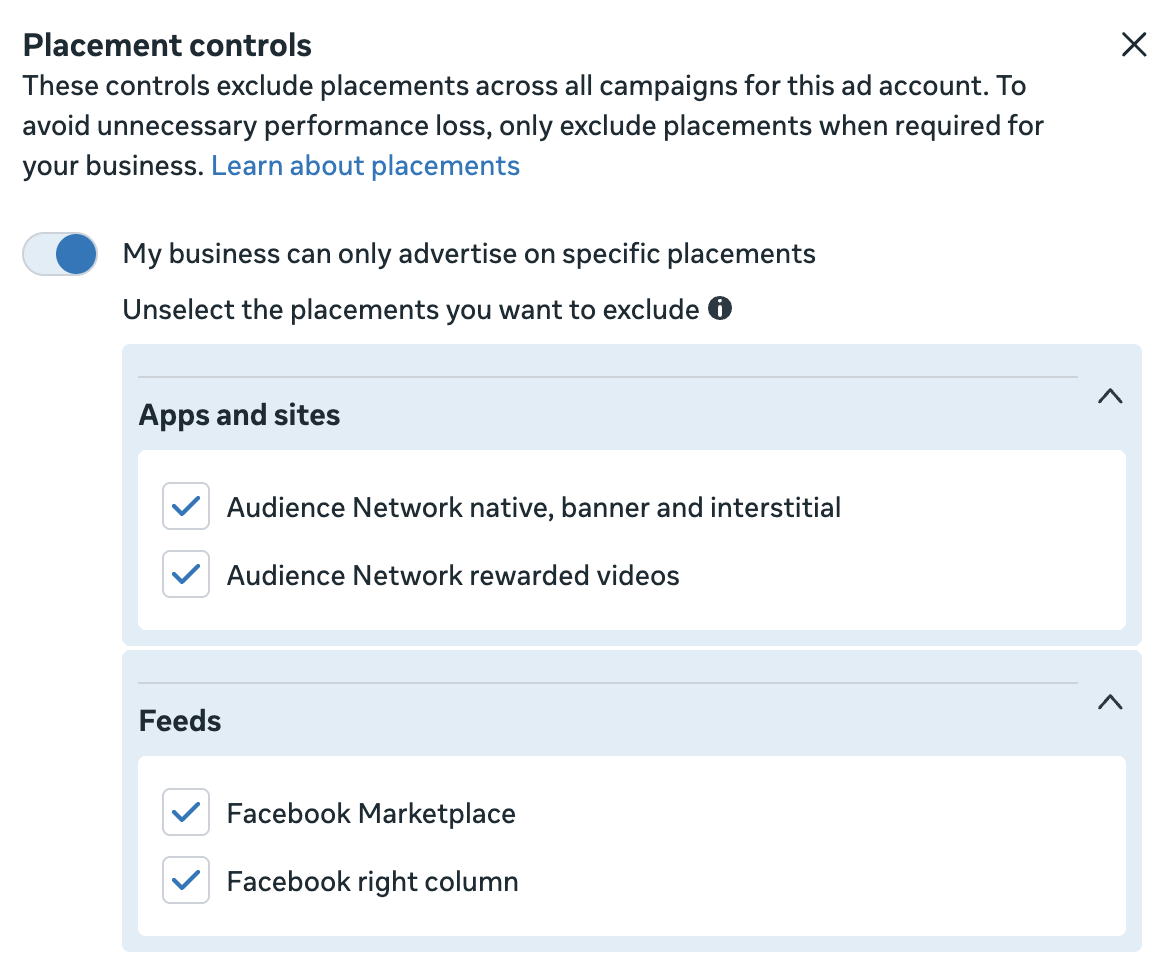
There were two major limitations with this approach at the time. First, there were only four placement options available. Second, these account-wide controls applied to all campaigns, regardless of the objective.
Meta is making an improvement to one of these limitations. You will now be able to restrict by placement account-wide by campaign objective.
This is a good change since I wouldn’t recommend removing Audience Network native, banner, and interstitial globally. The time it might make sense is when running Traffic campaigns, where you maximize the number of link clicks or landing page views. This is when Meta will lean into Audience Network because it will drive a high volume of cheap (but low-quality) optimized actions (in this case, link clicks or landing page views).
3. How I Recommend You Approach Placement Control
My recommendations here don’t change. How I recommend you approach this is exactly what I would have said two months ago. In fact, it’s what I would have said before we knew anything about the changes to placement controls.
Prioritize Advantage+ Placements, especially when optimizing for conversions.
Assume that you can use Advantage+ Placements without negatively impacting performance, especially when your performance goal is to maximize the number or value of conversions. The reason is that there aren’t known placements that drive low-cost and low-quality conversions, especially if it’s a purchase. So if you optimize for conversions, those low-value placements will rarely be used anyway.
But there are rare exceptions, even when your goal is conversions. The most common scenario is when you’re unable to get many conversions at all, and Meta is erratically trying to find what works. But that’s an exception, and you shouldn’t assume it’s happening.
The most likely placement-related problems come as a result of optimizing for link clicks (Audience Network), landing page views (Audience Network), ThruPlay views (Audience Network Rewarded Video), reach (Ads on Facebook Reels), or impressions (Ads on Facebook Reels). This is when Meta’s most likely to lean into a placement to get a high volume of cheap, low-quality, optimized actions.
Prove an isolated problem in your data that needs to be solved.
But again, don’t assume a problem. Prove that one exists, and it shouldn’t be very difficult to do. Use the breakdown by placements to view how your budget and results are distributed by placement.

Your goal isn’t to optimize results by removing all placements that aren’t driving conversions. Especially when you’re dealing with low volume, a lack of conversions isn’t necessarily a sign of a problem worth addressing.
Instead, you should be looking for a high volume of cheap optimized actions coming from a placement. If you can prove these are also low quality, that’s a problem worth doing something about.
Solve that problem with value rules.
Assuming you’ve isolated a placement-related problem, my primary recommendation is to use value rules to solve it.
At the moment, only one placement available in value rules is notorious for driving cheap, low-quality results: Audience Network. And you can only create a value rule for Audience Network generally, not specifically for rewarded video (ThruPlay views problems) or native, banner, and interstitial (link clicks or landing page views).
But you can apply a value rule for Audience Network that lowers the bid by 50 or 90%. And that should mostly or completely remove it from distribution.
Your Turn
What do you think of this update? Do you have it yet?
Let me know in the comments below!