As Meta advertising continues to evolve, a segment of advertisers gets left behind. They’re stuck in the old ways of doing things, determined to control things that no longer need to be controlled.
But they have every right to be confused. I’m not saying that you should use the broadest targeting with Advantage+ Placements in every case. You should prioritize a hands-off approach, but there are exceptions when some control is necessary. How you exert that control is important.
This post will focus on how to approach control for the following elements:
- Age
- Gender
- Custom audiences (remarketing)
- Detailed targeting and lookalike audiences
- Placements
Let’s take a closer look…
1. Age
Primary Approach: Hands Off or Suggestions
If you’re optimizing for a purchase or conversion of some kind, avoid making initial adjustments to age. Resist the urge to restrict by age to reflect your target customer.
While I would generally start without any targeting inputs for age, audience suggestions won’t hurt. If you want to use suggestions, go ahead.
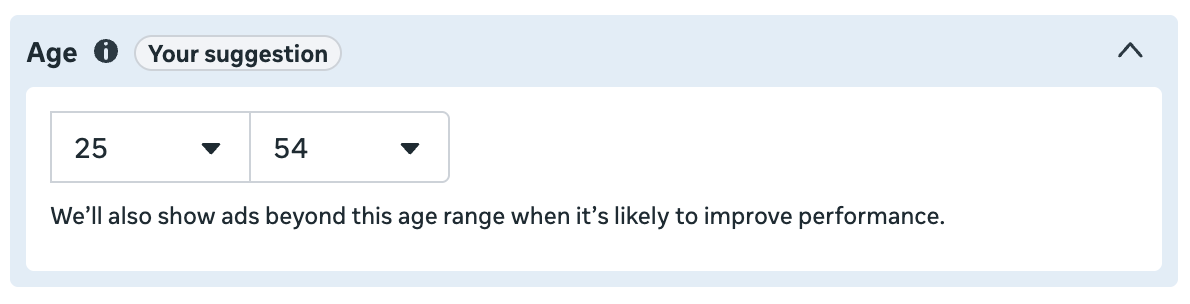
I’ve generally found that such suggestions make no impact at all. If Meta can find optimized results from an age group outside of your suggested range, Meta will show your ads to them. But there may be exceptions when it makes an impact, and using suggestions won’t be detrimental to performance.
Secondary Approach: Value Rules
While I suggest being hands off with age as a primary approach, I’m also fully aware that problems can happen. But it’s critical you understand why those problems happen in the first place, and what to look for.
If your performance goal is to maximize the number or value of conversions where the conversion event is a purchase, there’s very little reason to expect issues related to age distribution. Meta is focused on getting you the most results within your budget, and that includes showing ads to people most likely to convert. If someone is unlikely to convert due to age, Meta will usually figure that out.
Where this is most likely to be a problem is when you are optimizing for an action other than a purchase. In these cases, whether or not someone may eventually buy from you is no longer important to Meta. The only goal is accomplishing your optimized event.
I’ve found that the upper age groups are those that Meta’s most likely to exploit for cheap optimized actions. You can get cheap leads, clicks, and engagement from people over 65. This often isn’t because they are likely to buy from you, but only because they are more likely to perform that immediate action.
After running ads for a reasonable time without limiting by age, perform a breakdown by age to see how results and budget are distributed by age group.
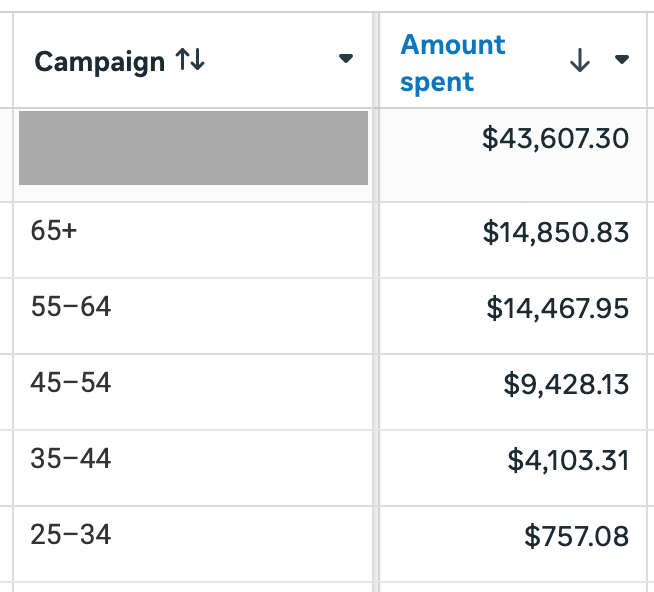
Don’t obsess over which age group is the most expensive to reach. Instead, look for situations where Meta exploits an age group for cheap optimized actions.
If you see this happening, don’t restrict by age. Instead, apply a value rule to lower the bid by age group. Something I’ve done when running ads optimized for leads or completed registrations is that I use a value rule that lowers the bid by 50% for those over 65 and by 20% for those aged 55 to 64.
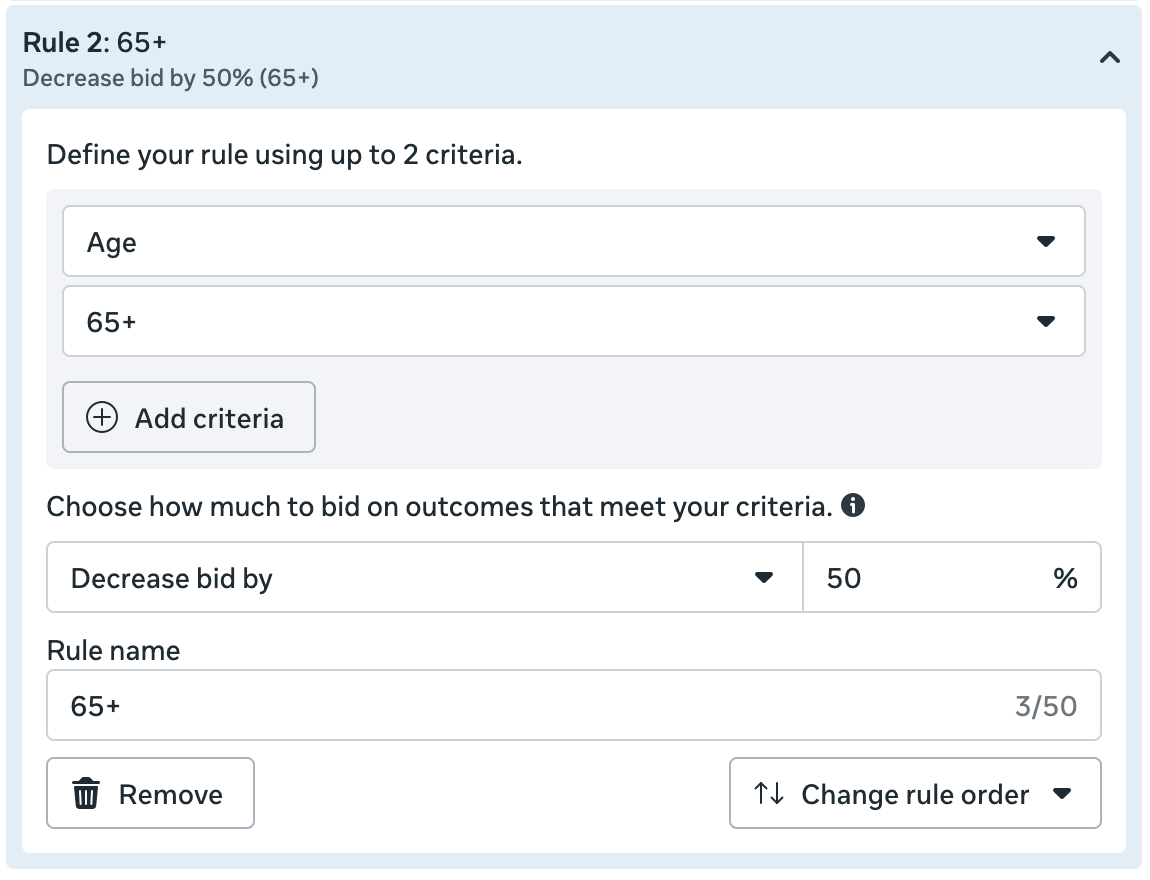
The main point is that you only apply this value rule when there’s a clear problem to be solved. Don’t assume it’s needed.
Last Resort: Restrictions
While you can virtually eliminate delivery to an age group by lowering the bid by 90%, there are times when that may not be good enough. If you can’t serve a particular age group by law, that will require a full restriction.
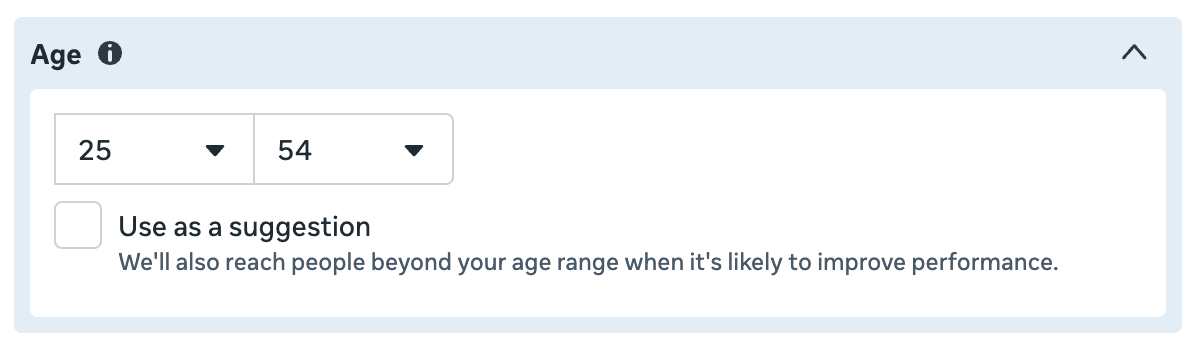
You can set a minimum age up to 25 using audience controls in the ad set.
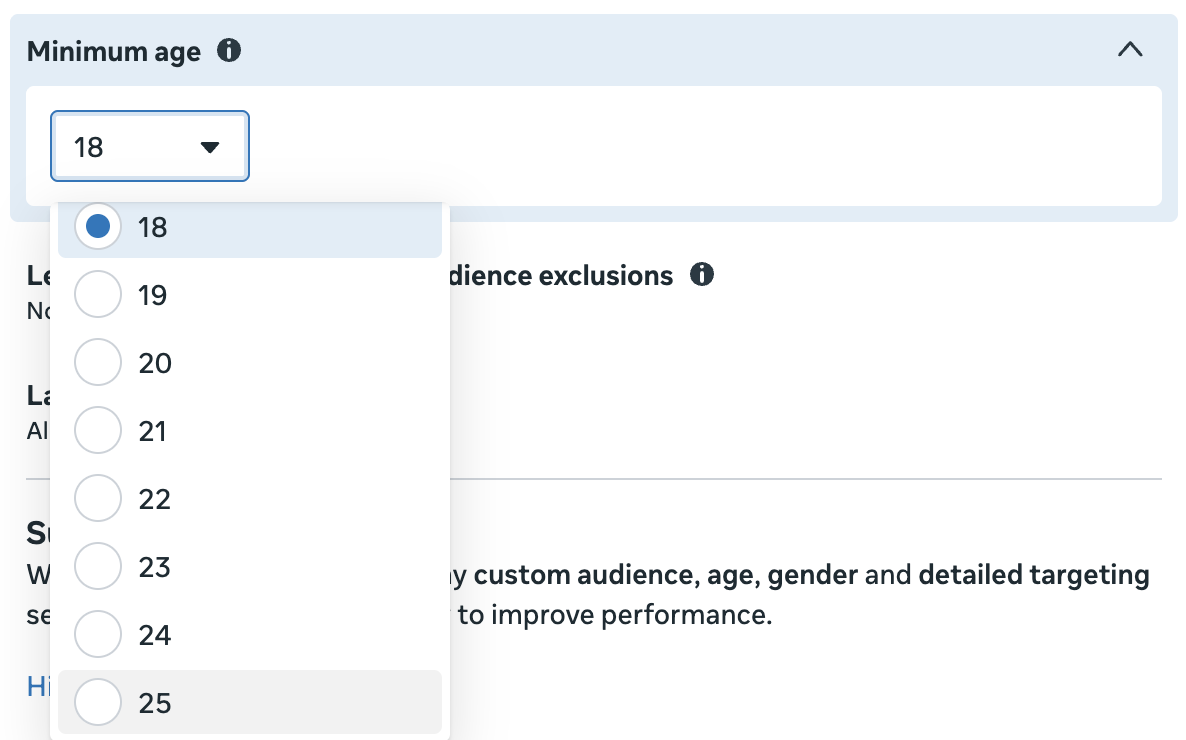
Otherwise, click to further limit the reach of your ads to set a restriction that the minimum of 25 can’t solve. Make sure to uncheck the box to use it as a suggestion.
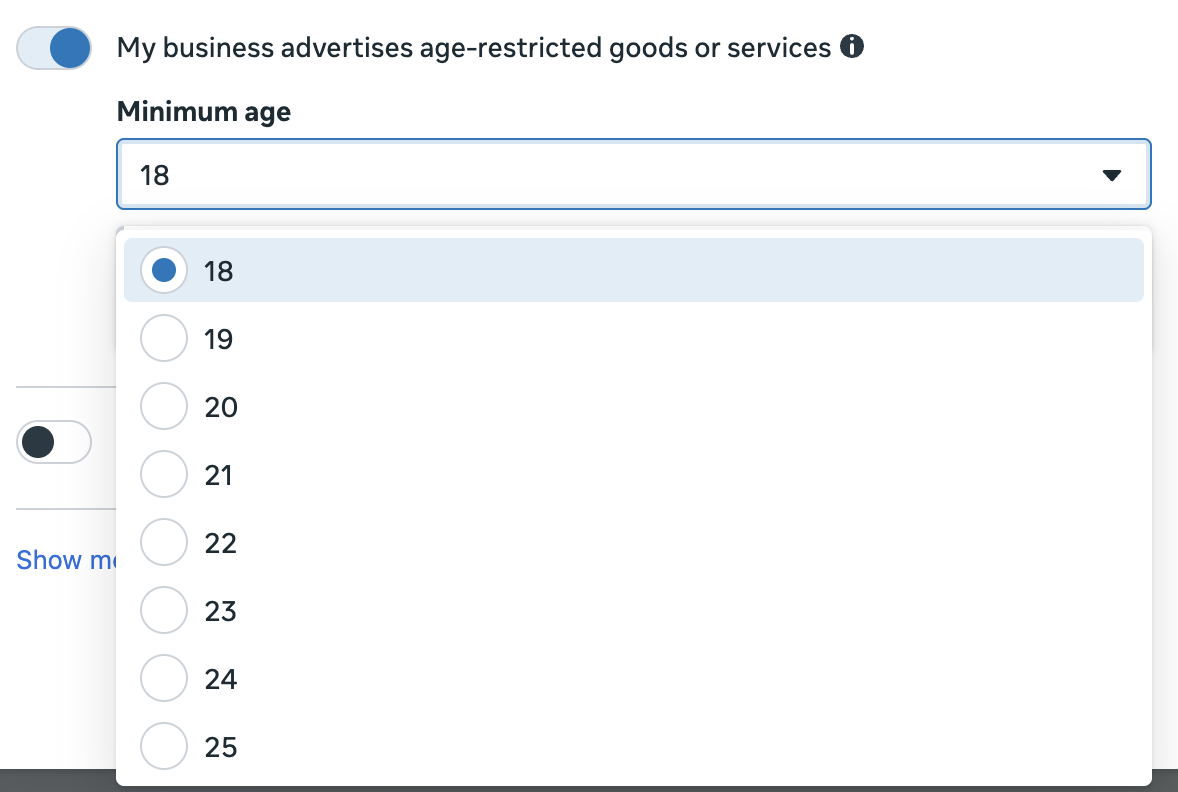
The final option would be to set an age minimum at the account level in your Advertising Settings. This will apply to all of your ads.
But even then, the highest minimum is 25.
2. Gender
Primary Approach: Hands Off or Suggestions
While I could group age and gender together, I suggest a slight variation in approach. There are far more reasons to restrict by age than by gender. There are legal reasons you’ll need to prevent reaching certain age groups. But that’s not the case for gender.
While I understand the situation where the vast majority of your customers are either men or women, that’s not enough to fully restrict by gender. The reason is again tied to the way the delivery algorithm works.
If you’re optimizing for a purchase, Meta’s priority is helping you get more sales. If the vast majority of your customers are women, it’s unlikely that Meta will show your ads to many men.
Once again, feel free to use gender as an audience suggestion. It’s not a tight constraint and is unlikely to have much of an impact on delivery, but it can’t hurt you.
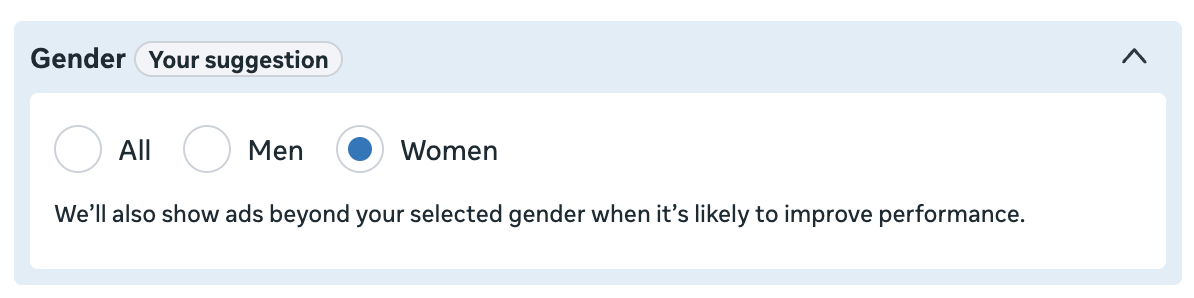
You might have a product for men, but women may buy it for their partner as a gift. Avoid assuming that you have to restrict by gender. You may be surprised by who converts.
Secondary Approach: Value Rules
Of course, that doesn’t mean that you can’t have problems. But these problems are almost always tied to delivery optimization. If Meta can get a high volume of cheap optimized actions by showing your ads to people from a gender that doesn’t match your typical customer, expect it to happen.
But only if that weakness is related to your performance goal. It could possibly happen when optimizing for leads. It’s possible, if not extremely likely, that it will happen when optimizing for interactions or ThruPlay views.
The classic example is a service focused on helping women business owners. This service is owned by a woman, who creates a video talking about the problems faced by business owners. There is nothing preventing men from engaging with and watching the video. In fact, they may even do it at a high rate.
But you don’t just want that engagement, especially if these men are unlikely to buy. And if Meta spends 50% or more of your budget on men to exploit that weakness, the cheap results aren’t worth it.
You won’t know it’s a problem, of course, until you try without the restriction. Then perform a breakdown by gender to see how results and budget are distributed.
Remember that your goal isn’t to isolate the best performing gender and eliminate the other from targeting. Your goal is to isolate a weakness where Meta is wasting your budget on a gender to get you a high volume of cheap, low-quality results.
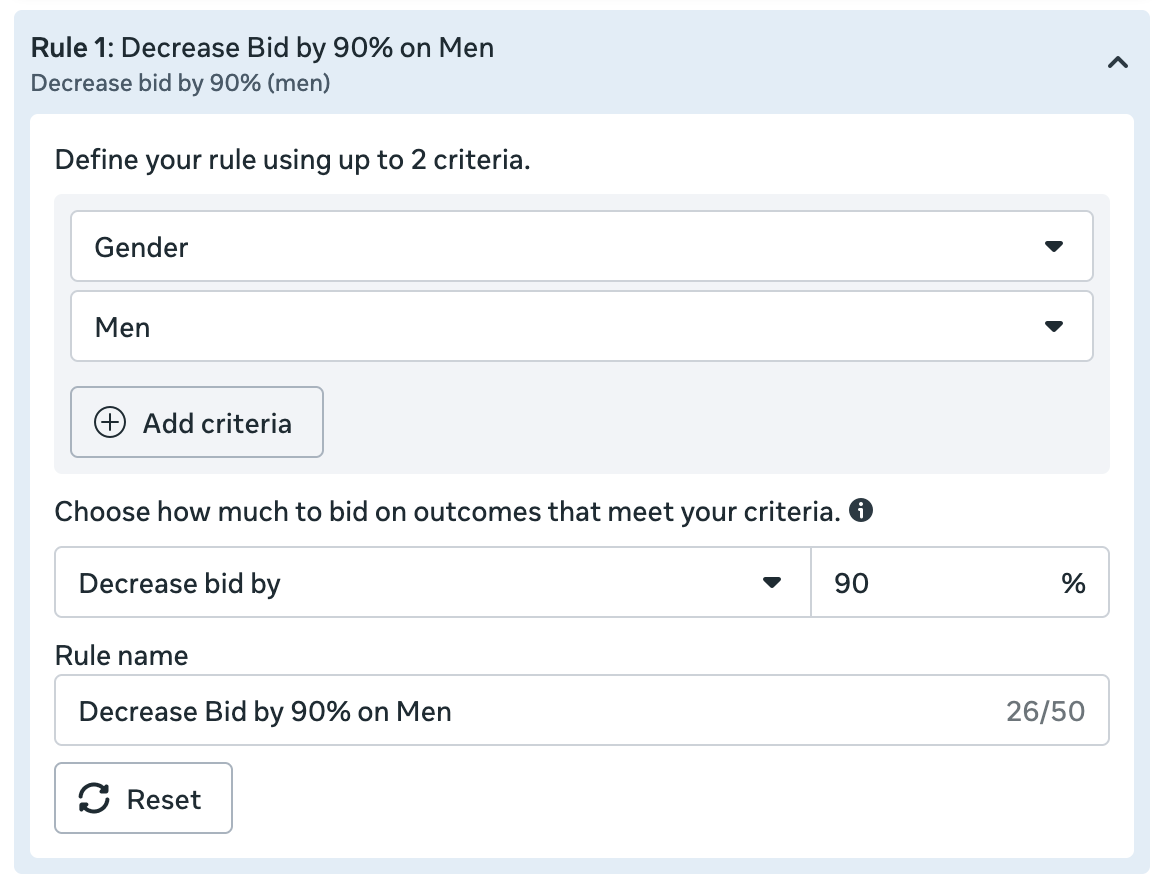
And if that happens, resist the urge to restrict by gender. Use a value rule that lowers the bid by 50 or 90% instead, depending on the severity of the problem.
Last Resort: Restrictions
This will be extremely rare. Consider a nonprofit that was created to help a specific demographic of women. I’d still prioritize value rules, but maybe you’re still reaching men.
This is truly a last resort because I have my doubts whether this should ever be needed. There’s a reason that Meta doesn’t even make gender an option within audience controls.
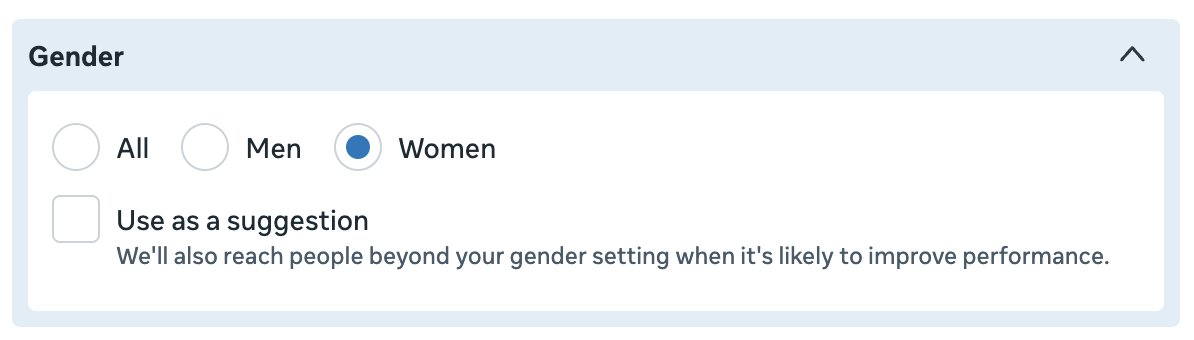
But if absolutely necessary, click to further limit the reach of your ads, adjust gender, and uncheck the box to use it as a suggestion.
3. Custom Audiences (Remarketing)
Primary Approach: Hands Off or Suggestions
My recommendation is that you almost never need to restrict by a remarketing audience. If you want to use custom audiences as suggestions, knock yourself out. But as I keep saying, I have doubts about whether it’s doing anything productive.

Yes, there was a time when remarketing was one of the most popular advertising strategies. In fact, I focused on it almost exclusively from 2015 to 2020.
But times have changed. And a big reason for that is that remarketing happens automatically now.
So why do so many advertisers continue to lean so heavily into remarketing? I have my theories, but the main thing is the results. When you isolate remarketing audiences, the results often look too good to be true.
You know what they say about anything that looks too good to be true, and that certainly applies here. If you restrict to remarketing audiences, your conversion results are destined to look far better than they are.
The reason for this is that the flimsiest conversions are tied to remarketing. If someone is shown your ad, don’t click, and convert within a day, a view-through conversion is counted. If they engage with your ad and don’t click a link and convert within a day, an engage-through conversion is reported.
Now, there certainly are times when view-through and engage-through conversions are actually reflective of impact. But more often than not, your ad wasn’t what drove the result. It was simply coincidental that it was shown before someone ultimately converted from another channel. And this is far more common with remarketing because of the fact that these people are following you from other channels.
It’s not that remarketing audiences aren’t valuable. But you shouldn’t limit yourself only to these people. And when you go broad and allow Meta to reach both new and remarketing audiences at once, you’ll get a stronger balance.
You can prove that Meta prioritizes remarketing audiences by defining your audience segments in Advertising Settings and then running sales campaigns. Then use the breakdown by audience segments to see how budget and results are distributed by engaged audience, existing customers, and new audience.
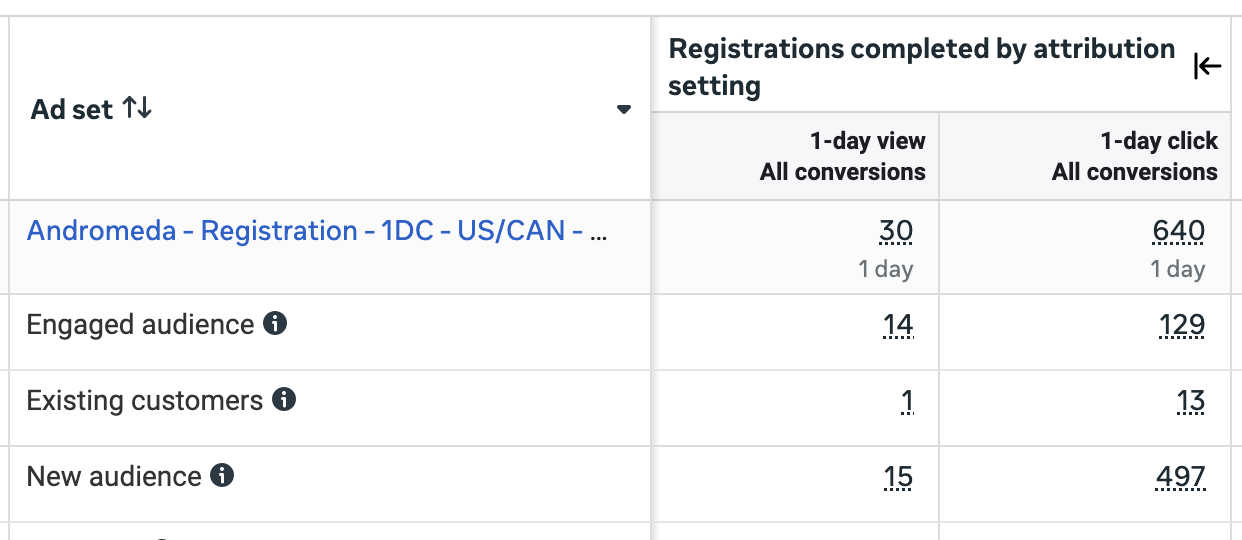
I’ve found that I often spend around 25% on remarketing algorithmically. As a result, I see very few reasons for a classic remarketing campaign.
Secondary Approach: Value Rules
Now, this is likely to be a very rare solution, but Meta introduced a way to use value rules to control your bids on custom audiences. It requires you to use labels to classify your custom audiences by things like qualified leads, disqualified leads, high value customers, and low value customers.

This isn’t going to be a solution for most advertisers, but it does allow you to impact bids on custom audiences without restricting your targeting.
Last Resort: Restrictions
While I do say you should prioritize algorithmic remarketing and resist the urge to restrict by custom audiences when it’s not necessary, there are times when remarketing can be useful. And I even do it sometimes.
An example would be when you have a high-ticket product and don’t spend enough to get conversions when optimizing for a purchase. But you’ve been running lead ads, and you turn those leads over to a sales team. It could be extremely valuable to restrict targeting to these leads to reinforce the messaging they’re getting from you elsewhere.
Even in this case, it’s important to understand that it’s not the ad alone that is closing the sale. You should have multiple efforts working at once. And your results may appear inflated, so resist the urge to overreact when you see that.
4. Detailed Targeting and Lookalike Audiences
Primary Approach: Hands Off or Suggestions
This is an easy one because Meta gives you very few options.
I understand the obsession with detailed targeting and lookalike audiences. In theory, they should help show Meta the types of people you want to reach. But these methods were created more than a decade ago. They’re much less relevant now.
Meta already knows who has visited your website, engaged with your posts or ads, and bought from you before. They are prioritized. And there are automated systems to analyze your ads and show them to the people who will find them most relevant.
But even if you don’t believe all of that, it doesn’t matter. If you provide detailed targeting or lookalike audience inputs for any of the most common performance goals, it will only be used as an audience suggestion.
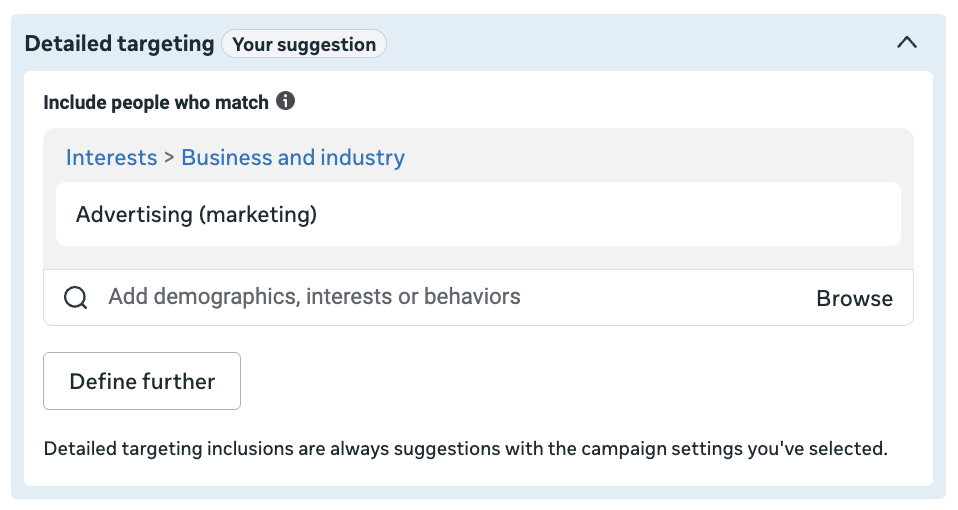
You can’t just turn this off if you’re optimizing for conversions, leads, or a long list of other popular actions. They’re suggestions.
And that’s fine. If you want to provide detailed targeting or lookalike audiences as suggestions because you think they help, go for it. It won’t hurt.
But I’ve found that there’s no evidence they do anything at all. It’s certainly possible this varies by account. But your priority should be to either keep targeting open or provide detailed targeting or lookalike audiences as suggestions for a single ad set.
Last Resort: Restrictions
Value rules don’t exist for these targeting inputs, so there’s little in between. And since most performance goals prevent you from ever restricting by detailed targeting and lookalike audiences, you may not have any choice at all.
But there are some exceptions.
When you use one of the following 11 performance goals, your detailed targeting inputs will only be used as suggestions:
- Maximize number of conversions
- Maximize value of conversions
- Maximize number of landing page views
- Maximize number of link clicks
- Maximize number of app events
- Maximize number of conversations
- Maximize number of Instagram profile and Facebook page visits
- Maximize number of calls
- Maximize number of reminders set
- Maximize number of leads
- Maximize number of conversion leads
So that means if you use performance goals to maximize reach, ThruPlay views, or interactions (among others), you still have control. And this is a good thing, because you may just need it.
The same rules apply here as apply to the other cases regarding when you should apply control. If you optimize for reach because you want to show your ads to as many people as possible who have particular interests, a suggestion isn’t going to be good enough. Meta only cares about reaching more people, so you’re likely to reach all sorts of people who don’t care about the thing you’re promoting if your detailed targeting is only a suggestion.
There are nine performance goals where your lookalike audience is only used as a suggestion. The same applies here. You can provide lookalike audiences as a suggestion if you want in those nine cases. But when using the other performance goals, there may be a need for more control.
As always, don’t assume that control is needed. Monitor your results for quality issues. You’re bound to have problems with quality regardless of your level of control when optimizing for top of the funnel actions, but look for anything out of the ordinary.
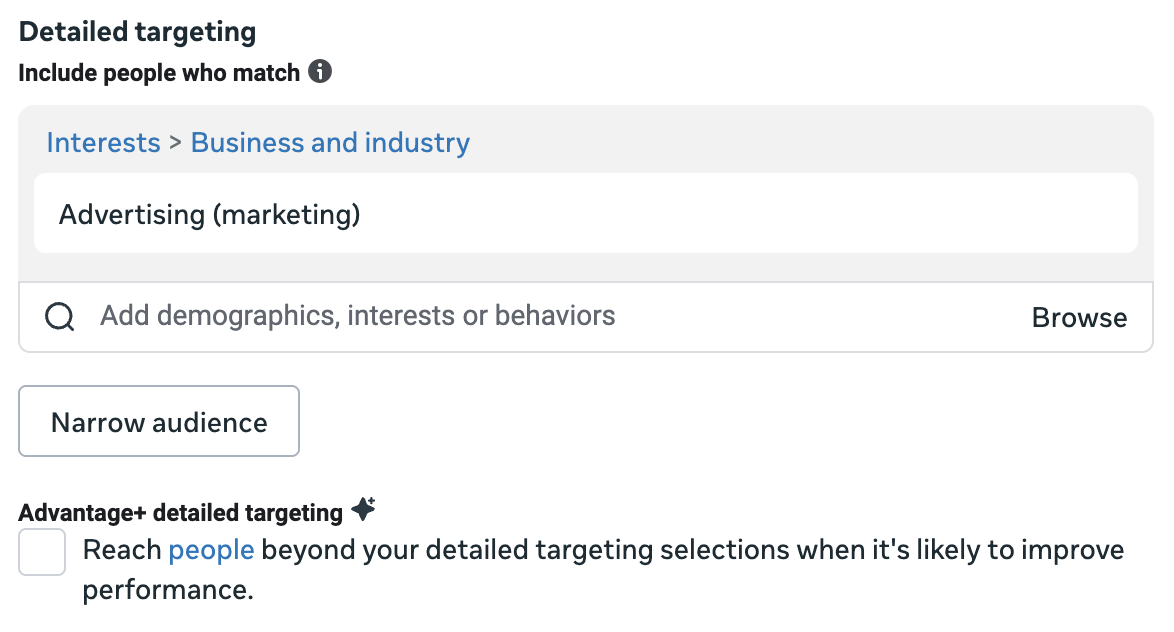
And if there’s a problem that needs to be solved, you can restrict your audience in select cases. Click to further limit the reach of your ads and uncheck the box to expand the audience.
5. Placements
Primary Approach: Hands Off
And one more, and this is particularly relevant with the latest news that a change is coming to placement control. In the not-so-distant future, advertisers will lose the ability to control placement, platform, device, and operating system for sales and leads campaigns.
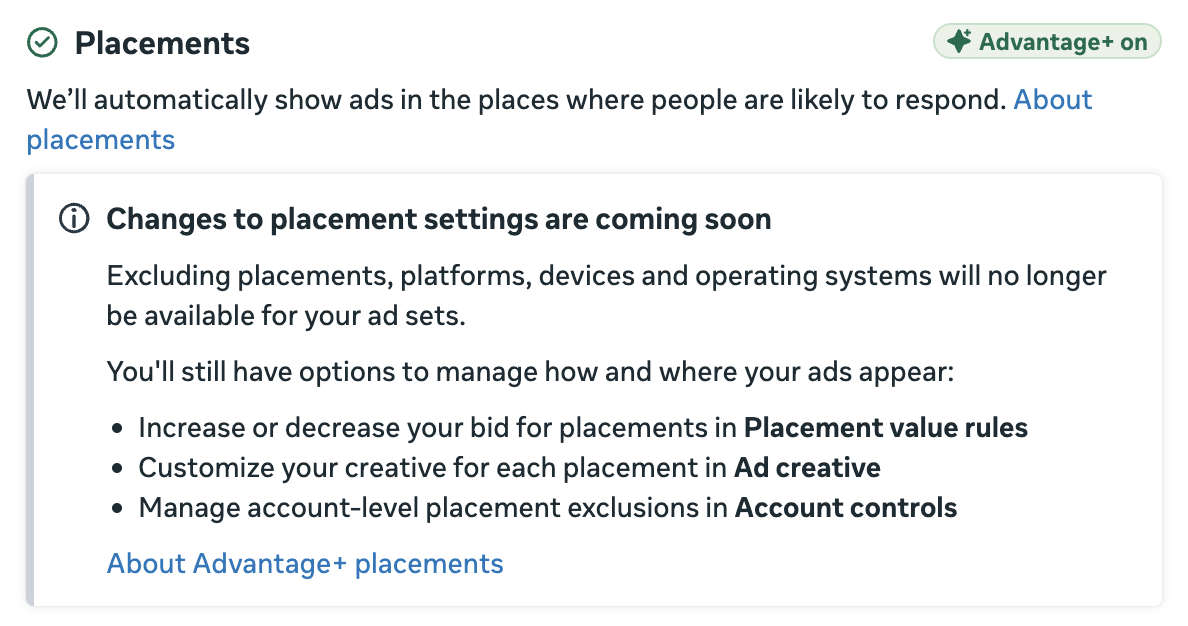
And while most advertisers revolt, I believe this is the right move. Far too many advertisers manipulate placements when they don’t need to.
It doesn’t mean that you should never control placements. But you should start in a place where Meta can choose from all available placements to get you the best results. Know about potential problems that can come from placements.
Those known problems rarely apply when optimizing for a conversion. So resist the urge to do anything when running ads for the bottom of the funnel. Get out of the habit of removing placements now since that option is going away.
Secondary Approach: Value Rules
While I believe you should prioritize Advantage+ Placements and resist removing placements, there are always exceptions. Those exceptions should be exceedingly rare when optimizing for a purchase or lead.
The reason for this is that the majority of placement-related problems happen because Meta can exploit weaknesses to get you more of the action that you want. And that can lead to cheap, low-quality results, particularly when optimizing for top-of-funnel actions.
In theory, Meta shouldn’t lean into Audience Network, a placement notorious for generating low-quality clicks, when optimizing for a conversion. Unless those clicks lead to your preferred conversion event, the placement is unlikely to be used much at all.
But plenty of these weaknesses can be exploited when optimizing for top-of-funnel actions. Here are three known examples…
- Audience Network: Cheap and low-quality clicks (optimizing for link clicks or landing page views)
- Rewarded Video: Cheap and low-quality video views (optimizing for ThruPlay views)
- Ads on Facebook Reels: Cheap and low-quality impressions (optimizing for reach or impressions)
So if you’re optimizing for link clicks or landing page views, expect a lot of your budget to be spent on Audience Network because it’s a known source of cheap clicks. Or if you optimize for ThruPlay views, Meta will lean into Rewarded Video because people are incentivized to watch videos in exchange for virtual currency. Or if you optimize for reach or impressions, a large percentage of your budget will be spent on Ads on Facebook Reels, where your ads are barely noticeable.
These are all problems, and you will only know they’re problems if you use the breakdown by placement or breakdown by platform to diagnose them. And if there’s a problem, your instinct may be to remove that placement. Resist that instinct.
Use value rules instead, if possible. Value rules will allow you to bid less on a placement so that Meta uses it less without removing it completely. You can lower your bid on Audience Network by 90%, for example, to virtually remove it from consideration without actually removing it.
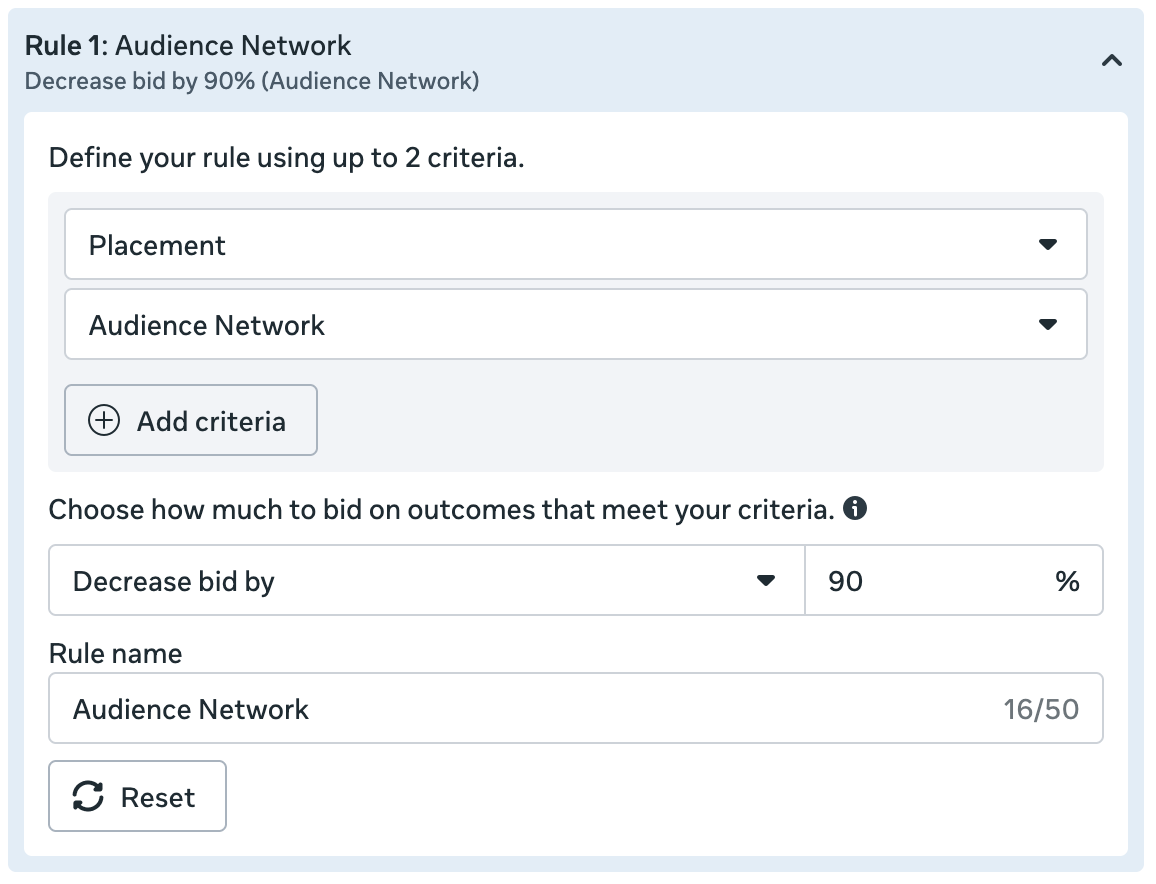
Unfortunately, there are only seven placements to choose from for now, but Audience Network is one of them.
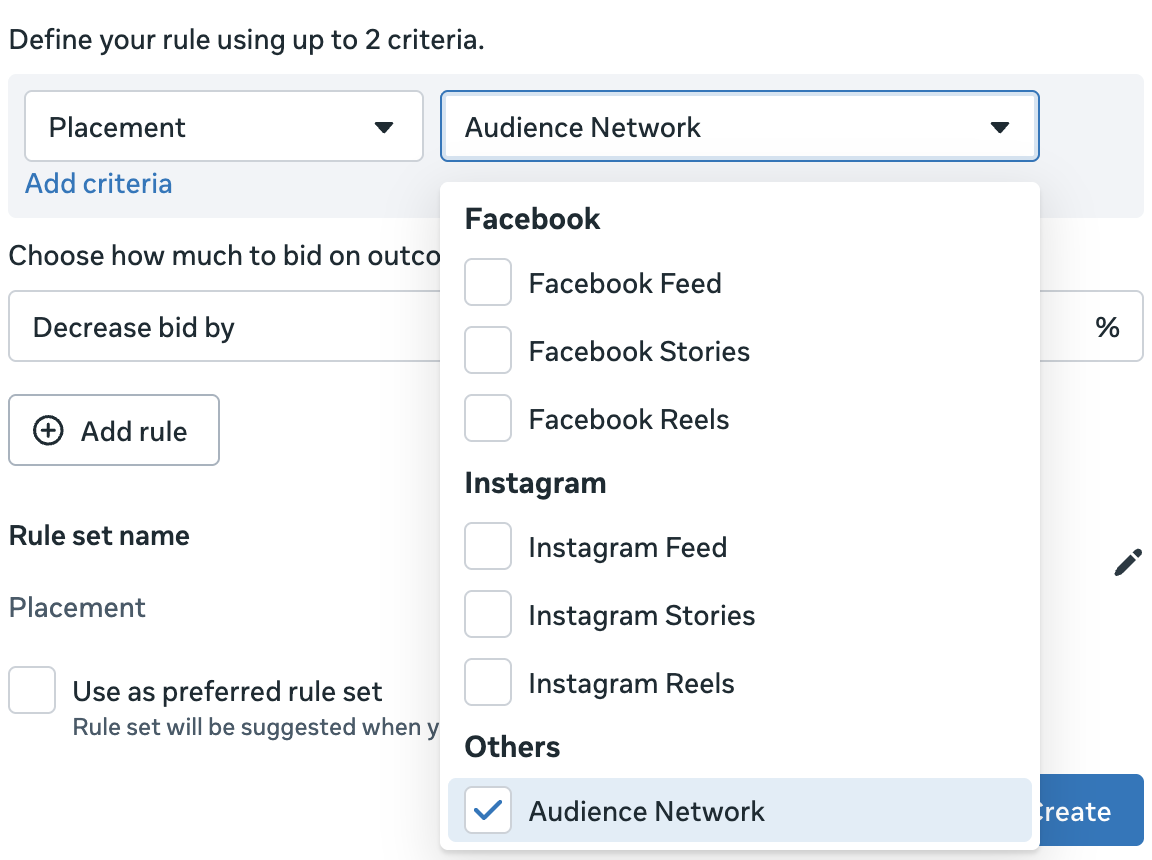
I’ve been told that more placements are coming.
Last Resort: Restrictions
If there isn’t a value rule available to solve a known problem, the last resort option would be to remove the placement. But only do this once you’ve confirmed a very real issue related to a placement that can be tied to cheap and low-quality results related to your performance goal.
At the moment, the best example of this would be optimizing for reach. You’ll get a ton of impressions from Ads on Facebook Reels. The action rate on that placement will be miniscule, but that’s not necessarily a problem in itself. Just make sure that the impressions are driving the impact you want.
If not, the placement may need to be controlled. And until the option is available within value rules, you’ll want to remove it. Recall that you’ll continue to be able to remove placements for objectives other than sales and leads.
A General Approach
You should have spotted a theme throughout this post.
Prioritize a hands-off approach.
Feel free to use audience suggestions, but also know that they may not do anything. Do not resort to controlling your audience or placement unless there’s a proven problem you’ve diagnosed while taking a hands-off approach.
Do not limit yourself unless it’s completely necessary.
Prioritize value rules to solve known problems.
That doesn’t mean that there aren’t known problems that need to be controlled. But these are almost always found in top-of-funnel optimization. Leads can be an issue for age and possibly gender, but you shouldn’t need restrictions when optimizing for a purchase.
Prove a problem first and understand why the problem is happening. Is that demographic or placement a known source of cheap and low-quality actions? And is that action the focus of your performance goal?
If so, control may be necessary. Start with a value rule to lower your bid on the problem element.
Restrict as a last resort.
You should rarely need to restrict by audience or placement these days. If there’s a known problem, a value rule is usually going to be your primary solution.
There are exceptions:
- Age-restricted goods where you need to set a firm age minimum
- Detailed targeting or lookalike audiences for top-of-funnel optimization
- Remarketing and rare situations where it’s beneficial
Otherwise, prioritize a hands-off approach.
Your Turn
Do you take a similar approach to control of your advertising?
Let me know in the comments below!