Meta Advertiser Field Notes
Weekly observations from inside Meta ads
Here are the topics I’m covering in this week’s Field Notes:
- Lead Capture AI Agent for Instant Forms
- Muse Image Generation for Ads
- Business Type in Advertising Settings
- “Use As Preferred Rule Set”
- When is a campaign ready to scale?
Let’s get to it…
1. Lead Capture AI Agent for Instant Forms
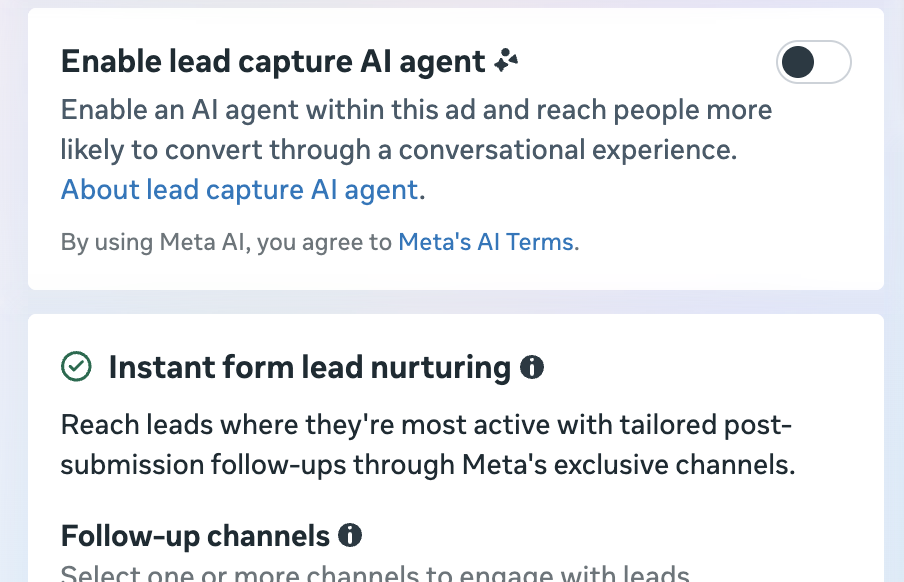
I stumbled on what could be a promising feature when running lead ads using instant forms. If you have it, you’ll see an “Enable lead capture AI agent” section below your forms when creating an ad.
You may otherwise see it in the Form Type section when creating an instant form.
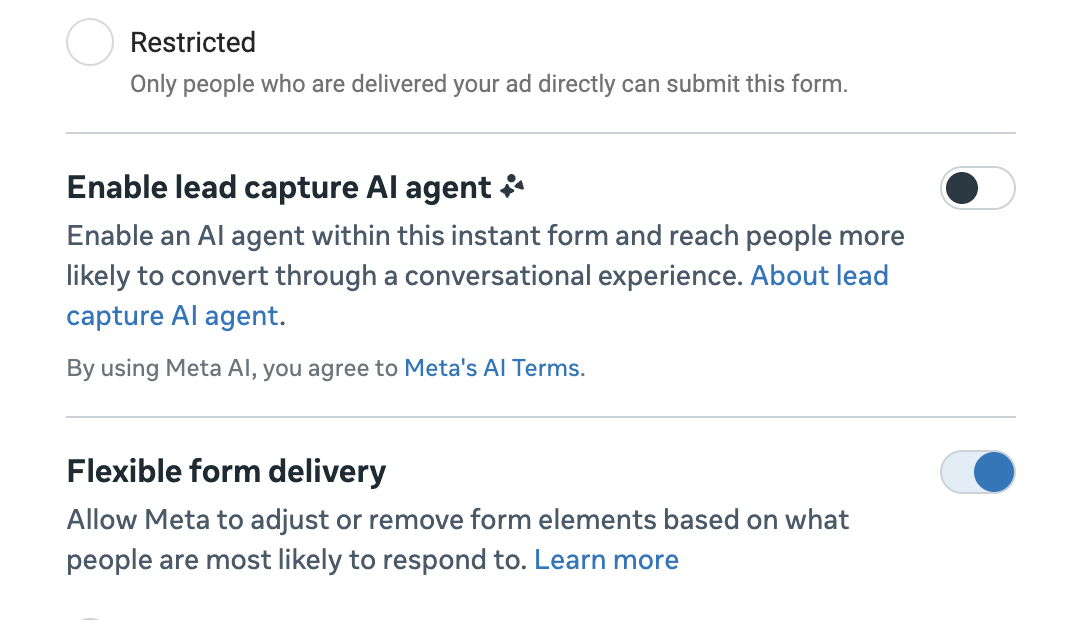
When turned on, an AI agent may help you capture leads. Here’s how Meta describes it:
The lead capture AI agent guides users through a conversational flow to collect instant form information. Meta decides whether to engage in an AI chat or show someone your instant form based on which experience is more likely to convert that lead. During the conversation, the agent can answer basic questions about your business using available details from your existing instant form and website. If the agent doesn’t have the answer, it will let the customer know and continue with the lead form questions. The interaction ends when the user submits the form or exits the chat.
So, the AI agent isn’t a selected destination for collecting a lead, similar to using Messenger for that purpose. Instead, Meta will automatically detect whether someone would be more likely to convert from the form or the agent before the experience is opened.
This conversation is conducted entirely in-app, and not via a messaging thread. So it’s not in your comments or in Messenger. That also means that the conversation isn’t stored, and you won’t be able to see it.
What I find especially interesting about the AI agent is that it can answer basic questions when potential leads have them. They may have specific concerns that would normally result in them closing the form, but they can instead get clarification from the agent. A lead will be completed once the agent is able to collect the information you require in the form, but it’s done in a conversation.
My only concern with this is the quality of information given by the agent. Meta says that the agent pulls information from the form and website to answer questions. Where on the website? Anywhere? Or just the page you might send people to from the end screen? Because that could matter.
It would be helpful if you could control the dataset that the agent pulls from when answering questions, or at least be able to test it. Otherwise, you are putting a decent amount of trust into it.
That said, I do think this has the potential to be very useful, especially for professional services leads or anything that involves more complexity. While it may be unnecessary for a lead magnet for some free thing, it’s still worth trying.
This could also be applicable to sales ads eventually, too. While Meta currently offers a Business AI enhancement for sales ads, that works a little differently. In that case, there are sample prompts that appear in the ad itself.

2. Muse Image Generation for Ads
Meta announced that Muse Image will power image generation for Meta ads beginning in the next few weeks.
Here’s what Meta said about it:
With Muse Image, image generation is getting a major upgrade. Muse Image is built with agentic visual reasoning and self-refinement, meaning it understands complex creative briefs the way a designer would—not just individual keywords. Muse Image brings native reasoning to the creative process to adjust elements, swap styles, and create variations based on the advertiser’s creative, resulting in high-quality, on-brand ad variations with fewer iterations.
That’s a lot of words without saying much, but the bottom line here seems to be that Meta’s image generation for ads is about to get a major upgrade. From personal experience, Meta’s AI-generated images were mostly unusable until recently. They’ve been better, and they’re apparently going to get another bump in quality.
Meta provided some examples below that can alter backgrounds, add a human element using the product, or enhance design.
If Meta can get this right, it could be a huge benefit for advertisers struggling to churn out quality ad variations. Creative diversity is a priority, but creating enough high-quality variations quickly can be a challenge.
Let’s cross our fingers that Muse Image is the solution.
3. Business Type in Advertising Settings
This is something I’ve seen randomly in select ad accounts, but not all. If you have it, you’ll see a box for Business Details in the top section of Advertising Settings.
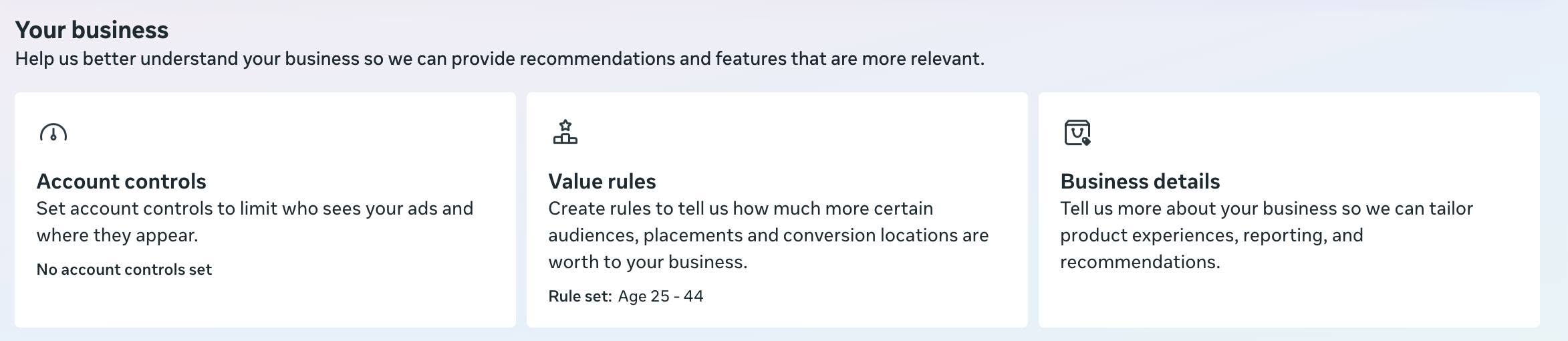
When you click it, Meta gives you three options to choose your business type.
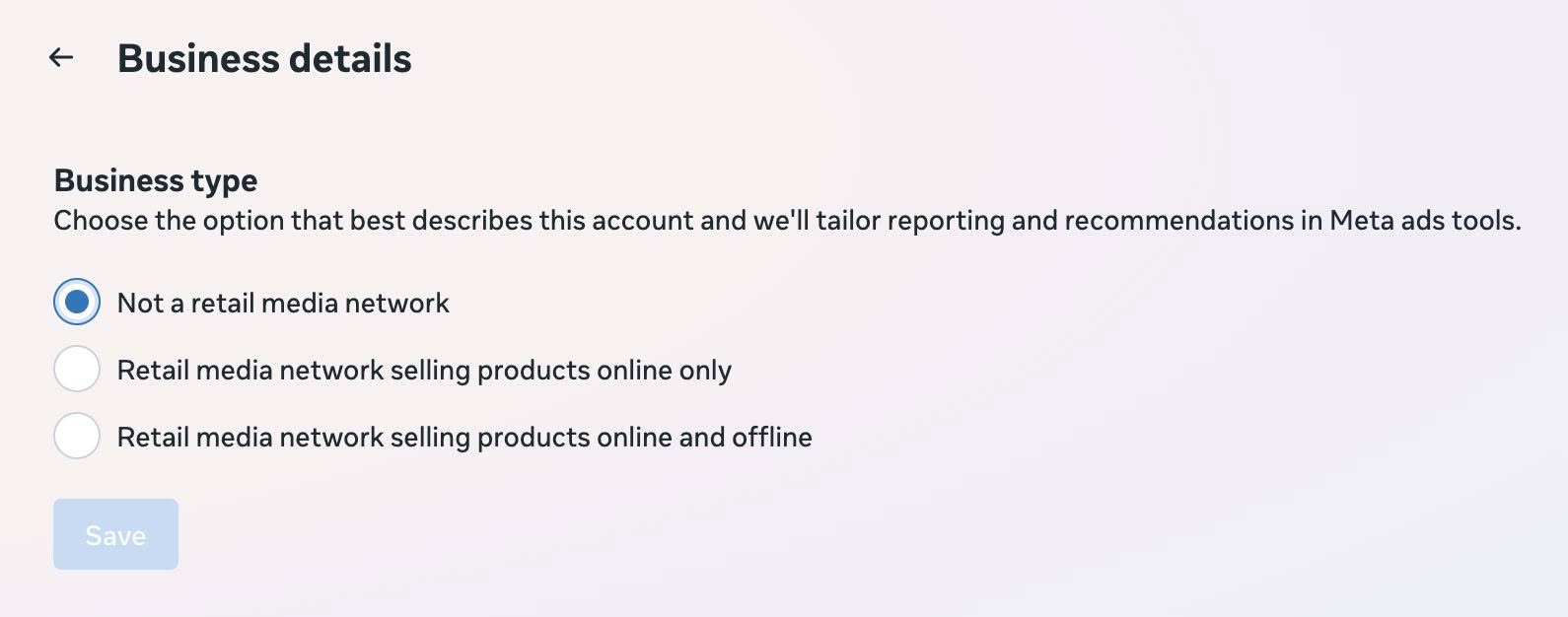
The options:
- Not a retail media network
- Retail media network selling products online only
- Retail media network selling products online and offline
Meta says that your selection will help tailor reporting and recommendations in Meta ads tools. It’s not entirely clear how, exactly, that will impact reporting and tools, but it’s certainly something worth defining if you qualify.
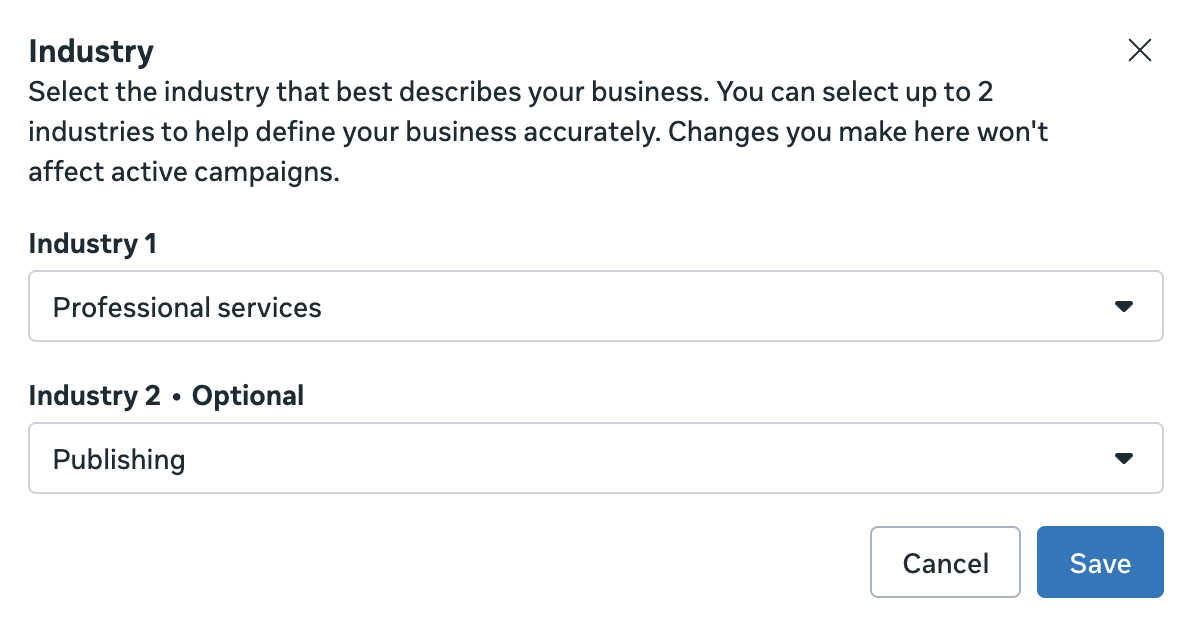
This is similar to the Industry setting that some advertisers have, but that one provides a far more diverse list of business categories to choose from.
4. “Use As Preferred Rule Set”
Meta introduced value rules in 2025 as a way to adjust bids on variables like age, gender, placement, or location, rather than restricting audiences entirely.
I’ve spotted a new feature in select ad accounts during the rule creation process that allows you to “use as preferred rule set.”
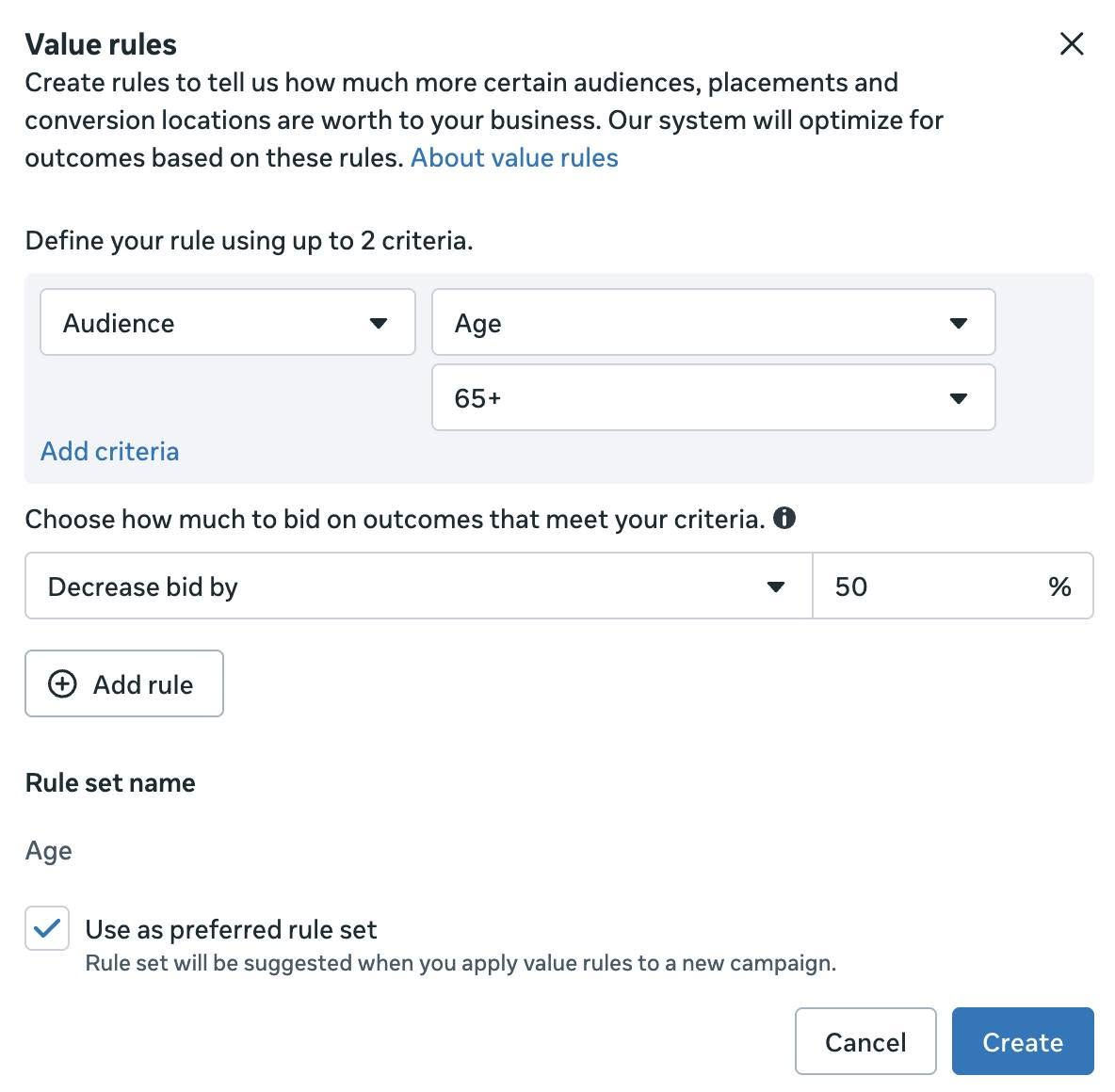
When checked, Meta may suggest that rule set when using value rules in a campaign.
This seems like a reasonable update, though small. My only concern generally is that there’s a danger of advertisers using value rules when they don’t need to. Whether a value rule is needed is tied closely to the performance goal, so you shouldn’t ever universally need to apply one.
So every time Meta encourages the use of value rules, I do worry that it will result in more advertisers using them when they aren’t necessary. So be careful.
5. When is a Campaign Ready to Scale?
I’ve been thinking about this a lot lately because it’s such a common question.
A popular complaint is that advertisers will spot a high-performing campaign, increase the budget, and then results tank. But the source of this problem is often data that could have predicted the performance drop.
A high-performing campaign based on surface-level conversion data is often propped up by view-through and engage-through conversion data. And even a high percentage of 7-day click conversions could spell scalability problems. The first sign of a scalable campaign is one where performance still looks good after removing everything other than 1-day click conversion results.
It’s not that the other attribution settings are worthless. But they’re various levels of “fluffy,” and they’re certainly less predictable than 1-day click.
And we’re still ignoring what could cause this lack of scalability. If you’re getting a low percentage of 1-day click conversions, it’s usually because a high percentage of your conversions are coming from remarketing audiences. And I’m not even suggesting that you’re creating a separate remarketing campaign. Algorithmic targeting will lean into remarketing, too.
The first thing you need to do is make sure that your audience segments are defined thoroughly in Advertising Settings.
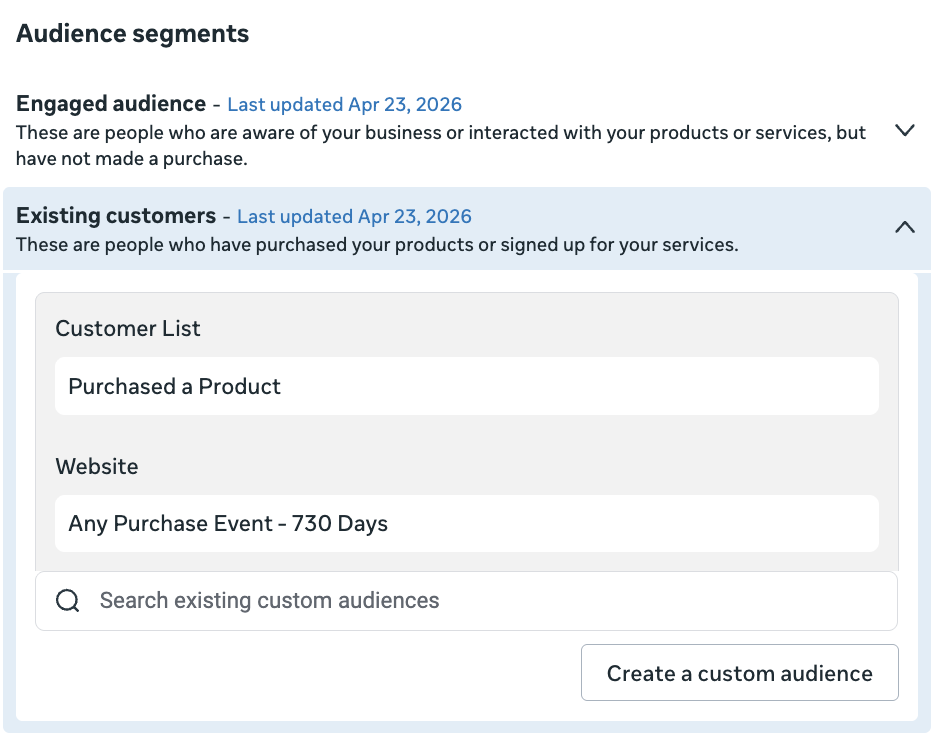
Engaged Audience:
- All website visitors (180 days)
- Entire email list
- Any other applicable custom audience
Existing Customers:
- All website purchases (730 days)
- Customer list of all purchases
- Any other applicable custom audience
Don’t get cute by limiting the engaged audience to just certain website visitors or the existing customers to just certain customers. Be as broad as possible. Even when they’re broad, they won’t include remarketing to people who only engage with you on Facebook or Instagram.
Then perform a breakdown by audience segments. How much heavy lifting are remarketing audiences doing? What does performance look like if you isolate the “new audience”?
The reason this is important is tied closely to why results collapse when the budget is increased. Your results start great because Meta will prioritize remarketing audiences. Your results decline when you exhaust those groups. True, predictable performance comes from a stable, high-performing new audience.
Remarketing isn’t scalable. It will burn out. Prospecting audiences are scalable. Performance from new people is predictable once you’ve established a baseline, and you’re unlikely to exhaust the audience.
So, is your campaign scalable? Strip away all of the potential fluff that may make your campaign appear more effective than it is. When you perform the breakdown by audience segments, isolate the new audience row. This is the most accurate expectation for performance as you scale.
Are the CPA, ROAS, and other KPIs from the new audience acceptable? Expect that even these numbers will drop some as you increase budget. Do you have enough room to remain profitable?
Answer these questions and you’ll know whether a campaign is scalable. Far too often, we get tricked by results that are propped up by remarketing, view-through, engage-through, and even 7-day click results. We assume these results will scale, but we should know better.
Your Turn
What do you think about these updates?
Let me know in the comments below!