Any screenshots and details of functionality may no longer be relevant.
There are dozens of Facebook metrics. Even the most popularly used metrics are largely misunderstood (make sure you check out this glossary of terms!).
This is especially the case for admins whose source of metrics knowledge is within posts or within web Insights only. I encourage you to look beyond these surface level metrics and dig into your exports — this is where marketing gold is found!
Access this data by clicking the “Export Data” button within your web Insights.
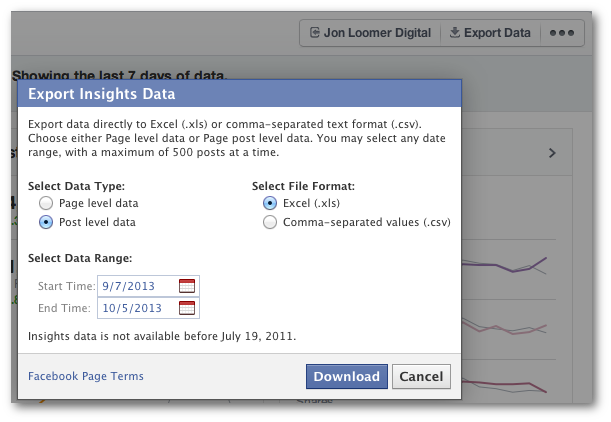
So here are a few of the metrics you are probably currently butchering, along with their actual meanings and the metrics you are looking for…
Total Reach or Organic Reach
The Reach metric is the most unnecessarily obsessed over while also misunderstood. It’s so misunderstood and confused that admins are confusing multiple metrics while none of them mean what they think they do.
Two of these metrics are Total Reach and Organic Reach. Total Reach can also be expressed as “[X number] people saw this post” under posts on your Page.
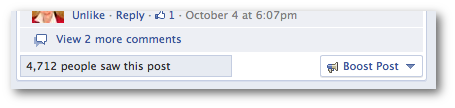
What You Think It Means: You think that Total Reach, [X number] People Saw This, and Organic Reach all tell you the number of Fans who saw a post. News Flash: They don’t!
What It Actually Means: Total Reach (or [X number] People Saw This) tells you the total number of people who saw a post. That includes Fans and non-Fans, and it also means reaching people with and without ads. It means reaching people within their News Feeds, on your Page and as shared by friends. The key word here is “TOTAL.”
Organic Reach is the number of unique users (Fans or non-Fans) who saw your Page post in News Feed, Ticker or on your Page. Organically, of course, and not as the result of an ad.
What You Probably Want: If you want to know the number of your Fans you reached with a post, you need to dig into your Post Level Export. The name of this metric is “Lifetime Post Reach by People Who Like Your Page” and it is in column X of the Key Metrics tab.
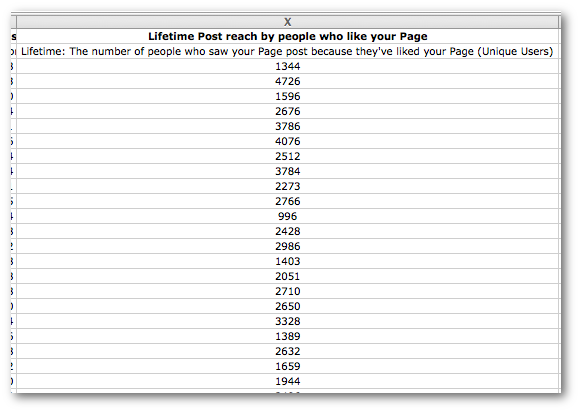
Of course, if you’ve been whining about your Total Reach being under 16% of your total Fan base, you’re going to be in for a rude awakening. This number will be even lower!
Also note that if you want to dig even more into your Fan-only data, there are seven columns of data there for you to discover!
People Talking About This
Everyone knows about the People Talking About This metric because it’s displayed immediately under your Cover Photo.
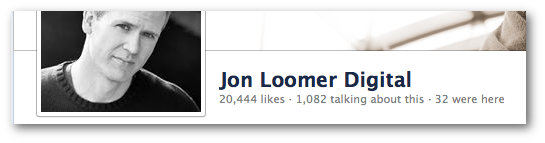
What You Think It Means: You think this is the number of people sharing, commenting on and liking your Page content. Oh, it includes those actions. But it’s more than that!
What It Actually Means: This is the number of people generating stories about your Page during the past week. So this includes post comments, likes and shares. But it also includes Page likes, check-ins, event RSVPs, Offer claims, mentioning your Page and writing on your Timeline.
The Page Talking About This metric isn’t necessarily terrible. But it’s easy to manipulate with ads (especially driving a lot of Likes), and it doesn’t focus on post quality, which is likely what you’re looking for.
What You Probably Want: What you probably want is Lifetime Talking About this on a post-level basis, and it can be found within your Post Level Export. The total count can be found in column Q of the Key Metrics tab, but you can get a breakdown (Comments, Likes, Shares) within the Lifetime Talking About This tab.
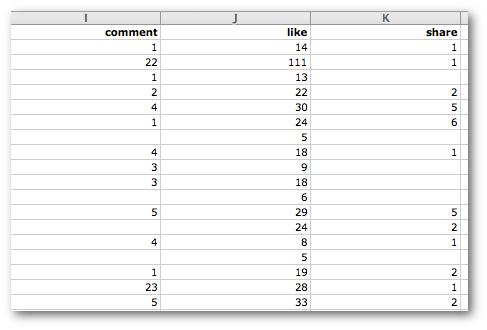
Unfortunately, there isn’t a Talking About This metric for all posts, but only on a post-by-post basis.
Post Clicks
This is a new metric that is found only within web Insights under Posts.
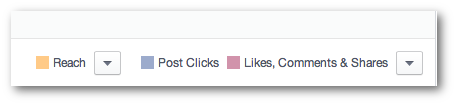
What You Think It Means: You think it’s link clicks. Nope!
What It Actually Means: This is the total number of clicks on a post, not including comments, likes and shares. So this includes every other type of click you can imagine (photo view, video play, reporting spam, expanding to read a post, expanding to read comments, clicking profiles within comments, etc.).
What You Probably Want: You want Link Clicks! This is a very valuable metric that is buried within the Post Level Export under Consumers and Consumptions. Look under the Lifetime Post Consumers by Type and Lifetime Post Consumptions by Type tabs. In each case, column I is for Link Clicks. That’s your baby!
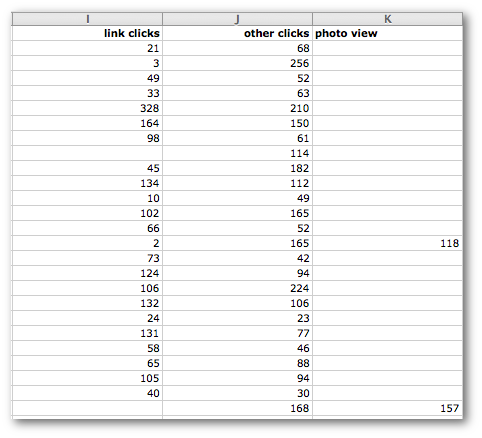
Consumptions is a great metric to get to know. It’s my favorite metric because it allows me to dig through just how valuable engagement on a post was, separating fluff from substance.
Your Turn
What metrics do you confuse — or do you find other marketers regularly confuse?
Let me know in the comments below!