



Any screenshots and details of functionality may no longer be relevant.

I often have people ask me how they can change the name of their Facebook Page. My response has always been, Well, if you have more than 100 Likes, then technically you can’t. But you can try to contact Facebook.
I don’t know if those people tended to be successful contacting Facebook and getting the change made. My guess is that they weren’t.
Such users may have a window of opportunity. Not sure if the option was made available with Timeline or if it’s been around for a while and I just now became aware of it, but go to this link to make your case for changing your Facebook Page name.
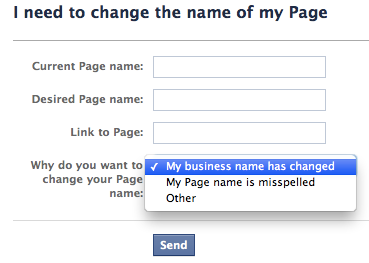
There are certainly good reasons to change page names. Some would include:
- Misspellings
- Company underwent a name change
- Used site URL instead of company name
- Used abbreviation that isn’t as common as full name
- Establish consistent naming convention among multiple pages within your company
If it’s good for business, it’s good for Facebook. Facebook needs businesses to be successful with Timeline, so it’s in their best interests to remove obstacles that may be preventing success. And if I can’t find your page in search due to a name change, misspelling or other unusual naming quirk, that’s one less potential fan. Facebook needs successful pages who see value in advertising on the platform, and they’ll abandon their efforts if obstacles such as naming get in their way.